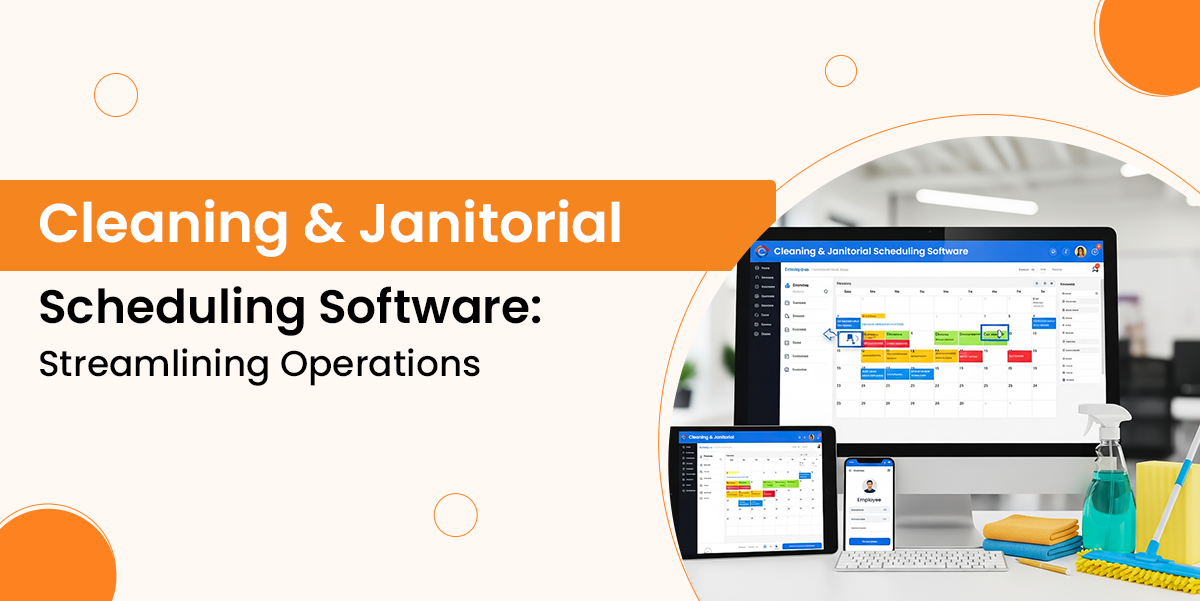
Cleaning & Janitorial Scheduling Software: Streamlining Operations

Nowadays, a cleaning business needs such system that does more than just completing daily tasks. So behind every polished floor and sanitised workspace, there is a complex system of scheduling, workforce management, supply management, and client communication.

As businesses grow, these parts become difficult to manage with traditional approach tools such as paper logs or spreadsheets. That’s where janitorial service management software offers a modern solution by bringing all core operations into one centralised platform.

In this guide, you will understand how cleaning business scheduling software helps to speed up daily operations by exploring its features and why it has become essential for businesses and more.

What is Janitorial Management Software?

Janitorial management software is a specialised digital platform that is created to automate and simplify the operations of commercial cleaning businesses and facility management teams.

The system centralises administrative and field tasks into a single system.

Features of Cleaning Business Scheduling Software

Modern cleaning businesses depend on scheduling software to bring structure and visibility to their daily operations. Let’s explore its features below:

1. Inventory and Supplies Management

The system helps to track cleaning supplies, equipment, and stock levels so teams never run short of anything. It improves cost control, prevents over-ordering, and ensures essentials are available when required.

Managers can monitor usage patterns and maintain better oversight of supply distribution over various locations.

2. Custom and Contact Management

The software stores customer details, service preferences, and cleaning equipment in one place. It helps to improve communication, support quick access to records, and makes it simple to personalise services.

With this, the staff can reference past work, respond faster to requests, and maintain organised client information.

3. Billing and Invoicing

The system also generates invoices, sends them to customers, tracks payments, and manages billing cycles. It reduces administrative effort and speeds up cash flow. Users can automate recurring bills, view payment history, and maintain financial records without relying on manual processes.

4. Quality Control and Inspections

This feature provides digital checklists, inspection tools, and documentation for quality checks. It supports maintaining cleaning standards, ensures accountability, and highlights areas that need improvement. With this feature, inspectors can also log issues on-site, track corrective actions, and create a consistent process for monitoring service quality.

5. Scheduling a Work Order Management

This feature enables users to create cleaning schedules, assign tasks to staff, and track work order progress. It simplifies the workflow, reduces delays, and ensures the tasks are completed on time.

How Janitorial Service Management Software Supports Business Growth

As a cleaning business grows day by day, it requires tools to support it. Let’s understand how the system helps in business growth, as shown below:

1. Operational Scaling and Efficiency

The janitorial management software assigns cleaners based on location, availability, and skill, cuts travel time, and avoids error. The system speeds up training by nearly half and helps teams to scale quickly.

With IoT-based demand, cleaning adjusts workloads using real foot traffic instead of fixed routines, reducing cleaning cycles and improving resource allocation for growing operations.

2. Revenue Maximising and Upselling

Smart pricing sets rates using market data so businesses stay profitable as they grow.

Platforms analyse client history to suggest relevant add-ons at the ideal moment, increasing order value.

An automated quoting removes most manual admin work, speeding lead responses and boosting conversion rates, which allows teams to focus on higher-value revenue activities.

3. Strategic Decision Making

The janitorial workforce tracking software’s dashboard shows real-time margins for each clients which help managers to prioritise valuable accounts and fix the weak ones.

Automated time tracking and payroll integration ensure accurate pay, reducing turnover and cutting admin work.

With it, the tool supports clear planning and stronger decision-making across operations.

Read Also: Choosing the Best FSM Software in 2026

Why Modern Cleaning Businesses Need Scheduling Software?

1. Removing Margin Leakage

Manual scheduling causes margin leakage through irrelevant travel time, over-scheduled staff and missed add-on services.

As modern route optimisation tools use Artificial Intelligence to assign and manage jobs by location and cutting non-billable travel time up to 20%.

With precise labour tracking through geofencing so businesses only pay for actual on-site hours and reduce errors which can cost thousands every year.

2. Managing Labour Shortage

With the labour market still tight in 2026, cleaning management software helps to retain the staff you already have.

Cleaners stay longer when they receive clear instructions and instant schedule access through mobile apps.

AI-based conflict detection also supports better scheduling by reducing burnout, balancing workloads.

3. Financial Speed & Accuracy

In a high-inflation economy, the cash flow becomes critical for every cleaning business.

Scheduling software improves financial speed by sending invoices automatically the moment a cleaner marks a job as complete.

4. Compliance and Green Reporting

New 2026 regulations require cleaning companies to track chemical usage and environmental impact especially for commercial contracts.

A modern janitorial system can track how many cleaning agents are used and help clients to meet environmental, social and governance standards.

Conclusion

Overall, modern cleaning business scheduling apps have become a key part in speeding up the daily operations of janitorial businesses.

The system handles many jobs such as scheduling, labour tracking, and more, to reduce manual work and give more time to the team to focus on services and enhance their productivity.

So, after reading this guide, you have a clear idea about what janitorial service management software does and provides, which allows businesses to operate smarter, strengthen reliability and build a stronger foundation for future expansion.
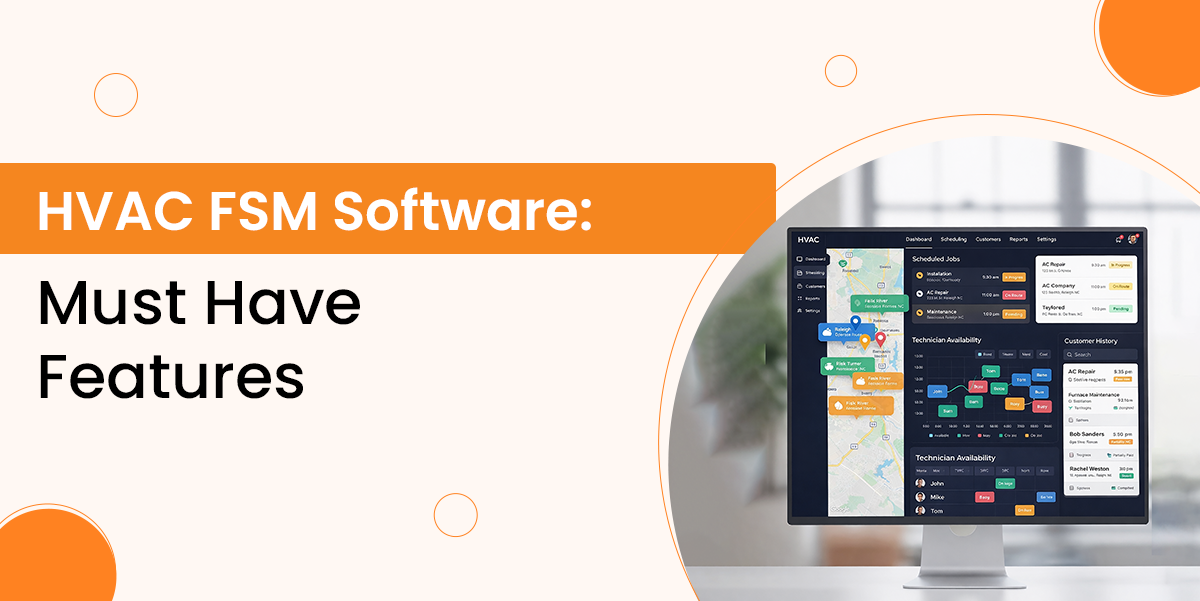
HVAC FSM Software: Must‑Have Features

Finding the best HVAC service management software is important for running a smooth and efficient operation. As technicians are constantly on the move and customer expectations are rising, you need such a system that connects every part of your business, from scheduling and job management to invoicing and more.

Modern HVAC FSM software offers more than basic dispatch tools as they act as a central hub which improves communication, boosts productivity and helps teams deliver a more reliable service.

In this guide, you’ll find the must-have features that truly make a difference and help you choose a solution that is best for your business needs. The right HVAC service management software not only simplifies daily tasks but also supports long-term growth by giving you better visibility across jobs, inventory, customers and financials.

1. Mobile Supported Technician Application

Technicians spend most of their day in the field, so easy mobile access is important. A strong mobile app gives them everything they need on their phone or tablet, like job details, customer history, and service manuals, which removes the need for paperwork and helps them to arrive prepared.

Mobile App must work in offline especially in basements or remote areas with weak signal. With an offline-ready app, the technicians can view jobs, update work orders and add pictures without connectivity.

A HVAC technician scheduling software must add full access to job details and customer history, digital forms and checklists, electronic signatures and tools for communicating with customers

2. Inventory and Part Management

A strong inventory control prevents delays from missing parts and saves money from being spent in excess amounts.  A field service software for HVAC must track parts across all locations like warehouses, service vehicles and technicians’ trucks with real-time live locations.

Automated reorder alerts help to ensure essential components stay in stock, especially during busy seasons when supply chain issues are common.

Mobile inventory tools allow technicians to check availability, reserve parts for upcoming jobs and update stock immediately after use. This real-time syncing avoids double booking and gives purchasing teams accurate data.

This feature must include multi-location inventory tracking, real-time stock visibility with automated reorder alerts and serial number and warranty tracking.

3. Integration Capabilities

Modern HVAC companies use several kinds of HVAC service management systems, so it’s important for the field service management mobile app to integrate smoothly with them. With strong integration capabilities, it prevents double data entry and keeps the information consistent everywhere.

The system must integrate with accounting software and let invoices, payments and expenses sync automatically, which makes bookkeeping easier and more accurate.

So, these integrations create a unified tech setup which improves efficiency and accuracy across the business.

4. Well Connected Customer Relationship System

A customer relationship management system keeps all customer and service information in one place, which helps your team have a clear view of every interaction. It stores contact details, property and equipment information, service agreement and communication history, which helps you deliver more personalised service.

This reduces workload on the admin and improves satisfaction by making information easy to find.  A HVAC service management software helps you maintain everything from installation, warranty details, to servicing and repairs.

5. Scheduling and Dispatch Optimisation

Smart scheduling is important for keeping HVAC operations efficient, especially when demand is high. Modern HVAC service management software should match jobs with the best technicians by considering their skills, location, availability and urgency of each task.

The systems can automatically assign jobs, cut travel time, speed up responses and increase the number of daily service visits.

Best HVAC platforms offer easy and simple scheduling so dispatchers can quickly adjust appointments when emergencies happen or jobs take longer than planned. They also need a clear overview of technician locations, job progress and upcoming tasks.

6. Quote and Estimate Generation

Efficient and accurate quotes help HVAC businesses get more profit. The best HVAC field service software makes it easy to create estimates using standard pricing for services, equipment and labour while it allows flexibility for unique jobs.

Using existing templates keeps quotes consistent and reduces the time it takes to respond to customers, helping improve conversion rates.

Sending quotes digitally with electronic approval speeds up the entire process by removing the need for printing or manual signatures.

This quote tracking feature defines which estimates are waiting, approved or declined, which makes follow-ups more efficient. Once a quote is approved, it is converted into a work order with one click, which avoids re-entering information and ensures all project details move smoothly from sales to operations.

7. Scalability and Customisation

As your HVAC business grows, your HVAC service management system must grow with it. The system should handle rising numbers of technicians, customers and service requests without slowing down or requiring costly upgrades.

Cloud-based platforms make this easier by providing flexible capacity, which allows you to expand into new regions and add more users without extra hardware. Strong customisation ensures the software fits your operations rather than forcing you to change how you work.

Custom fields, forms and workflows allow you to match the system to your own processes, support compliance requirements and maintain consistent job handling across your entire team.

8. Invoicing and Payment Processing

Automated invoicing ensures a fast cash flow by removing the delay between completing a job and sending the bill. A reliable HVAC service management platform generates invoices instantly when a work order is closed by automatically pulling in labour, parts, taxes and maintenance items, so there’s no need for manual entry.

With built-in payment tools, technicians can collect payment on-site using a card, mobile app or digital wallet. This speeds up collection, reduces ageing receivables and gives customers a smoother experience.

Automated reminders and recurring billing for service contracts also help keep revenue predictable, allowing your team to focus on service instead of chasing payments.

9. Advanced Reporting and Analytics

Strong analytics give HVAC businesses the clarity they need to make better decisions. A modern field service management platform should provide real-time dashboards and customisable reports that track technician performance, job completion times, revenue, customer trends and equipment health.

These insights help you identify bottlenecks, reduce operational costs and improve service quality. Automated reports delivered to managers keep everyone aligned and make it easier to forecast busy seasons, plan staffing and optimise inventory.

This feature must include real-time performance tracking, custom reports, automated insights and forecasting tools.

10. Time Tracking and Labour Management

Accurate time tracking helps HVAC businesses understand true labour costs and improve job profitability. A strong field service management system should let technicians clock in and out, log travel time and record time spent on each task directly from their mobile app.

Real-time labour data ensures invoices are accurate, prevents under- or over-billing and gives managers a clear picture of technician efficiency. Integrating time logs with payroll and job costing also reduces manual admin work and keeps records consistent across the business.

This feature must include mobile time tracking, task-level labour logs, automated payroll syncing and real-time visibility for managers.

Conclusion

A strong HVAC FSM system brings every part of your operation into one connected platform, helping teams work faster, communicate clearly and deliver a better customer experience.

With the right combination of features like mobile tools, automation, integrations and real-time insights, your business can handle higher workloads without adding unnecessary admin.

The HVAC service management software not only improves day-to-day efficiency but also creates a foundation for sustainable growth, better decision-making and long-lasting customer relationships.

By investing in a well-defined, scalable solution, HVAC companies can stay competitive, reduce operational costs and ensure technicians have everything they need to complete each job to the highest standard.

FSM Mobile Apps: Why They Matter & What to Look For

Field service management mobile apps have transformed the way companies coordinate and manage teams working off-site. The apps allow businesses to keep a close eye on jobs, contracts, and resources from a centralised system.

FSM mobile apps are widely used in industries and offer real-time support and quick access to essential information.

They give technicians the tools to solve problems on the go and help managers monitor progress, allocate jobs, and keep customers informed. By streamlining operations and cutting down on paperwork, FSM apps make fieldwork more organised and efficient for everyone involved.

What is a Field Service Management Mobile App?

Field service management app speeds up the coordination and monitoring of workers in the field and helps to manage contracts & service agreements. It also gives field technicians the tools and data needed to perform tasks well. The best field service mobile apps are designed to be used in various industries like HVAC and plumbing,  and focus on efficient field operations. For anyone looking for the right mobile app for technicians, FSM offers everything needed for fast and well-organized service.

Why is FSM important for Modern Business?

FSM play an important role in making field operations smoother and easier to manage. Let’s understand its importance

1. More effective problem-solving

Inexperienced technicians now use their mobiles to get live guidance from seniors. With sensors, the support is even more effective. A skilled staff can help junior technicians from anywhere, which means the company doesn’t need to send its employees physically to help others, as this is achieved through FSM.

2. Proactive Maintenance

Instead of waiting for equipment to break down, businesses can focus on regular maintenance checks. With various in-built features of FSM, it helps to notify technicians when action is needed. Many issues can be fixed remotely through the FSM app without needing to visit the site.

3. Improve Engagement and Communication

Mobile FSM apps have changed the way customers interact with field service providers, enabling everything from request to invoicing, alerts, and status updates, all from a phone. Most transactional data is saved from on-site and sent digitally, which removes the need for handwritten notes and duplicate entries, preventing errors.

4. Enhanced Operational Control

Sometimes, field service faced delays and confusion due to poor oversight. But with the FSM, organisations get real-time updates. This leads to faster dispatch, route alerts for staff, and accurate updates for customers.

5. Fast Scheduling

The system also helps in improving field service. Modern field service mobile apps use smart scheduling tools to assign jobs efficiently and automatically choose the nearest and most qualified technicians for each task. This leads to faster response times, better use of resources, and ensures customers get the right help quickly.

Features to look for in a field service management mobile app

Selecting the right features ensures your field operations run smoothly, technicians are productive, and more. Let’s explore the features below:

1. Inventory Management

The feature helps to track all spare parts, tools, and materials, updating stock levels in real-time. Technicians can check what’s available before going on-site. It also gives an alert when the inventory stock is low, which makes it easy to restock before anything runs out and work is disrupted. When doing a field service app comparison, inventory management always comes first as a must-have feature.

2. Geolocation and Route Optimisation

Using the GPS and traffic updates, the app finds the best route to every job. The system helps technicians to avoid traffic jams, roadworks, or delays by suggesting a faster alternative route. This means less time wasted on the road, reduced fuel costs, and a higher chance of arriving at the job on time.

3. CRM

With FSM, all the customer information is stored in one place with the help of the CRM feature. It stores the information like contact details, service history, and more. Technicians can easily access this data, understand the client’s needs, and provide better service. The feature helps in smooth communication, which makes it easy to update customers or answer their questions quickly.

4. Real-time Tracking

Managers can see where every technician is at any time. This makes it easy to monitor progress, provide updates to clients, and respond quickly to emergencies or urgent new jobs. It improves scheduling, which means less guessing about where technicians are.

5. Mobile Access

Technicians can view job details, manuals, forms, and checklists directly on their phone or tablet.  As there is no need for paperwork to manage this. This saves time, keeps everything organised, and makes sure all information needed is always present when required.

6. Reporting and Analytics

The reporting and analytics feature collects data from every performed task, such as time spent, parts used, and work completed. This information helps to create a report that helps managers to find insights, trends, and track performance, then make better decisions. This feature supports ongoing improvement by showing what’s working well and where things could be better.

If you want the best FSM mobile app features, then always compare what each solution offers, and then you get the best one.

Why Choose Genic Teams for Field Service Management?

Genic Teams is built to simplify and improve field service operations for businesses of all sizes. We provide a complete FSM mobile app that helps manage technicians, jobs, customers, and resources from one platform.

Our system supports several industries like HVAC, plumbing, facilities management, and more.

We at Genic Teams help organisations simplify daily operations by offering features such as smart scheduling, inventory tracking, real-time technician updates, and customer management. Technicians can easily access job details, update task status, and communicate with the office directly through the mobile app.

With real-time visibility and data-driven insights, businesses can reduce delays, improve service quality, and make better operational decisions.

Genic Teams also helps improve customer satisfaction by ensuring faster response times, accurate updates, and smoother communication throughout the service process.

Overall, Genic Teams enables field service teams to work more efficiently, stay organised, and deliver reliable service every time.

Conclusion

Choosing the right FSM mobile app gives businesses an advantage in a competitive market. With features for tracking inventory, optimising routes, managing customer details, and reporting, these apps keep field operations running smoothly.

With real-time updates and easy access to job information, teams can stay focused and productive while customers enjoy quicker, more reliable service. Investing in a solid best field service management software ensures your business is ready to handle the challenges of modern field service and deliver results every time.

Mobile Workforce Management: Best Practices & Tools for 2026

Organisations that depend on mobile Workforce Management (MWM) can help their staff remain organized, manage their job activities and also offer help when they’re working outside their typical workplace environment.

It replaces manual procedures, paperwork, as well as fragmented interaction using real-time mobile tools, which keep field teams connected and effective. Utility companies, construction, transportation, and healthcare industries depend on mobile workers, in which delays or bad coordination directly impact service delivery as well as costs.

MWM makes it possible for quicker decisions, greater use of time, and much better client experiences by offering visibility into worker location, work progress, and resource availability. As mobile work continues to grow in 2026, organized and secure workforce management has turned into a business need instead of a nice-to-have.

What is Mobile Workforce Management?

Mobile workforce management is a process that uses mobile to track, organise and support employees who work in the field.  It replaces manual tasks like scheduling jobs, managing resources and paper forms with real-time practical tools.

Businesses like transport, construction, and healthcare are heavily dependent. For example:

  • Utility business dispatch technicians to fix outages quickly.
  • Construction teams coordinate with on-site workers to meet deadlines.

To keep work running effectively, businesses are adopting mobile workforce management solutions.

Also Read: FSM vs MWM: Key Differences & Use Cases

Why Mobile Workforce Management is Essential For Organisations

As organisations increasingly rely on mobile and field-based teams, having the right systems in place is essential to maintain visibility, productivity and service quality across daily operations.

Real-Time Visibility

Office teams can instantly see exactly where engineers are, what tasks they’re managing, and also how tasks are moving forward. This clarity provides better customer updates, faster resolution of problems and smarter scheduling, supported by real-time workforce tracking solutions that optimise daily resource use.

Improved Productivity

Engineers spend a lesser amount of time filling out forms and more time doing tasks. Engineers could perform better with the aid of mobile workforce management tools, which help them manage their day-to-day jobs. Studies show that the benefits of mobile workforce management can include a 20–30% increase in field team efficiency.

Better Customer Service

Customers receive live updates, dependable arrival times, and instant confirmation when work is completed. This transparency improves trust and reduces missed appointments, reinforcing the wider benefits of mobile workforce management for service-based organisations.

Decreased Administrative Burden

The data that’s recorded on the site automatically updates the billing, reporting, and compliance procedures. This eliminates the need for manual data entry and additionally saves engineers time as well as headaches chasing after paperwork.

Tracking Audit and Compliance Trails

The digital job data consists of timestamps, location data and customer signatures. These audit trails tend to be clear and precise, as well as support legal requirements, making compliance checks easier and more dependable.

Best Practices For Mobile Workforce Management

Following mobile workforce management best practices ensures systems remain secure, scalable and effective:

1. Establish a Clear Workforce Policy

Every effective mobile programme starts with clear rules. A mobile workforce policy should be defined and approved, including devices, usage expectations, app restrictions, and security standards. It should also explain what happens if a device is lost, where support for personal devices begins and ends, and any legal obligations around data access.

2. Give Access Based on Job Title

In an organisation, not everyone needs access to the same tool because each employee does a different job. So, give them access based on their job, not someone who does not need access to that tool. This makes access simple and secure.

3. Set Session Time Limits and Location Controls

Set automatic time limits so users are logged out when apps are inactive. It reduces the risk of unauthorised access if a device is left unattended.  Location controls add another layer of protection by blocking access from high-risk locations. Together, these measures help to protect company data if a device is lost, stolen, or used outside approved areas.

4. Use MFA and Check Device Security

Passwords alone cannot protect mobile access. Multi-factor authentication adds an extra verification step, making it harder for attackers to gain entry. Access should only be allowed from devices that meet basic security standards, such as up-to-date software, enabled encryption, and no signs of tethering or jailbreaking. These checks reduce the risk of compromised or insecure devices connecting to business systems.

5. Separate Personal And Business Devices (BYOD)

Various management methods are required for corporate and personal devices. Determine clearly which roles may use their own devices and which have to use company hardware. Give a description of the security controls for every option, like what data could be limited or managed. BYOD must safeguard only company information, while company devices permit complete control, minimizing misunderstandings, misuse and compliance gaps broadly throughout the organisation.

6. Clear Onboarding and Offboarding Procedures

When employees join, right from the start, offer secure access to needed apps and login credentials and clear use direction. Once they leave, immediately get rid of access, eliminate any sensitive company information and ensure nothing stays. Automating onboarding and offboarding guarantees consistency, reduces human error, and also lessens the risk of data leakage during staff changes or device damage incidents and compliance breaches.

7. Mobile Activity Logs need to be Inspected Frequently

For protection and compliance requirements, monitoring mobile activity is crucial. Log who accessed the systems, what device was utilized, what applications were opened and from where. Logs ought to be reviewed frequently for unusual behaviour like unfamiliar devices, unusual locations or access beyond working hours. Continued reviews help determine threats early in the investigation and also demonstrate compliance worldwide throughout regulatory reporting requirements and audits.

8. Choose Effective Productivity Apps That Satisfy User and  Compliance Requirements

Employees easily bypass tools that are slow, unintuitive or even unreliable. Proper use of productivity apps is promoted by supplying them with features that make them safe, easy to use and conform to company guidelines. A few of the functions of these tools include remote assistance, task management, file sharing, and emailing. Approved apps work much better when workers are not as likely to use unapproved software, which raises security and compliance risks across everyday workflows.

9. Timely Updates and Patching

Outdated operating systems and apps are a significant security weakness. Continual updates also patch known vulnerabilities and lessen the chance of an attack. Automatic patching keeps devices up to date without needing to depend on users. This includes third-party apps such as browsers and communication tools, which are frequently targeted. Consistent updates on all supported devices increase security, stability and mobile performance.

10. Enable Real-Time and Troubleshooting Tools

When movable problems occur, workers might not be able to perform. Issues can be fixed remotely and quickly with the aid of real-time support tools. Live diagnostics, secured chat, app reinstallation and remote guidance are just a few of the features provided to reduce downtime. Fast support keeps staff effective, reduces frustration, and also stops tiny problems from becoming bigger operational issues in the field, particularly for remote and travelling workers day operations.

11. Collect User Feedback and Improve

mobile workers’ firsthand experience procedures, and can easily recognize pain points. Organisations can benefit from obtaining regular feedback to enable them to understand app performance, access issues and workflow gaps. Occasionally, simple surveys or in-app reviews can be quite effective. This input enables teams to improve tools, simplify tasks and boost efficiency before frustration impacts engagement or work performance across changing business requirements and changing mobile functions.

Conclusion

Mobile workforce management is now critical for organisations with field-based teams. By adopting secure and scalable mobile workforce management solutions, businesses achieve better visibility, stronger control and improved operational efficiency.

When systems are aligned with mobile workforce management best practices, supported by clear policies and effective onboarding, they reduce risk while increasing productivity. Features such as live tracking, automated reporting and remote assistance enable faster decisions and minimise downtime.

With ongoing updates, monitoring and feedback, organisations can fully realise the benefits of mobile workforce management, protect business data and empower employees to perform effectively wherever their role takes them.

Appointment Booking Systems: Benefits, Features & Top Options

An appointment booking system is a software solution that helps businesses automate and manage appointment scheduling between clients and service providers. Many businesses still rely on manual booking methods, which can lead to errors, delays, double bookings and poor customer experience. These problems make daily operations slow and less efficient.

A booking system solves these problems by offering a fast, reliable, and organised way to handle bookings. It allows customers to book services anytime while helping businesses automate confirmations, reminders, payments and availability updates. This makes the entire process smoother for both sides.

In this guide, you will learn about what appointment booking systems are, how they work, the key benefits and features they offer, and why Genic Teams is one of the best appointment booking systems for service businesses.

What is Appointment Booking Systems?

An appointment booking system is a software solution designed to automate and manage the scheduling of appointments between a service provider and clients.

The system allows clients to book services 24/7 without phone calls while automating routine tasks such as confirmations, reminders, and calendar management for businesses.

How Appointment Booking Systems Work?

Appointment systems changed the way businesses manage scheduling by offering convenience, speed, and efficiency. Both customers and businesses can benefit from a smoother process, which removes the need for traditional in-person or phone-based bookings.

The system works through a few straightforward steps. The customer visits the business’s website or mobile app, then chooses the service they want and checks the available dates and times.

Once they select a suitable slot then they enter their basic contact details such as name, email, and phone number. If required, then they can also make a payment or deposit during the booking process.

After the appointment is confirmed, the system automatically sends a confirmation message or email with all the important details, including the date, time and location of the service.

With easy access, automated updates, and secure processes, online appointment booking systems have become a popular and reliable way for both customers and businesses to manage appointments efficiently and safely.

Benefits of Appointment Booking Systems

An online appointment booking system offers several benefits for businesses by automating processes. Let’s explore the most important benefits of it as defined below:

1. Speed Up Appointment Booking

The importance of appointment booking in modern business cannot be overstated. With the system, the process of booking an appointment is fast. Manual booking methods are eliminated, which ensures a more efficient and error-free system.

Also, the client can benefit from 24/7 availability, which allows them to schedule an appointment easily.

2. Maximise ROI

The connection between appointment scheduling and a strong queue management system plays a key role in boosting revenue in today’s market. These tools help businesses make full utilise of available appointment slots and make sure no opportunity is missed.

The system also helps to create space for effective cross-selling and upselling paths. This leads directly to higher profit.

3. Scalability and Flexibility

The system helps to support scalability and flexibility in business operations, which makes it ideal for a growing business. It helps businesses to adapt easily as operations expand by ensuring the system is always reliable and efficient at every stage.

This adaptability helps to enhance the operations and enhance customer experience, supported by insights from feedback and usage data. Overall, it helps businesses to go ahead in a changing market.

4. Improve Time Management

Appointment booking solution also helps businesses to manage time more effectively. It allows clear, organised scheduling and supports better productivity throughout automated processes.

Features of Appointment Booking Systems

1. Automated Notifications and Reminders

Automated communication workflows, such as booking confirmations, reminder messages, and follow-ups, to reduce no-show rates and maintain a strong relationship with the client.

Those businesses using automated text reminders can reduce up to 60% missed appointments.

This feature reduces manual work for staff and ensures a good and trustworthy relationship with the client.

2. Seamless Two-Way Calendar Integration

Two-way calendar integration connects links with your booking system with tools like Outlook and Google Calendar to ensure quick updates across all platforms. When a client books an appointment then that time slot is immediately reserved for that client and shows everywhere to prevent double bookings.

3. Team Scheduling and Management

For multi-staff operations, advanced scheduling tools automatically assign appointments based on each team member’s capability, skills, availability, and workload.

This ensures clients are matched with the right professional while avoiding slot clashes or overbooking.

As the business grows and scheduling becomes more complex, but correct tools help to maintain consistent service quality and smooth team coordination.

4. Online Payment Processing

Payment processing features help businesses collect full payment or deposits at the time of booking. This is especially useful for services such as consultancy, legal services, or wellness appointments where earlier commitment is important.

Requiring payment or a deposit not only secures revenue but also reduces no-show rates. It makes sure the compensation for preparation time and protects your team from last-minute cancellations.

5. Self-Service Booking

This feature lets customers and colleagues book, reschedule, or cancel an appointment without the need to discuss with a salesperson. This makes the process more convenient and entirely online. It allows the customer to select the staff who meet their conditions, which improves the overall experience.

Why Genic Teams Stands Out as the Best Appointment Booking System

Genic Teams is an effective booking system that offers the best features to support your business growth and daily operations. The system provides a user-friendly interface that helps businesses manage appointments, track availability, and allocate resources without confusion.

With Genic Teams, you can automate your key tasks such as confirmations, reminders, and cancellations, which reduces manual workload for staff and ensures a more accurate and better scheduling process.

We also support flexible booking options, which allow clients and team members to schedule or reschedule appointments at their convenience. The system also includes detailed reporting tools that allow businesses to analyse booking patterns, resource usage, and overall performance to make better decisions.

Its ability to integrate smoothly with other tools and adapt to different industries makes it a valuable system for businesses that are expanding.

Key Features of Genic Teams Software

  • Automated reminders can be sent to clients or customers to remind them of their upcoming appointments.
  • Support appointment confirmation, reminders, modifications, and cancellations.
  • Intuitive design that is easy to understand and use
  • Let you quickly and easily adjust the date and time of an appointment
  • Automates the process to save time and improve efficiency

Choosing the Best FSM Software in 2026

Choosing the best field service management software in 2026 is more important because industries are continuously trying to evolve their traditional methods with fast and simple systems. FSM software is a solution that helps organizations to manage and speed up their daily service operations like scheduling, dispatching, resource allocation, and reporting.

Basically, looking for such a system that helps to simplify the complex workflows, improve team coordination, and enhance productivity.

In 2026, the demand for top field service management software is rapidly growing for various industries like retail, marine, manufacturing, and technology to stay ahead in business.

In this guide, you will learn everything about FSM, like why it matters in 2026, its important features, factors to consider while choosing the best system, and also the best platform discussed.

What is Field Service Management (FSM) software?

Field Service Management(FSM) is a solution that is used by organisations to manage their daily operations. The software helps in resource allocation, real-time communications, and reporting to enhance efficiency and customer experience. 

The FSM is almost used by every industry, from retail, tech, to manufacturing, and utilities. It supports all activities involved in coordinating field resources. 

Why choosing the right FSM tool in 2026 matters

Choosing the best field service management software in 2026 is important because the industries are going through a significant transformation, driven by technological advancement and workforce dynamics. Let’ explore why picking the FSM is essential:

1. Addressing Workforce Challenges

The FSM tool supports mobile-friendly features like AR help, digital guides, and voice commands. These tools make complex tasks easier for new technicians and help them to learn from experienced staff. Easy and modern software also attracts younger workers who expect simple digital tools that make their work easier.

2.  Using Advanced Technologies

In 2026, the utilisation of Artificial Intelligence and the Internet of Things is broader, apart from just theoretical concepts. AI-enabled scheduling and dispatching optimise the routes in real-time based on locations, skills, and traffic, which helps to enhance productivity and reduce costs. IoT helps the FSM to predict maintenance needs before they lead to issues and give alerts so that management can take essential actions to save the machine from failure.

3. Better Operational Efficiency and Cost Reduction

FSM software automates everyday tasks, such as creating work orders, sending invoices, and generating reports. It reduces admin work and cuts down mistakes made by manual work. With a better workflow, teams can complete more jobs, leading to increased productivity.

Essential Features to Look for in the Best Field Service Management Software

When selecting a top field service management software then look for the following must-have features available in the system. Some most important features are:

  • Work Order Management: This feature of Field Service Management automatically receives service requests and converts them into work orders, which include customer information, tasks to be performed, and other necessary details. This feature helps to speed up operations, reduce manual entry, and ensure all technicians have up-to-date information for particular work.
  • Job Scheduling: Scheduling is one of the most important features of FSM, and it offers the ability for the system to schedule jobs for technicians based on their skills, availability, and work efficiency. The main aim of using this feature is to reduce delays and improve productivity.
  • Inventory Management: These features help the system track the stock level of equipment so that when technicians require them, they will be available. This feature also alerts the manager when the stock is going to be empty to ensure that work can continue without effort.
  • Mobile Access: Mobile applications give technicians everything they need in their hands. With the mobile support, technicians can schedule jobs anytime, find parts, seek help, and even generate invoices. There is no need to carry the whole system with you as you just need a phone and all system works for you everywhere.
  • Third Party Integration: Integration capabilities allow the FSM to easily connect with your system, such as CRM and other systems.

Read Also: Benefits of Field Service Management Software

How to Choose the Best Field Service Management Software?

Choosing the best field service management software involves a systematic process from creating requirements to the implementation of the solution within the organisation. Let’s explore each step to get the top field service management software in depth, as defined below: 

Step 1: Understand Your Needs and Goals

Start by analysing your current operations and finding the issues like scheduling delays, misplaced paperwork, or slow invoicing. Then set clear goals for your new software, such as improving first-time fix rates, cutting costs, or improving customer experience. 

Finally, take feedback from the team, like field technicians, dispatchers, and accounting staff, since they use the system daily and can give valuable insights that help to define goals more clearly. 

Step 2: Research and Shortlist Vendors

Look for an FSM tool designed for your industry, such as HVAC, plumbing, or utilities, to make sure it meets your specific workflow and compliance needs. 

Next, review each vendor’s reputation by checking independent reviews on various platforms by exploring their case studies, and public reviews.  

Once you have gotten the better insights, then a shortlist of solutions that align with your goals and requirements.

Step 3: Assessing Functionality, Ease of Use, and Growth Potential

Evaluate features and usability by prioritising the tools that solve your main challenges, such as scheduling, a mobile app with offline access, real-time updates, and integration with other systems like CRM, ERP, or accounting systems.

Then explore their free trials or live demos and check both the desktop setup for office staff and mobile experience for field workers to make sure everything feels simple and user-friendly.

Make sure the platform can scale with your business and adjust to new needs.

Step 4: Consider Cost and Support

Observe the full cost of software, not just the starting price. Tell your vendors about maintenance costs, training fees, and extra charges for custom features or support. Make sure the vendor offers the best help options, like 24/7 support over a call or chat. 

Finally, calculate the return on investment by comparing the field service management software provider cost with the time and money the solution will save through better efficiency and productivity.

Top Field Service Management Software to choose from

The best field service management software in 2026 comes with several options as depending on business size, industry needs, and desired features. The best software for your business will rely on your specific needs, whether you want FSM software for small business or a large enterprise. Let’s have a look at some of the best Field service management tools for your business, as shown below: 

1. Genic Teams

Genic Teams is a smart field service and workforce management software built for businesses that need better control over their service teams, scheduling, and field operations. It supports companies in handling repairs, installations, and routine service tasks. The system capabilities are:

  • Job scheduling and quick technician dispatch
  • Real-time tracking and status updates
  • Mobile app for field staff
  • Work Order and Task Management
  • Managed Everything at one Centralised platform

Genic Teams reduces management work by improving team coordination, which leads to a boost in service quality by giving businesses clear visibility into ongoing jobs. The tool is best for small and large-scale service providers looking for a single platform to manage field operations, organise teams, and deliver consistent service.

Website: https://www.genicteams.com/

Email: [email protected]

2. Jobber

Jobber is known for its user-friendly interface. It is best suited for small to mid-sized home services like plumbing, electrical, and cleaning, which need easy scheduling, quoting, and invoicing. 

3. Freshdesk FSM

Freshdesk FSM is famous because it combines IT support and field service scheduling in one platform, which makes it ideal for companies that handle both customer support and on-site work.  With affordable pricing, it works well for SMBs with IT support and maintenance needs.

4. ServiceMax

This tool is designed for heavy industrial sectors such as manufacturing, aviation, energy, and medical devices, which makes it a good choice for organisations to manage complex and high-value equipment. 

5. GeoCall

The tools primarily deal with sectors like Oil & Gas, Industrial Manufacturing, and transformation. It helps the business to manage infrastructure, maintenance, installations, and quick responses.

Streamlining Field Service Operations: Strategies and Tools

Effective field service operations depend on the combination of skilled teams, smart planning and modern tools that keep technicians connected and informed.  As the demand increases, organisations need such a reliable system that strengthens field service operations management and supports better workflows in the field.

There are several features like mobile support, GPS tracking, cloud documentation and more that improve daily tasks. Also, help management get real-time updates about the field workers’ arrival and leave times in a single platform.

In this guide, you will learn about proven methods on how to streamline field operations, along with strategies and tools to optimise field service operations so your organisation can deliver the best service every time.

Key Takeaways

  • Modern mobile apps keep teams connected with real-time updates, alerts and accurate asset information across all field service operations.
  • Customer feedback becomes more actionable with automated reports, notifications, and digital tracking, strengthening overall field service operations management.
  • Digital checklists, maintenance schedules, and calibration tools reduce mistakes and keep equipment compliant, helping teams manage field service work easily.
  • GPS tracking and geofencing improve routing efficiency, reduce travel time, and support timely job completion.
  • Cloud documentation replaces paperwork, ensuring secure, accessible, and always-updated records.
  • Role-based access and user activity tracking help maintain safety standards and support targeted training.
  • Better inventory visibility ensures technicians carry the right parts, boosting first-time fix rates and customer satisfaction.

1. Modernising Field Service with Connected Mobile Apps

Field service operations mean that teams are constantly working, so mobile apps help maintain a bridge for fast and clear communication between them. These tools give real-time updates and make sure everyone is updated with information, which reduces the chance of delays.

Modern dispatch applications prevent miscommunications by syncing directly with smartphones or tablets, creating a centralised hub that is accessible from any location. Better communications lead to better customer experience and fewer errors as compared with the old methods like phone chains.

Also, with push notification feature of the mobile tool helps by giving urgent updates, schedule changes, and safety alerts to reach all employees, ensuring timely action is taken and employee safety.

With features like mobile barcode scanning, real-time alerts, which further support on-the-go accuracy, and allow teams to view their assets’ status, reservation and more from their smartphones.

2. Putting Customer Feedback at the Centre of Daily Work

Sometimes customers find the problem that is missed by employees, and they give detailed information about that problem and what needs to be improved. Take their feedback as input and align the service with their expectations.

Feedback is not only the complaints, but it’s a way to improve your field service operations. The goal is to build a system that can gather and act on what customers have shared:

  • Track online reviews for patterns and issues.
  • Use post post-service survey for quick reactions.

Responding quickly improves trust and reduces service gaps. This strengthens customer relationships and lets your team be responsive and adaptive.

With customisable reporting, automated notifications and digital service tracking, you can convert customer comments into actionable improvements. These tools help management to identify issues, update tasks in real time.

3. Digital checklist for On-Site Accuracy

Mistakes often occur when important steps are missed under pressure. A structured digital checklist ensures nothing is missed or overlooked during fast-paced service calls.

For example, an HVAC checklist involves confirming the thermostat setting, checking ductwork for leaks, and recording the refrigerant level. A plumbing team might check the water pressure consistency before finishing.

Keeping the task organised digitally and accessible on mobile devices helps teams boost efficiency and reduce mistakes.

When paired with maintenance scheduling, digital service tickets, and calibration tracking, technicians follow a defined process every time. These tools or features ensure every step is logged, equipment stays compliant, and service history remains accurate, which is perfect for applying technician productivity improvement tips.

4. Route Optimisation with GPS Tracking

Effective field service operations depend on smart time management, and planning the best route is a major part of it. When teams follow well-planned routes, they save fuel, time, reduce wear on the vehicle and complete more tasks.

Modern route optimisation tools use GPS tracking with live traffic updates to guide technicians through the quickest and fastest routes.

Features like geofencing, real-time asset location, and automated arrival notifications help managers to monitor when staff reach or leave a job site.

5. Replace Paperwork with Cloud Documentation

Cloud-based documentation is changing how field teams manage information by replacing the need for paperwork to manage files. Cloud documentation helps to store invoices, contracts, inspection reports, and job details.

It keeps all information online in an organised manner so that authorised persons can access it from anywhere.

A person can update records, add notes, or mark tasks completed remotely without the need to visit physically. As everything syncs automatically so the delay caused by paperwork will go away, and teams will stay more productive. With secure cloud hosting, automatic backups, and data restoration, your records will remain safe and up to date.

Also Read: Benefits of Field Service Management Software

6. Strengthening Teams with Targeted Training

Field workers perform well when they are supported professionally. With focus training programmes, help them to build practical knowledge, boost confidence and sharpen their problem-solving skills.  For example, the pest control team can benefit from training in safe chemical handling and modern treatment methods, while electricians gain from courses like smart home technology and more.

Organisations that focus on employees’ skills gain huge operational success in terms of productivity and maximise ROI. Features like role-based access control, user activity tracking, and secure login management help to ensure employees only access tools best suited to their training, which reduces errors and maintains proper safety standards.

7. Improving First-Time Fix Rates with Better Inventory Management

A large part of field service efficiency depends on technicians having the right tools and parts before they reach the job site. Digital inventory systems help track stock levels, highlight items that need restocking, and flag shortages early.

With access to real-time part availability, technicians can plan their visits properly and avoid unnecessary return trips. This improves first-time fix rates and reduces both travel time and fuel usage.

It also means customers get their issues resolved in one visit, leading to faster service and higher satisfaction. Better inventory visibility keeps operations organised and prevents delays caused by missing parts.

Conclusion

Overall, field service operations can become more reliable, effective with the help of modern tools. When organisations invest in better systems that offer and implement the above-mentioned strategies and features helps to gain clarity and resources needed to work and operate safely.

With ongoing training and well-structured processes, businesses create stronger teams and deliver better service.

At  Genic Teams, we’ll provide you best system with all the features you are looking to optimise your field service operations and achieve efficiency.

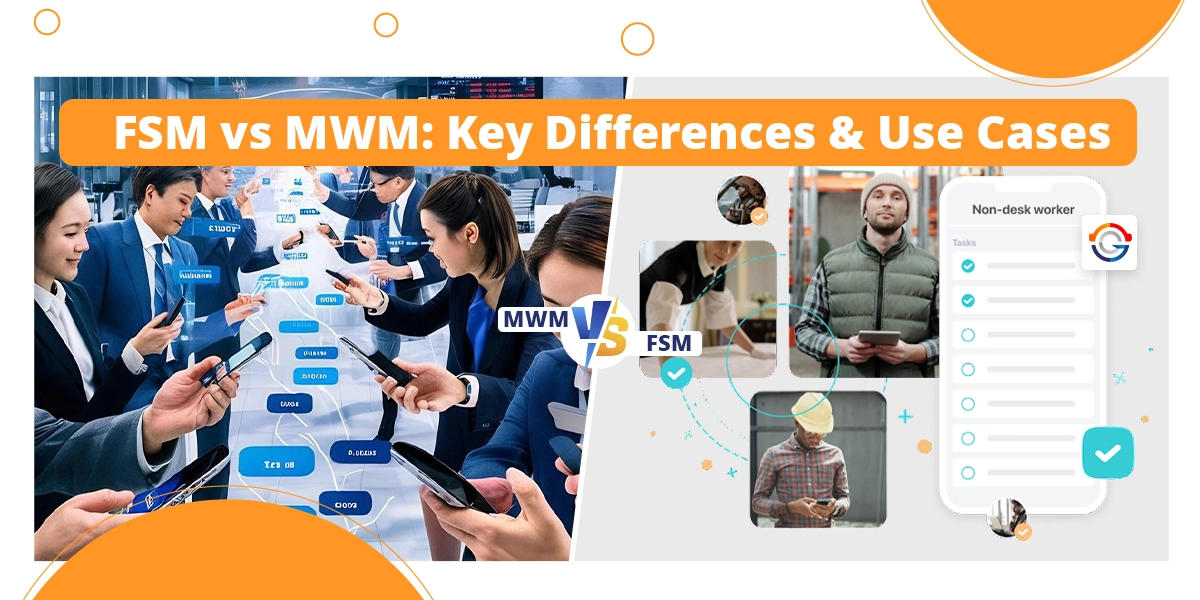
FSM vs MWM: Key Differences & Use Cases

Field service management and mobile workforce management are used to speed up field operations, but they are approached for different needs. FSM is good for managing services like installations, maintenance, and equipment failure. While MWM is designed to manage mobile staff by focusing on tracking attendance, location, and performance.

Understanding the difference between them helps your business to choose the best one that fits your needs, workforce type, and operations goals.

In this guide, you will learn about the difference between them by exploring their definition, key features, and their use cases, along with how to choose the best one based on needs for field-based operations.

Difference Between FSM vs MWM

Both field service management and mobile workforce management deal with managing teams in the field. But both systems are not the same, and each of them has a different approach to solving a particular problem and is utilised in industries in a different manner. In this section, you will find how both are different, key features, along with use cases, and more.

What Is Field Service Management?

Field service management is an integrated system of processes and tools designed to manage and optimise the operations of employees working in fields such as installations, maintenance, services, and repair of equipment or machines. The goal of FSM is to ensure efficient service delivery time, improve customer satisfaction, and extend machine lifespan.

Key Features of Field Service Management

After exploring what is field Service Management software offers, there are several features of FSM which help the business to optimise its operations. Some most important features are:

  1. Work Order Management: This feature of Field Service Management automatically receives service requests and converts them into work orders, which include customer information, tasks to be performed, and other necessary details. This feature helps to speed up operations, reduce manual entry, and ensure all technicians have up-to-date information for particular work.
  2. Job Scheduling: Scheduling is one of the most important features of FSM, and it offers the ability for the system to schedule jobs for technicians based on their skills, availability, and work efficiency. The main aim of using this feature is to reduce delays and improve productivity.
  3. Inventory Management: These features help the system track the stock level of equipment so that when technicians require them, they will be available. This feature also alerts the manager when the stock is going to be empty to ensure that work can continue without effort.
  4. Mobile Access: Mobile applications give technicians everything they need in their hands. With the mobile support, technicians can schedule jobs anytime, find parts, seek help, and even generate invoices. There is no need to carry the whole system with you as you just need a phone and all system works for you everywhere.
  5. Third Party Integration: Integration capabilities allow the FSM to easily connect with your system, such as CRM and other systems.

Use Cases of Field Service Management

Field service management is used across several industries to improve customer experience, fast operations, and enhance productivity. Let’s explore how FSM is used in below industries: 

  1. Medical Equipment Services: FSM helps to manage medical engineers who install, service complex medical equipment like MRI devices, X-ray machines in healthcare areas to ensure safety.
  2. Manufacturing and Heavy Industry: When the system is installed and it accumulates the data based on previous incident history, then can easily predict failure before it occurs. Companies that use this FSM in their business systems can reduce 75% of failures before they happen, which ultimately reduces cost and improves streamlined operations.
  3. Facility and Property Management: FSM speeds up facility and property management by managing regular maintenance, inspections of several buildings using a centralised system. It also tracks history, performance of technicians and machines. It always makes sure the right people are present at the right time for the right task in order to achieve consistency and productivity.
  4. Construction Services: FSM supports the construction and contracting by assigning tasks, handling subcontractors, monitoring materials, and more. It connects everyone across multiple sites through real-time tracking. The system improves visibility into labour and cost, which helps contractors to stay on budget, meet deadlines, and maintain better control.

What is Mobile Workforce Management?

Mobile Workforce Management(MWM) is a type of system which uses mobile technology to deal with coordinating, supporting, and overseeing employees who are working outside the office environment, such as field service.

It helps managers to track workers’ locations, status, and performance of their mobile workforce. MWM solutions can be tailored to meet each business’s needs and specialisations.

Some real-world Mobile Workforce Management Examples are delivery companies, retail field teams, and more.

Key Features of Mobile Workforce Management

Features of mobile workforce management focus on connecting and optimising remote employees’ daily operations through mobile devices. Let’s have a look at the most prominent features as defined below: 

  1. Performance Analytics and Reporting: This feature helps to monitor key performance like first-time fix rates, average job duration, technician work efficiency, and cost. Managers use these insights to make better decisions, improve service delivery, and find issues to boost overall performance and reduce costs over time.
  2. Real-time Communication: Quick communication between the staff and teams is very important for job updates, schedule changes or customer issues. Real-time communication ensures better coordination, faster response for both employees and customers.
  3. Time and Attendance Management: Technicians can log in and log out through their mobiles, often with GPS tracking and geofencing to ensure accuracy and compliance with labour laws.
  4. Data Collection and Reporting: This feature lets the workers get data, pictures, customer signatures, and fill out job details through their mobiles. It saves time, keeps things accurate, and gives the manager an overview of what is happening in the field.
  5. Mobile Access with offline capability: Field workers quickly access the information, like customer history, job details, service manuals, and instructions on their mobile devices. This ensures productivity is always high and information is safe even in low signal areas.

Use Cases of Mobile Workforce Management

Mobile Workforce Management is applied across several industries or sectors that depend on a remote workforce. Some industries are shown below:

  1. Healthcare: MWM helps to handle home care nurses, mobile clinics, and medical professionals by tracking schedules, locations, and service delivery. It makes sure the right caretaker reaches to patient, which helps to reduce delays, improving quality care.
  2. Logistics: With the mobile workforce management solution, the logistics operations can be more streamlined by monitoring routes and ensuring goods arrive on time.
  3. Sales: for sales services, the MWM tracks visits, improves travel routes, and accesses real-time customer information. It improves face-to-face time and keeps the sales team connected to CRM  tools, which makes interactions more effective.
  4. Transport: Whether managing bus drivers, taxi fleets, the MWM helps to monitor staff movement and respond to changes in real time. It helps to improve punctuality, reduce downtime, and run the transport service smoothly.

How to Choose Between FSM & MWM?

Choosing between FSM and MWM depends on the nature and type of business operations. Let’s have a look at the comparison table below to get an understanding of when to choose one of them, as defined below:

Aspect Field Service Management (FSM) Mobile Workforce Management (MWM)
Primary Focus Managing service jobs, assets, and customer appointments Managing mobile employees, tasks, time, and locations
Best For Industries with job-based field work (e.g., maintenance, utilities, telecom) Businesses with mobile teams like sales reps, delivery drivers, or care workers
Key Functions Work order management, parts tracking, scheduling, and  service history Time tracking, route optimisation, real-time communication, and attendance monitoring
Customer Interaction Strong — includes appointment updates, feedback collection, service reports Limited — focus is more on internal team coordination
Asset & Inventory Tracking Built-in tools to manage tools, parts, and service equipment Usually not included — more focused on people than parts
Work Orders Central to FSM; includes job creation, tracking, and completion Not core to MWM — tasks may be tracked, but not as detailed work orders
Communication Tools Moderate — focused on job updates and technician alerts Strong — built for fast communication between field teams and the  office
Ideal For Technical field service teams needing structured workflows Companies needing oversight of staff movements and time in the field
Integration Needs Often integrates with CRM, ERP, inventory, and billing systems Typically integrates with HR, payroll, and communication tools
Offline Capabilities Often included for job completion in remote areas Widely supported for attendance logging, task updates, and data collection

Also Read: Service Management Software: Features, Benefits, and How to Choose

Conclusion

Overall, both FSM and MWM play an important role in handling field operations but serve different purposes. FSM is good for businesses that focus on job-based service delivery by offering features like job scheduling, integration, work orders, and inventory management.

Meanwhile, Mobile workforce management is suited for managing mobile teams whose business depends on location tracking, real-time communication. Both are great solutions, but choose based on your business needs and focus goals.

With Genic Teams, transform your field and mobile operations with smart scheduling, real-time tracking, and seamless communication. Visit us today, and let’s boost the efficiency of your business.

Work Order Management: Comprehensive Guide for Service Businesses

Managing maintenance, service tasks, and operational work without a good system leads to delays, missed deadlines, and rising costs. Many organisations are facing problems with a large volume of information and improper resource use.

That’s where the work order management system comes in to overcome these challenges by helping the team plan, assign tasks with accuracy, and maintain full control.

In this guide, you will explore how work order management works, different types along with their benefits, its key components, best practices, and how to choose the right system for your business.

What is Work Order Management?

Work Order Management is a fundamental process of creating, assigning, tracking, maintaining, and servicing tasks. It’s a way which ensures the job is handled efficiently in a consistent manner.

Work order management defines the nature, scope of the task, required material, labour, and equipment.

Types of Work Order Management

Types of Work order management include several management systems, and each one is used for a specific purpose. Let’s explore some of them:

1. Preventive Work Orders

These are the planned tasks done regularly to keep equipment in good shape and avoid breakdowns. It includes activities like inspections, lubrication, and servicing. The goal of this type is to prevent issues before they occur and extend the life og systems.

2. Corrective Work Orders

It is used to fix the problem when identified during inspections, such as a leaking pipe or broken sensors. These work orders help to avoid small issues from becoming big ones.

3. Emergency Work Orders

These are used to address urgent situations which require immediate attention to prevent major damage or a safety risk, such as sudden equipment failure.

4. Service Work Orders

It is created to handle industry-related tasks like installations, repairs, or customer support. They help to coordinate teams and track customer-facing work.

5. Project Work Orders

These are used for handling large or complex jobs which involve multiple steps or teams to achieve a specific objective. These work orders help to organise workflow, assign responsibilities throughout the project

How Work Order Management Works?

The Work Order Management follows a set of steps, where each step handles a task from initial identification to final analysis. Let’s understand each step in detail as defined below:

Step 1: Task Creation and Identification Phase

A maintenance or service need is identified by the customer, staff, and automated system, and a formal request is submitted, which contains specific details related to the problem. It signifies that the work order process has been started.

Step 2: Review and Approve

In this step, the submitted request is evaluated for feasibility, priority, and resource needs. If the request is valid and follows all criteria, then convert it into a formal work order; otherwise request is denied.

Step 3: Planning and Scheduling

Once the request is approved then it is planned thoroughly, which includes task requirements, checking inventory management, and more. Then assign technicians to solve the problem based on skills and availability.

Step 4: Execution and Verification

Technicians perform every action to solve the request and follow all instructions and safety protocols. Once the request is solved then it undergoes to ensure quality assurance and compliance. It is done by the supervisor and approved, then the system is closed.

Step 5: Analysis and Reporting

Data from completed work orders is tracked to identify trends, key performance to optimise resource and forecast maintenance needs

Components of Work Order Management

To run an efficient word order process, you need certain components to execute the task smoothly, as defined below:

1. Task Description

It defines how the task is to be completed. It should define the scope, method, and expected outcomes of the task. A detailed descriptions help management to understand what is involved and helps to speed up operations to finish.

2. Assigned Personnel

Name the individual, team who is responsible for the task, like oversight and quality control. Assigning the right people ensures the task is completed within the given time.

3. Deadline/Timeline

The deadline is decided based on how much time it takes to complete. This helps in task prioritisation, scheduling, and managing workload. A clear timeline helps to maintain punctuality, prevent delays and enhance customer satisfaction.

4. Resource Required

It lists everything which are required to complete the task, like tools, spare parts, and equipment. This helps the technician team to arrange everything earlier, which prevents delay, and no important tool is missing.

5. Location

It shows where the task is carried out and is critical for logistical planning and resource allocation. The information ensures that the assigned team reaches the correct place at the right time with the right tools and information, minimising delays and confusion.

6. Budget

Work orders include an estimated cost (labour and parts) to complete the job and a section which shows the actual costs spent. This data is important for budgeting and analysing the ROI of maintenance operations.

Benefits of Work Order Management

Work order management is not just a tool but is a transformative solution that supports an organisation to achieve operational excellence. Let’s explore the key benefits of a cloud-based work order management system are discussed below:

1.  Better Efficiency

Work Order management software helps to speed process and keep all the data in one platform, which helps technicians to resolve more requests before time. Automation handles repetitive admin tasks, which enable teams to work faster without compromising quality and accuracy.

2. Data Driven Insights

The work order management process collects important data on job times, common issues, performance, and productivity. The data is analysed to find trends that help to make better decisions, improve planning, and long-term strategic growth.

3.  More Visibility

Managers can view real-time updates on all completed and active tasks, which help them to track progress and balance workloads. It helps in better resource allocation, gives management real-time updates about what’s going on the ground.

4. Better Resource Usage

Work order management helps managers to assign the right people, tools, and parts to each job based on skill set and availability. This prevents overbooking, avoids unnecessary delays, and ensures tasks are completed efficiently.

5. Reduce Maintenance Costs

Unplanned repair and emergency breakdowns are the main cause of high maintenance costs. Work order software helps to prevent these issues by planning and scheduling preventive maintenance, which cuts operating costs and avoids expensive breakdowns.

Best Practices of Work Order Management

Using the Work Order Management system in a well-utilised manner is very important for its lifespan, maintenance cost, and more. Below is a set of practices you should follow:

1. Set Measurable Objectives

Establish goals and performance indicators to evaluate how effectively your work order system is operating. Metrics like response time, completion rates help to identify inefficiencies and track improvements over time.

2. Standardise Work Order Procedures

Use consistent work order templates and clearly defined processes across teams. Standardisation keeps things consistent, reduces confusion, and makes sure quality stays high as no matter who’s handling the job or which team it’s in.

3. Track Progress in Real Time

Use digital platforms or mobile enterprise asset management systems to monitor work orders from creation to completion.

4. Communicate Clearly

Maintain ongoing communication between technicians, managers, and customers throughout the work order’s lifecycle. Use messaging tools, live updates, and progress reports to reduce delays, avoid duplicated effort, and resolve issues quickly.

5. Review and Improve Regularly

Regularly audit your work order processes. Collect feedback from field teams, analyse system data, and update workflows as needed. This ongoing optimisation keeps your operations agile and responsive to change.

How to choose the Best Work Order Management System?

Choosing the Work Order Management System is very important, so consider the following factors when you explore several tools and select one that fulfills all below factors:

1. Integration

Find software that easily integrates with your existing system, such as CRM systems, Field service management systems, and more.

2. User friendliness

Look for a simple Work Order Management tool that is simple to use because a simple user interface helps teams to quickly adopt the system training, which saves training costs. User-friendly systems keep operations running smoothly.

3. Scalability

Choose software that grows as your business expands. It ensures long-term efficiency and avoids disruptions when your operations evolve. Scalable solutions are always ready to adapt to changing workload, multiple locations, which keeps your service delivery smooth.

4. Real-time Tracking

Real-time tracking gives managers quick updates about current word progress. With live updates on technicians locations, job status, and completion times, teams can adjust schedules and respond to customer needs faster.

5. Mobile Access

Field technicians need such a tool which they can use everywhere. With mobile-friendly software, they can receive, update, and close work orders on site even when connectivity is limited. It helps in improving turnaround time, reduces delays, and enhances communication between them.

Workforce Management Software Examples for Field Service Teams

When considering work order management, it’s helpful to look at how it ties into broader workforce management software. These platforms go beyond job tracking and include features like employee scheduling, timesheet management, and performance tracking. One workforce management software example  is:

Genic Teams – An all-in-one field service solution offering scheduling, dispatching, mobile access, and customer communication, ideal for SMEs and growing service teams.

Choosing a workforce management platform that complements your work order software ensures seamless coordination, better employee utilisation, and a unified view of operations.

Conclusion

Overall, work order management is a process which creates, assigns, maintains, and services jobs across industries. There are several types of work orders which are used for specific purposes based on the job needs.

Work order management works in step step-wise manner from task creation to the reporting phase, everything goes through steps and helps industries to achieve efficiency, real-time updates, and better resource utilisation at less cost.

There is are set of practices every industry should follow to maximise the system utilisation and protect their machines. Also, we have discussed what should be considered during the selection of the correct work order management system for maximum ROI and productivity.

At Genic Teams, you will get an all-in-one field service management solution built to optimise scheduling, simplify operations, and improve team productivity.  Visit us today and let us help your business reach new heights.

Service Management Software: Features, Benefits, and How to Choose

Service management software is the solution designed by the industry to streamline operations and meet the growing demands of users.

The primary purpose of software systems is to reduce cost, increase efficiency, improve productivity, and get more projects.

But nowadays, as technology evolves day by day, and the requirements of software businesses are changing, so any industry needs to update itself with technology.

In this guide, you will explore the most important features of a service management system, along with how providers of service software companies use these features to make the best systems.

What is Service Management Software?

Service management software is an application that helps businesses manage and improve the services they deliver to customers.

The Singapore software-as-a-service(SaaS) market has generated 1.277 billion in 2024 and aims to generate S$2.85 billion by 2030.

It centralises and automates various processes like scheduling, tracking, assigning, and more to drive business growth.  It’s very useful for industries like field service, IT Support, management, and utilities.

Features of Service Management Software

To completely understand service management software, firstly, we should explore several features which are used by modern businesses, whether they are running small or large-scale businesses.

1. Appointment Scheduling

The appointment scheduling feature helps automate the process of managing bookings, scheduling, tracking appointments, meetings, and more. Instead of depending on manual calls, emails, this system lets the client book an available time slot correctly and automatically handles calendar updates and reminders.  This feature can track and manage resource availability, including staff, rooms, which ensures efficient use.

Industries That Need It Most

  • Healthcare Sector: Managing patients’ booking, room, and surgeon schedules.
  • Cleaning Services: Handling scheduling appointments for residential and commercial cleaning tasks.
  • Landscape services: scheduling appointments for landscaping services, from one-time jobs to regular maintenance.

Key Benefits

  • Shows real-time visibility of staff and resources
  • Improve operational efficiency and customer satisfaction
  • Simplifies appointment management for both users and important clients.

“Service management platforms have evolved from basic scheduling tools into complete operational ecosystems. Businesses that don’t adopt this change will fall behind in service efficiency and customer expectations.”

– Product Manager, Genic Teams

2. Workforce Management

Workforce management features help organisations to improve the efficiency and productivity of their employees. The feature uses historical data to predict future staffing needs which prevents overstaffing and understaffing during peak season. It helps the managers to track their employees’ activity in real-time, which provides transparency and helps the employees to enhance their productivity. It reduces the time resources for manual scheduling and allows the organisations to streamline their workforce effectively.

Industries That Need It Most

  • HVAC Industry: This feature is effectively used in the HVAC industry to manage field technicians and shifts for optimal delivery time
  • Marine & Logistics: Managing crew members on vessels, including shifts and certifications.
  • Engineering & Construction: Managing several teams with different job sites with smart shift planning and job tracking.

Key Benefits

  • Show live updates on what each worker is doing
  • It keeps workers responsible and makes service faster.
  • Assign a job easily to the worker without any hassle.

3. Time Tracking

The time tracking feature helps individuals and organisations to record the time spent on various tasks and projects. By measuring time spent on tasks help the management to identify inefficiencies which reduce time-wasting activities and enhance workflow. To promote an eco-friendly environment, the feature replaces the paper-based process with a digital timesheet where employees can easily update their login and check-out time.

Industries That Need It Most

helps in tracking the time spent on tasks to accurately predict the labour cost and payroll

  • IT hardware and services: Analysing the time spent on a ticket, Projects, and internal tasks.
  • Healthcare service: Record the Working hours and overtime of employees for payroll purposes.

Key Benefits

  • Shows clear time for billing, reporting.
  • Spot weak areas and improve productivity
  • Give valuable insights on work patterns, which can be used to make strategic decisions

4. CRM System

It is a centralised system that helps the industries to track, manage, the interact with potential customers. It helps to keep the customer’s data in well well-structured manner so that data is never lost under any condition.  With CRM feature, you can perform edit, update, and delete a huge no of records in less time to maintain working at an efficiency rate. It also automates some sales repetitive tasks like sending follow-up emails, scheduling meetings, and more related to it.

Industries That Need It Most

  • IT Hardware& services: It helps in storing B2B sales data, order history, and customer info.
  • Marine & Logistics: Managing client interactions for charters, port services, and other marine activities.
  • General Contracting: Helps in managing the relationship between the contractor and supplier.

Key Benefits

  • A quick view for all the customers using a single platform.
  • Send follow-up and reminder to the important customers
  • Provides detailed analytics and reporting tools that help businesses to understand customer behaviour, trends.

5. Quote Management

Quote Management feature supports businesses to manage, create, and track sales quotations. The system comes with online approval options that maximise output.  It is particularly used for field service management, where physical paperwork and in-person approval can cause delays. The system makes sure all quotes are recorded and tracked. With its a filter option to sort quotes by data sent, status, and follow-up needs. It offers a reminder feature that helps businesses set up automated messages to keep customers engaged, increasing the chances of securing opportunities.

Industries That Need It Most

  • HVAC services: Generating and tracking quotes for new installations, repairs, and service.
  • Engineering sector: Help in creating detailed quotes for engineering projects.
  • Landscape sector: Creates quotes and estimates for landscaping projects.
  • Home renovation: List prices clearly to match the customer’s budget.

Key Benefits

  • Sales teams quickly create quotes using existing templates.
  • Automated calculation for pricing, taxes, and minimising the risk of human error.
  • It removes repetitive and manual work and lets sales representatives focus more on revenue-generating activities.

6. Product Inventory Management

It is a process of ordering, storing, and selling products to make sure the right products are present in stock to meet the required demand.  The product inventory system automatically restocks the items when the stock is going to empty, which saves time and lets your employees focus on customers more. The system offers a product and service listing feature which enhances organisations’ effective category management which allowing the items to be placed in the correct categories for better accessibility and clarity.

Industries That Need It Most

  • IT hardware &services: Tracking hardware assets like laptops, servers, from installation to disposal.
  • Cleaning Services: Helps in tracking and monitoring cleaning supplies and equipment to make sure the items are always available when required.
  • Retail & distribution: Track stock in warehouses to fill orders fast.

Key Benefits

  • Maintain an optimal stock level which helps the business to reduce spending on warehouse space and labour.
  • Keeps inventory balanced, which minimises the losses or obsolete products.
  • Provide data on sales trends, product performance to help make informed decisions.

7. Billing and Invoicing

Billing and invoicing a financial process that tracks products delivered and request payment from customers. With the system, users can create and manage invoices easily which minimises the chance of duplicate entries. The system offers several customised templates which help the business to tailor them according to the branding and the client’s needs.

Industries That Need It Most

  • Marine & Port Services: Helps in managing billing for port services and other marine-related transactions.
  • General Contracting: Track multiple payments across labour, supplies, and changes.
  • Healthcare Services: Check billing errors and send correct invoices to the patients.

Key Benefits

  • Automated delivery of invoices lets businesses get paid quickly, which ensures the flow of cash for operations.
  • Provides an organised system to manage expenses, payments, and accounts.
  • Save the time and effort of employees by handling common tasks like invoice creation, sending reminders, and more.

8. Reporting

Job Reporting is one of the most important features of any service management softwares. A report basically takes raw data and converts it into a visual dashboard by showing all the required details which helps the management in decision-making and monitoring performance.  The system gives users a user-friendly interface and is compatible with all devices, like phones, tablets, and laptops.

Industries That Need It Most

  • IT hardware: Helps in getting insights into IT performance, asset history, and utilisation.
  • Engineering: Observing project performance, resource utilization, and cost to improve future estimates.
  • General Contracting: Provides a detailed report on project cost, number of labourers, and overall profitability.
  • Facilities Management: Compare job times and team output across sites.

Key Benefits

  • Provide data-driven insights which help the management to plan a strategy and make decisions.
  • Reporting offers a view of business operations which highlight both success and areas for improvement

9. Map & Geolocation

This feature helps the business to monitor everything. The system gives the real-time location updates of field workers and schedules accordingly. Support in monitoring all the workers in real time through a live map which makes it easy to assign jobs remotely which reducing the dependency on verbal communication and enhancing worker productivity.

Industries That Need It Most

  • Delivery & Field Services: Follow the driver’s route and optimise according to need.
  • Marine & Logistics: helps in tracking the vessels and optimising routes for logistics and transport.

Key Benefits

  • Improve customer trust with real-time delivery tracking updates.
  •  Helps to prevent fraud by identifying users’ locations and monitoring high-value assets.

How to Choose the Right Service Management Software

To choose the right service management software, you need to understand your business-specific needs, required features, how the software will integrate with your existing system, and more:

1. Assess your requirement

Every business requirement is different. So, make a list of problems you are facing, for example, are you losing track of work orders, spending too much time on manual tasks, and related to it. When the problems are noted down, it’s easy to choose a system.

2. Features you want in software

When the requirement is clear, then go for the features which you want in your system. For example, if scheduling is a problem, then go for automation tools. If unable to manage customers correctly, then look for CRM based features and so on.

The right software should fit naturally for day-to-day operations. A good software which helps your business to reduce mistakes, improve productivity.

3. Explore Provoderd and their Solutions

Try to find those vendors who provide such a solution which meets your requirements. There is no need to choose only one vendor in a hurry. Always take time and explore more vendors and choose one that lies within your budget and helps your day-to-day operations.

4. Plan for the future

A successful service management software decision is a long-term investment that requires a forward-thinking perspective. Always ensure the software is scalable, which means it can handle a larger number of users as the company expands.

By planning for the future, you are ensuring that you are investing in future future-oriented system which helps you to maximise your ROI and more.

Conclusion

Overall, after reading this in-depth blog, you have clearly understood that the service management software is not just a tool but it is an essential for businesses to stay ahead, responsive, and efficient.

You have learned about various features, from appointment scheduling, workforce management to inventory management.

Also, saw how industries like marine, IT, and HVAC use the combination of these features in their system to give better results and meet user demands.

At Genic Teams, we help your business to simplify complex field service operations like monitoring, scheduling, assigning, and more with the best solutions. Visit us today and let us help your business scale.

img
img
*50% Grant

GenicTeams - Project Management Software

From Business Thrust Pte Ltd