How AI is Revolutionising Field Service Management: Smarter Operations, Happier Customers

Field service management (FSM) is growing fast, and AI in field service management is leading that change. From assigning the right technician to predicting equipment issues before they occur.

The purpose of using AI for field service is to improve technician productivity, reduce downtime, cut costs, and deliver faster, more personalised customer experiences.

In this blog, you will explore how AI-powered field service tools are changing the industry from smart scheduling and AI predictive maintenance for field service to automated workflows, intelligent routing, and real-time technician support, along with comparing traditional vs. AI-driven FSM and so on

What is AI in Field Service Management?

AI in Field Service Management is all about using smart AI technology to field service operations faster, efficiently, and smartly.

For example, Artificial intelligence can figure out the best technician for each task and create the fastest route to get them there. It analyses the data from machines or past jobs and gives an alert to act early. It prevents breakdowns, reduces repair costs, and avoids customer delays. 

Several Companies nowadays use AI in their system, like augmented reality (AR) to guide technicians on-site. AR  shows digital instructions to the equipment, which help the teams to solve problems faster and more accurately.

By taking over routine tasks and offering real-time support. AI helps the technicians to focus on more crucial work, like solving complex tasks and building trust among the customers. 

Top AI Innovations Transforming Field Service Management

AI brings several powerful innovations that define how field operations are planned, executed, and supported. Here are some of the most impactful ways AI is reshaping field service workflows:

1. AI-Driven Routing and Scheduling

AI find the best routes for your technicians by checking the live traffic, task locations, and severity of the task. If the status changes any how like a delay or cancellation, then it updates the system quickly. It’s a faster way to manage daily routing of tasks and get the job done effectively.

2. Predictive Maintenance

AI helps your system address issues early, which can cause significant economic loss. It observes the equipment or machine using several sensors, data then lets you know the real problem behind it. 

It means fix things early, save money, and reduce stress. Those companies using Predictive Maintenance in their system can reduce system downtime and repair costs by 30% and make machines last longer.

3. Automation in Workflows

AI is also helpful for automating some regular tasks like tool selection, word order creation, and technician assignment. It ensures each technician is sent with the right skills, tools, and instructions which reduce delays. 

By replacing the regular task of assigning by an admin with the AI tools, it helps them to focus on more critical tasks, which enhance the staff’s capability.

4. Voice Enables Assistant

An AI-powered voice assistant is also a useful innovation in Field Service Management because sometimes there is a situation where technicians are working hands-on and are able to operate a device by hand. 

With voice command, they can open log manuals, update jobs, and update jobs right away. They can even generate notes from photos, voice notes, which saves admins time.

5. Smarter Assets Service Management with AI

AI helps service teams track how assets are used and predict which part or tool will be needed.

It manages everything like asset history, warranties, SLA, and service records.

Benefits of AI in Field Service Management

AI is defining how field service operations are conducted day by day. Below are some advantage which defines how adopting AI in FSM leads to faster, smarter, and meet customer expectations.

1. Save your Time

Time is everything in service operations, and it helps in service operations very effectively, like assigning tasks, finding the best route, and more. 

This saves important time between visits and lets technicians do what they are best i.e, fixing issues early. The more time saved, the more task is done in a day.

2. Lower Cost

AI not only saves your time but also saves your money. It reduces travel time, helps avoid repeated visits, and fixes problems before they cost you expensive. 

It also makes sure the parts and team are used wisely, which helps you spend less on repairs, fuel, and admin time.

3. Enhance Efficiency

In field service management, every minute matters. AI makes things faster by crafting smart schedules, sketching the shortest paths, and updating plans on the go. It also keeps watch over machines and sends early alerts, so technicians can jump in before things get affected.

This means less waiting, fewer hold-ups, and more jobs ticked off each day. FSM runs smoother, feels easier, and works better—for your team and your customers.

4. Higher Productivity

In FSM, being productive means finishing more tasks, facing fewer delays, and making customers smile. AI enhances productivity by automating boring tasks, updates technicians with real-time info, and keeps work moving without delays.

It gets job details, updates the customer, and suggests an approach to fix before the technician steps in. With fewer pauses and advanced tools, your team does more work throughout the day without compromising quality.

5. More Personal Service

FSM isn’t just about fixing things, but it’s about building trust. AI helps personalise the service experience by using past customer data to tailor visits, reminders, and communication.

 Whether it’s sending updates through a customer’s preferred channel or remembering specific service needs, AI makes the experience feel smooth and human. 

This more effort touch improves customer satisfaction and gives your field team a stronger connection with the people they serve.

Also Read: AI Future of Field Service Management

Traditional FSM vs. AI-Powered FSM

There is a big difference between AI-driven solutions and traditional field service management. Static systems and manual processes are a big part of how traditional methods work. 

Here is a side-by-side comparison that will help you see how AI-powered field service changes FSM from scheduling and routing to technician support and customer satisfaction:

Feature Traditional FSM AI-Powered FSM
Scheduling Manual, time-consuming, prone to human error Smart, automated, real-time updates with technician availability
Routing Fixed routes, inefficient travel Dynamic routes based on traffic, location, and job urgency
Maintenance Reactive (fix after failure) Predictive (spot issues early using data & sensors)
Reporting Paper logs, spreadsheets, and manual entry Automated reports, voice-to-text summaries, and real-time dashboards
Customer Experience Delays, poor updates, repeated visits Faster service, live updates, personalised support
Technician Support Limited access to help or knowledge AR tools, real-time data, and voice assistants for hands-free work
Job Completion Rates Lower, due to wrong tools or a lack of information Higher, with pre-checks, smart dispatch, and first-time fixes
Admin Burden High, repetitive tasks take time Low, automation handles work orders, reports, and updates

Why Choose Genic Teams for your  AI-Driven Field Service Management?

We at Genic teams offer one of the best Field Service Management tools. We offer complete software which perfectly fits with AI features like smart scheduling, predictive maintenance, and more. Below are the reasons why we are the best providers:

  1. Seamless Scheduling & Dispatching: Our system automatically assigns jobs or tasks and plans routes based on real-time data.
  2. Mobile Oriented: Our mobile-first system gives technicians everything they require on the go, like updated job info and even voice notes.
  3. Track Everything: From asset history to warranties and SLAs, everything’s stored and updated in one dashboard. That makes it easy for AI to pull the right info when needed.
  4. Scalable: Whether you are a small or big business, our solution can scale.

Conclusion

AI is not just a trending word, but it’s a technological revolution in the field of service management. It helps technicians to enhance their efficiency, reduce repair costs, and improve customer experience.

With several AI innovations like AI scheduling, dispatch for FSM, and AI predictive maintenance for field service operations becoming smarter, faster, and smoother.

Whether you manage a small or large team, AI will help you stay ahead of service issues and improve productivity.

Also Read: AI Field Service Management Guide

17 Benefits of Field Service Management Software

Managing field teams and customer jobs has always been a challenge. Slow updates, missed appointments, and rising costs can affect service quality. That’s where field service management software comes in.

With the right tools, businesses can plan jobs better, keep staff informed, and serve customers with more care. From booking appointments to sending invoices, everything runs more smoothly.

This blog breaks down 17 key benefits of using a field service management system, showing how it helps businesses work smarter. Whether you’re a small team or a growing company, these insights can help you make the most of your time, staff, and resources.

1. Easier Scheduling and Dispatch

Giving jobs to the right person at the right time can be tough. A field service management system makes it simple. Managers can see who’s free and close by, so they can schedule jobs fast. It reduces time spent on calls or paperwork and means fewer mix-ups.

Clear schedules help staff focus, not worry about what’s next. This improves team output and customer wait times. When everyone knows their task and where to go, the whole service runs better. Fewer delays and mistakes also lead to more trust from customers, which builds better relationships over time.

2. Faster Online Appointment Scheduling

Online appointment scheduling helps customers book services with ease. It saves time for the business and the customer. This also cuts down on missed bookings. Customers can choose slots that suit them without waiting on hold.

For staff, it removes double bookings and manual errors. The system sends reminders and confirms bookings, which keeps things organised. It also allows rescheduling if plans change. This builds trust and shows your service respects the customer’s time.

With quick access to bookings, staff stay focused on work and deliver better service, creating a smoother experience for everyone involved. The system often works alongside appointment scheduling software to streamline everything.

3. Real-Time Job Updates

Job progress can be tracked while technicians are on-site. This helps managers see what’s complete, what’s pending, and what needs support. Staff no longer need to report back through calls or emails. Updates go straight to the system.

This also helps customer service teams share job status with customers. When delays happen, staff are informed and can make quick decisions.

It keeps everyone on the same page and ensures faster problem-solving. Real-time updates also reduce misunderstandings between field staff and the office.

4. Better Use of Staff Time

Time gets lost in travel, delays, and miscommunication. A field service management system plans work better. Staff know where to go, what to bring, and what to do.

This avoids waiting around or returning to the office. When staff spend more time working and less time travelling or checking in, more jobs get done.

Teams feel more in control and less rushed. Businesses see a rise in daily job counts which means better service and less stress for everyone.

5. Improved Customer Satisfaction

When jobs are done right and on time, customers are pleased. They also like getting updates and reminders. This builds trust. Good service means customers come back and speak well of your work.

Quick fixes, polite staff, and clear timing all help. A field service management system ensures this happens by showing past service records, preferences, and feedback.

Teams can act faster and smarter. This turns one-time users into regulars, which helps steady growth. When customers feel heard and valued, they are more likely to return and recommend the business to others.

6. Lower Costs

Costs often rise due to poor planning or wasted trips. A good system helps cut this. Less fuel, fewer return visits, and lower admin work all reduce expenses.

Staff spend more time working and less time handling forms or phone calls. Parts and tools are used wisely. Mistakes get fixed early, not later.

This keeps budgets on track and profits up. Over time, lower running costs make a big difference.

Also Read:- Best Field Service Management App

7. Smarter Inventory Tracking

Losing tools or parts slows down jobs. A field service system tracks stock in real time. Technicians know what they have, and managers see what’s low.

Stock gets restocked before it runs out. No more over-ordering or missing items. This saves money and avoids job delays. Staff waste less time searching for what they need. It also keeps the warehouse tidy and clear.

8. Boost in First-Time Fixes

Fixing problems on the first visit saves time and boosts customer trust. With the right tools, parts, and info, field staff solve issues right away.

A good system checks what’s needed for the job before the visit. This helps staff prepare. No return trips mean less cost and better reviews.

Customers don’t like waiting for second visits, so first-time fixes matter. It also keeps the job list shorter for the week.

9. Clearer Communication

Misunderstandings slow down work. A field service system lets teams talk clearly. Messages go to the right person fast.

Staff don’t waste time chasing updates or repeating tasks. Notes, photos, or changes go into one system. This keeps the office and field in sync. Everyone knows the plan. Better communication also means fewer complaints and quicker fixes.

10. Improved Data and Reports

The system collects job data. Managers see trends, spot problems, and plan better. Reports are ready when needed. You can check how long jobs take, how often they get done right the first time, and which parts are always out of stock.

This helps make choices based on facts, not guesses. You can find out what slows work down and fix it. With better data, you can also plan ahead.

This means fewer surprises and better use of money and staff. Better reporting also means easier checks during reviews or audits, keeping things clear and simple.

11. Time-Saving Automation

Tasks like sending updates, invoices, or reminders happen on their own. Staff don’t need to type out every message. Less typing means more time for service. Errors drop when the system handles regular jobs. Forms fill in with saved info. Workflows keep moving without delays. This helps small teams do more without extra staff.

12. Mobile Access for Field Teams

Staff in the field can check schedules, maps, and job details on their phones. No need to return to the office. Mobile tools help them log progress, share updates, and get support.

If plans change, they know right away. This makes field teams faster and more flexible. It also helps new staff learn quicker. With everything on one screen, jobs get done with fewer questions.

13. Safe and Secure Info

Keeping customer and job data safe is key. A good system protects info so only the right people can see it. It tracks who changes what and when.

This builds trust with customers. It also helps during audits. If rules change, updates are made in one place. This makes safety simple and clear.

14. Compliance and Rules

Some work needs to follow strict rules. A field service system helps check those boxes. Forms are stored safely. Job steps can’t be skipped.

Staff get alerts when rules apply. This avoids fines and protects your name. You can prove work was done right if asked. It also helps train new staff on best practices.

15. Better Use of Resources

Using what you have well saves time and money. A field system shows what staff, tools, and time are free. Jobs go to the best team. Travel is planned better.

This keeps vans full, jobs close, and days smooth. Wasted hours drop. Staff do more and feel less pressure.

16. Upselling and New Sales

Field teams can suggest extra services during a visit. The system helps them know what to offer. This brings more income. If a worker sees a need while on-site, they can check what’s available and offer it then and there. It’s easy to give a quote or check stock.

Customers often say yes when the timing feels right. Over time, this adds up. It also shows your team knows their job and wants to help, not just finish quickly. A good upsell feels helpful, not pushy, and leaves the customer happy with the extra value provided.

17. Steady Business Growth

Happy customers return. Good tools help teams work well. Lower costs keep money in the business. All this leads to steady growth. Reports guide smart decisions. Staff stay longer when work is smooth. New customers join through referrals. A field service management system sets the path for strong, simple growth. Many of these results are even stronger when paired with effective appointment scheduling software to maximise efficiency.

Conclusion

Field service management software is more than just a tool. It brings together people, jobs, and data to build a better service. From faster scheduling to fewer errors, the gains are clear.

Every benefit adds up to smoother workdays, stronger teams, and happier customers. Businesses that use these systems often find they can do more with less.

They respond quicker, plan smarter, and grow faster. If you’re looking for a way to stay ahead in your industry, this system offers a simple path. Make the change and give your team the support they need to succeed.

At Genic Teams, you’ll find a complete platform to manage your field service operations with ease. From appointment scheduling software and real-time job tracking to workforce planning and invoice generation, everything is built to streamline your service. Explore our features and start improving your service delivery today.

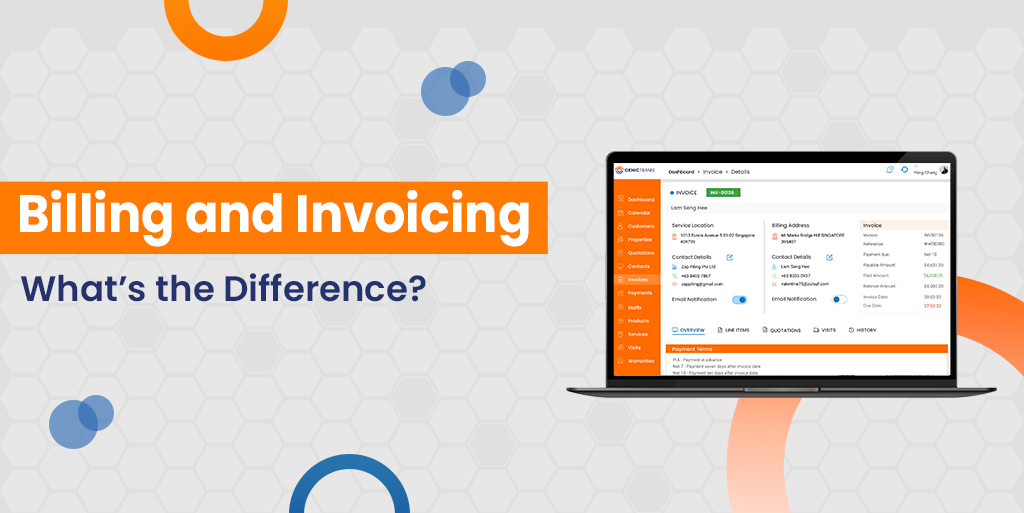
Billing and Invoicing: What’s the Difference?

In daily business, people often use the terms billing and invoicing as if they mean the same thing, but they don’t. It’s commonto ask, “Are invoice and bill the same?” Knowing the difference between a bill and an invoice helps you track payments, keep records neat and talk clearly with your customers.

Even though both ask for money, they work in different ways and show up in different places. Businesses often use billing when they serve regular customers, like in shops or for monthly services. Invoicing usually happens between two businesses when they trade goods or complete big projects.

In this blog, we’ll walk through what billing and invoicing really mean, spot the differences, look at real-life examples and show how tools like Genic Teams Billing and Invoicing Software make the whole process quick and smooth.

What is Billing?

Billing means a business tells a customer how much they owe for something they bought or used. People often get bills for things like phone plans, streaming services or electricity. These bills usually come every month and include simple information like how much to pay, what it’s for and when it’s due.

Bills don’t get into many details. Instead, they give a quick and easy message. That’s why people often see bills in restaurants, stores and other places where payments happen often.

Billing acts like a clear reminder. It asks for payment in a simple way without adding too much extra information.

What is Invoicing?

Invoicing happens when one business asks another to pay after a job is done or goods are delivered. Unlike a bill, an invoice shares more information. It lists what was done, how long it took, what each part cost, and when payment should arrive.

Invoices help both sides keep their records neat and clear. They often show up in deals between companies, also called B2B. People like builders, designers, and suppliers use invoices to explain the work they completed.

While both invoices and bills ask for money, they work differently. Invoices carry more details and fit bigger or more important jobs, making them key for business.

Billing vs. Invoicing: Key Differences

Although billing and invoicing both serve the purpose of requesting payment, they differ significantly in how they are structured, when they are used and who they are intended for. The table below outlines the key differences to help you clearly understand the role each plays in business finance:

Aspect Billing Invoicing
Purpose To request payment, often for recurring or immediate transactions. To provide a detailed, formal request for payment, typically post-delivery.
Level of Detail Includes basic information such as the amount due and the due date. Offers a comprehensive breakdown including itemised charges and terms.
Timing Commonly issued on a recurring basis (e.g., monthly subscriptions). Typically sent after goods or services have been delivered.
Recipient Generally used in B2C (Business-to-Consumer) transactions. Predominantly used in B2B (Business-to-Business) interactions.
Issuing Department Often managed by sales or customer service teams. Usually handled by the accounting or finance department.
Formality Less formal, more transactional in nature. More formal, serving as a legal financial document.

Some Examples to Understand Better

To better grasp the difference between a bill and an invoice, let’s look at how each works in real-life business scenarios. These scenarios help highlight how each document is used in practice.

Billing Examples

Imagine you’re dining at a restaurant. After your meal, the server hands you a bill that lists the items you ordered and the total amount due. You typically settle it immediately. This is a common example of billing, which is a quick and simple request for payment.

Another example is a subscription service like Netflix or Spotify. Every month, they send a bill for a fixed amount. You’re not charged based on what you watched—just a standard fee. This is known as recurring billing and is widely used in consumer services.

Invoicing Examples

Now, consider a freelance illustrator who designs a company logo. After completing the work, they send an invoice detailing the hours worked, the hourly rate and any additional charges. This document ensures the client knows exactly what they are paying for.

In another scenario, a toy manufacturer delivers 500 units to a retailer. Instead of just asking for payment, they send an invoice that includes itemised pricing, total cost and payment terms. This type of detailed document is standard in B2B transactions.

These examples show that invoice and bill are the same only in purpose but not in format or function. Each plays a unique role in business operations.

How Genic Teams Billing and Invoicing Software Automates the Process?

Making bills and invoices by hand takes a lot of time and can lead to mistakes. That’s why Genic Teams Billing and Invoicing Software can help. It speeds up the job and makes it easier for businesses to stay on track and get things right.

The software connects smoothly with your sales and customer tools, so you don’t have to type the same thing twice. It also lets you shape and style your bills and invoices so they always look clean, clear and match your brand.

If you run a gym or a digital service, Genic Teams can build and send bills again and again automatically. Just set it up once, and the system takes over from there.

When you finish a job or project, you can get a full invoice with one click. The software then tracks who paid, nudges customers with reminders, and shows updates right away. It even handles taxes and switches between different currencies so you can work locally or globally with no trouble.

No matter if your business is big or small, Genic Teams help you to manage billing and invoicing with speed, ease and confidence. It’s the best tool to help you understand invoice vs bill with less effort and no stress.

Significant Findings

Billing and invoicing may seem similar, but they have different roles in business finance. A bill is usually quick and simple, used for immediate or recurring payments, especially in consumer services. An invoice is more formal and detailed, often used between businesses. Knowing the difference between a bill and an invoice helps to avoid confusion and improve your workflow.

Knowing the invoice vs bill distinction can improve your business operations and professional image. With tools like Genic Teams Billing and Invoicing Software, you can automate both processes, save time and reduce errors.

What Are the Challenges of Integrating AI into Existing FSM Systems?

AI (Artificial Intelligence) is a smart tool that helps businesses work better and faster. In field service management, AI can help send the right workers to the right place by fixing problems before they happen, and using time wisely.

But putting AI into old systems is not always simple. Some tools are too old to work with AI. Some teams don’t want to change how they work. And sometimes, the data is not clean or useful.

These problems can make it hard to use AI well. In this blog, we’ll go through the main problems companies face when adding AI into their field service management system and how to fix them in smart ways.

1. Legacy System Compatibility

Many companies use older tools to run their field service management systems. These old systems often don’t integrate well with AI. They can’t share data easily or connect with smart tools. When AI works with old systems, it can’t find the right data or might make mistakes. This makes AI not work well.

To fix this, companies often need to upgrade to cloud tools, create new links between systems, or change how their software works. If you want AI to help your business, then you need a system that can easily work with and share with it.

2. Data Quality and Availability

AI needs clean and clear data to learn and make smart choices. But many field service management systems have messy or missing data. One system might show job times, another shows parts used, and a different one shows technician notes. If these don’t match, then AI can get confused and make wrong decisions.

Without good data, AI can’t give smart help. It might send the wrong tech or miss signs that something is about to break. That’s why businesses should focus on making their data clear, neat, and easy to use.

To clean up your data:

  • Put all your info in one system or place
  • Use the same names and formats everywhere
  • Update and check your data often

When your data is strong, your service management software becomes smarter too.

3. Change Management & Workforce Resistance

“Many workers feel worried when new tools like AI come in. They might think, ‘Will I lose my job?’ or ‘Is this too hard to learn?’ These fears can slow things down. Some team members may not want to use the new system and may keep using the old way of working.

To help with this, leaders should show the team that AI is there to help, not to hurt. AI can make jobs easier by helping techs get to work faster, find the right tools, and finish tasks quicker. When people see how AI makes their work simpler, they will feel happier using it.

You can also:

  • Train your team step by step
  • Let them ask questions
  • Help them practice with the new tools

When your team trusts AI, your field service management becomes a real helper.

4. Data Security and Compliance

AI needs to look at and use a lot of data to help. But some of that data is private, like names, addresses, or where techs go daily. If this information gets out, it can cause big problems. Hackers might steal it, or you could break important privacy rules.

Every business needs to protect the data in its field service management system. It’s not just about being safe, but it’s about following the law and keeping customer trust.

To protect your data:

  • Use strong passwords and locks
  • Let only the right people see the info
  • Check AI tools to make sure they follow the rules

When your data stays safe, your service management software stays strong and trusted.

5. High Initial Investment

Using AI can cost money. Companies might need to buy new tools, teach their teams, and link old systems to new ones. It can feel like a lot to spend. But the good results, like faster work, fewer mistakes, and happy customers, come later.

Some people might ask, ‘Is this worth it?’ or ‘Should we spend on something else?’ That’s why it’s smart to start small. Try AI in one area, like job planning or tracking, and see how it helps.

If it works well, you can:

  • Grow AI tools slowly over time
  • Show others the wins
  • Plan smart ways to spend your budget

In time, AI will help your field service management system do more and cost less.

6. Unrealistic Expectations

Some people think AI is like magic and can fix every problem quickly and perfectly. But that’s not true. AI is smart, but it still needs people to help. It works best when it helps your team, not when it tries to replace them.

For example, AI can suggest which tech to send or guess when a machine will break. But it still needs someone to check the info and make final choices. If people expect too much, they’ll feel let down. They may stop using the AI tools.

So, it’s best to:

  • Tell your team what AI can and can’t do
  • Pick small goals first
  • Check results and improve along the way

7. Future-Proofing the Integration

Technology keeps changing quickly. Something that works well today might not work next year. That’s why it’s important to plan when adding AI to your service management system. Choose tools that can grow with your team, work with new apps and mobile devices, and handle more tasks as your business gets bigger

Keep this in mind when picking AI tools. Choose systems that can grow and adjust as your needs change. Good field service management software lets you make changes without starting from scratch.

Future-ready tools should:

  • Work with cloud and mobile devices
  • Connect easily with other apps
  • Update often with new AI features

If you plan now, you won’t have to rebuild later.

Conclusion

Adding AI to your field service management system is a smart choice, but it takes time and planning. You might face problems like old tools that don’t fit, team members who feel unsure, or data that’s messy or hard to use.

These challenges may seem big, but you can solve them with planning, training, and smart tools. The key is to start small, clean up your data, and get your team involved early. AI works best when people trust it and use it the right way.

At Genic Teams, we help you deliver faster, smarter, and better service with powerful tools for job management, dispatching, and customer care.

Is AI the Future of Field Service Management?

Yes, AI is rapidly shaping the future of field service management. It offers real-time decision-making, predictive maintenance, and efficient resource planning that traditional systems simply can’t match.

Field service management is changing faster than ever before. In the past, teams relied on paper checklists, long phone calls, and guesswork to assign jobs. Today, companies want smarter, faster, and more reliable tools to manage work in the field. This is where artificial intelligence (AI) helps. AI doesn’t just help but it transforms. It learns from data, predicts problems and improves how businesses serve their customers.

AI acts like a super-smart helper who thinks really fast. It reads lots of information, remembers it and makes quick decisions. For companies that fix machines, install equipment or send out repair teams, AI can make a big difference. It can tell you when to fix something and help you to find the best route.

As AI keeps getting smarter, many people wonder, “Will AI be the future of field service management?” This blog will help you find out what AI does, how it helps, and what to know before adding it to your field service management system.

What AI Brings to the Table?

AI provides several smart tools to help with field service work. It doesn’t just wait around; it jumps in, learns, and fixes problems. One of the best things it does is work with information. AI gets details from old jobs, customer information, weather, and more. Then, it uses that information to make quick and smart decisions.

Here’s what AI can do:

  • Speed up daily work by cutting down on manual tasks like typing updates.
  • Match the right worker with the right job using skill and location data.
  • Help the team handle more jobs with fewer delays.

AI also keeps learning. The more data it sees, the better it performs. It doesn’t get tired or forget things like people might. That’s why companies trust it to help their field service management software work smarter.

AI doesn’t need reminders. Once trained, it watches and acts on its own. This means fewer mistakes and more time for humans to focus on tricky tasks.

So, when companies add AI to their systems, they don’t just upgrade, but they supercharge their whole operation.

Smart Scheduling & Route Optimization

Field teams spend a lot of time traveling. If they waste time in traffic or take long routes, then the company loses money, and customers wait too long. That’s why AI-powered scheduling and routing tools are so important.

AI studies things like traffic, weather, job urgency, and technician skill levels. Then it quickly picks the best person for the job and maps out the fastest path. This makes sure jobs get done on time and technicians use their day well.

Let’s break it down:

  • AI looks at maps, delays, and job details in real time.
  • It sends the closest, most skilled worker to each task.
  • It reshuffles the day’s plan if a job runs late or a new one pops up.

This smart planning helps companies handle more jobs each day. Workers spend less time driving and more time fixing. Customers wait less, which keeps them happy.

When AI becomes part of your field service management system then it cuts waste and boosts results.

Predictive Maintenance and Asset Monitoring

Machines can stop working sometimes, which is normal. But what if you could know before a machine breaks? That’s what AI helps with through something called predictive maintenance.

Instead of waiting until something goes wrong, AI observes machines closely. It checks how they sound, how fast they move, and even how hot they get. If anything goes wrong, then AI sends a warning early so someone can fix the problem before it gets worse.

Here’s how AI handles it:

  • Tracks machine health using sensors and data logs.
  • Spot early signs of trouble before it causes downtime.
  • Schedules service at the best time—before breakdowns happen.

This approach saves companies lots of money and makes customers very happy. They don’t need to deal with surprise failures or emergency visits.

When this power gets added to field service management software, the whole system runs smoother. AI makes the difference between reacting and preparing.

When you add this to your field service management software, everything works better. AI helps teams to stay ahead, like a smart guard that watches over the machines all the time.

Human + AI Collaboration

Some people think AI replaces workers, but that’s not true. AI becomes a teammate, not a takeover. When humans and AI work together, productivity increases.

Technicians still use their hands, skills, and brains. But AI helps behind the scenes by making their jobs easier and faster. It gives reminders, shows repair steps, and answers questions. Some AI tools even talk out loud through phones or glasses so workers can get help without using their hands.

Here’s how AI teams up with people:

  • Guides techs with step-by-step repair tips.
  • Uses voice tools to deliver instructions on the job.
  • Personalised training to help workers grow faster.

Humans and AI make a great team. They help each other, so workers don’t feel stressed, and the job gets done right the first time.

By integrating AI into field service management software, companies give their teams tools that support and do not replace them. That leads to better service and happier staff.

Challenges and Considerations

AI is really helpful, but it’s not perfect. Companies need to think smart before using it. To make AI work well, you need a good plan, clean data, and time to learn how to use it right.

One big issue is bad data. If AI reads wrong or messy data, it can make poor choices. Also, if your current systems are old, they might not mix well with AI tools. That’s why AI sees customer info, companies must make sure everything stays private and safe.

Here’s what to remember:

  • Keep your data clean and updated.
  • Train your team to use new tools confidently.
  • Protect your system with strong security.
  • Be ready for a few bumps at the start.

AI works best when people guide it. With the right plan and support, it can shine. That’s why smart companies treat AI like a helper that learns, grows, and improves over time.

The Future Outlook

AI is just getting started. Every year, it gets better at understanding jobs, solving problems, and helping people. The future of field service management will use even smarter tools that work on their own.

With AI, companies won’t just catch up, but they’ll move ahead. Their workers will work quicker, their tools will get smarter, and their customers will feel happier.

Soon, every field team will need strong field service management software powered by AI to stay ahead. Those who start now will be ready for the exciting future that’s coming fast.

How to Increase Field Technician Productivity Without Increasing Costs?

Field service work demands speed and accuracy. Companies must find ways to help technicians finish tasks faster without spending extra money. Many businesses struggle with slow systems, messy schedules, and missing updates. These problems make technicians wait, search for details, and fill out endless forms instead of fixing things.

Field Service Management system software organises work by sorting jobs, assigning tasks, and sending instant updates. It keeps technicians informed, removing delays and unnecessary trips. FSM software sharpens planning, helping businesses arrange schedules and use resources wisely. With the right tools, companies reduce operational costs in field service and complete more jobs.

This blog shares simple ways to help technicians work better without raising costs.

The Cost of Field Technician Productivity Challenges

Wasted Time Lowers Work Speed

Technicians lose time due to messy systems. Stacks of paperwork, unclear job details, and missing tools slow them down. Long drives between jobs take away valuable work hours. Poor coordination between teams creates confusion, leading to delays. Inefficient communication forces technicians to wait for job approvals. Manual data entry adds extra steps that slow down the entire process.

Bad inventory tracking also hurts productivity. Without the right parts, technicians must return to the shop, wasting time. More trips mean more fuel use and fewer completed jobs. Searching for missing tools increases downtime, reducing daily work output. Disorganized stockrooms make it harder to find necessary parts quickly. A lack of real-time inventory updates causes unnecessary delays in service.

Unsatisfied Customers Lose Trust

Late service visits and unfinished repairs upset customers. They want quick, reliable fixes. If technicians show up unprepared, customers feel ignored. Long wait times create dissatisfaction and make customers seek alternative providers. Confusing service timelines leave customers uncertain about their appointments. Poor follow-ups after incomplete repairs further damage trust in the company.

Service delays force customers to reschedule. This creates frustration and reduces trust in the company. Missed appointments disrupt customer plans and lower satisfaction levels. Unclear communication about service delays adds to their frustration. A history of unreliable service makes customers hesitant to return for future needs.

Businesses that finish repairs in one visit gain more customers. They must plan well and give technicians the right tools to keep customers happy. A well-prepared technician can resolve issues faster, improving customer confidence. Efficient job planning reduces the need for second visits, saving time for both parties. Happy customers are more likely to recommend the service, increasing business opportunities.

Extra Costs from Mistakes

When technicians waste time, businesses spend more on fuel, overtime, and extra labour. These costs add up and lower profits. Unplanned expenses make budgeting difficult and reduce financial stability. Poor time management forces companies to hire extra staff to handle unfinished work. Delayed jobs lead to customer refunds or discounts, affecting overall revenue.

Field service management software helps fix this. It maps routes, arranges jobs, and tracks work in real time. This allows companies to minimize operational costs in field service and boost technician output. It prevents unnecessary trips by optimizing schedules and reducing travel time. Automated workflows eliminate errors caused by manual tracking and paperwork. Better job distribution ensures technicians handle tasks efficiently without overload.

Leveraging Technology to Increase Productivity

Making Work Smoother with FSM Software

Technology helps technicians work faster. FSM Software replaces messy paperwork with automated tools. It stores work orders, schedules, and inventory in one place.

Cloud-based updates keep technicians informed. They no longer rely on printed instructions. This means fewer mistakes and faster job completion.

Keeping Communication Clear

Technicians need quick updates to avoid delays. Mobile apps send instant alerts about new tasks. Dispatchers assign jobs based on location, ensuring even workloads.

Digital tools reduce phone calls and emails. Field service management software provides the facility to share job details instantly. GPS tracking helps technicians reach locations on time.

Skipping Paperwork to Save Time

Paper forms slow down work. Technicians spend too much time writing reports. Digital tools speed up data entry and record-keeping.

Companies using FSM Software work faster and mitigates operational costs in field service. Automated reports improve accuracy and shorten work hours.

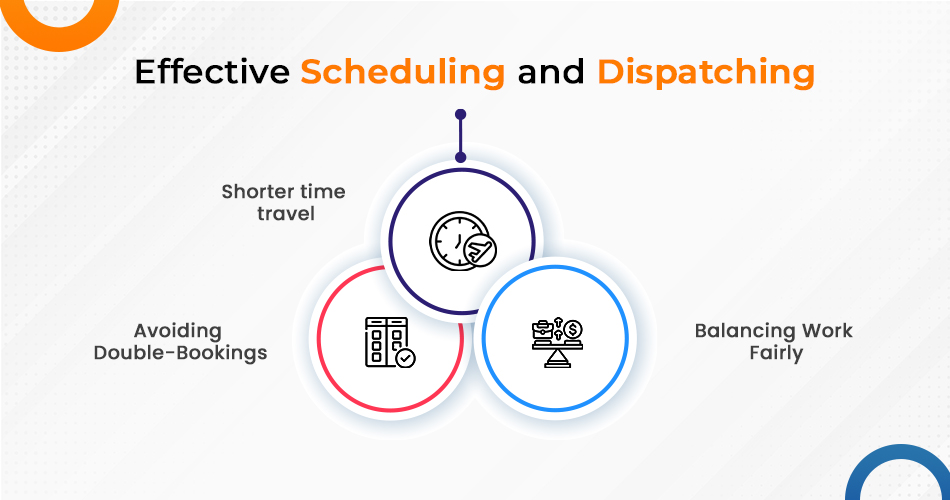
Effective Scheduling and Dispatching to Maximize Working Efficiency

effective scheduling and dispatching

Shorter Travel Time

Unplanned routes waste fuel and slow down service. Some technicians drive long distances between jobs, reducing their daily output.

Field service management software plans the best routes. It assigns jobs near each other to save time. GPS tools guide technicians through traffic, ensuring timely arrivals.

Balancing Work Fairly

Some technicians get overloaded while others wait for tasks. This creates stress and slows service. Good scheduling ensures fair task distribution.

Automated dispatching sends jobs to the right person based on skill and location. This prevents work delays and avoids technician burnout.

Avoiding Double-Bookings

Unplanned scheduling causes missed appointments. Some technicians get assigned multiple jobs at the same time. Others wait too long between tasks.

FSM solutions arrange calendars and prevent overlaps. Automatic scheduling ensures every technician gets a clear work plan. This increases completed jobs and helps companies reduce operational costs in field service solutions.

Reducing Downtime with Real-Time Updates and Support

Unexpected delays slow the work of technicians. Without quick updates, they waste time waiting for instructions. Real-time job tracking keeps work flowing.

Live GPS tracking helps dispatchers adjust assignments. If a technician runs late, the system sends another worker.

Remote support tools help technicians diagnose problems before visiting a site. This reduces unnecessary trips.

FSM Solutions provides digital manuals and guides. Technicians fix problems faster by checking instructions on their devices.

Training and Support to Boost Technician Efficiency

Technicians perform better with training. Proper lessons teach them to work faster and make fewer mistakes.

Digital learning tools help technicians practice anywhere. Mobile training apps keep them updated without long classroom sessions.

Experienced workers can train new technicians. This helps teams learn faster and solve problems quicker.

Good training ensures technicians handle repairs efficiently, keeping customers satisfied.

How Performance Metrics Help Increase Productivity

Tracking Work Progress

Managers improve operations by measuring technician speed and efficiency. They track response times, first-time fix rates, and total jobs completed per day.

Companies use this data to improve schedules, training, and task assignments. Field Service Management system software generates reports that show work patterns.

Keeping Technicians Accountable

Performance tracking helps technicians stay on schedule. Businesses use real-time updates to monitor efficiency.

Managers adjust workloads based on technician performance. Quick workers get more tasks, keeping operations balanced.

By studying performance trends, businesses work smarter and decrease operational costs in field service.

The End Note

Overall, improving field technician efficiency without raising costs requires planning. Businesses must remove delays, upgrade schedules, and use smart technology. The Field Service Management system simplifies operations. It reduces paperwork, improves communication, and speeds up job tracking. Field service management system software makes scheduling smoother and updates job details instantly. Proper training sharpens technician skills. Performance tracking helps businesses find gaps and improve workflows. Companies that apply these methods enhance productivity and reduce operational costs in field service.

Optimised service processes save money and improve customer experience. With the right tools and strategies, businesses work efficiently without spending extra.

How Field Service Management Software Transforms Mobile Workforce Operations

Managing a mobile workforce is not easy. Whether you run a team of technicians, delivery drivers, or field salespeople, keeping everything organised can be a struggle. Missed appointments, poor communication, and inefficient scheduling slow things down and frustrate customers.

Field Service Management (FSM) software helps solve these problems. It makes tasks easier, removes unnecessary work, and helps field teams do their jobs well. Businesses that use mobile workforce management solutions can handle scheduling, tracking, invoicing, and reporting from one system.

This guide explains how FSM software improves mobile workforce management, its main benefits, and what to consider when choosing the right software.

How FSM Software Improves Mobile Workforce Management

1. Increases Efficiency

FSM software removes unnecessary tasks. Automated scheduling, invoicing, and reporting free up time, allowing workers to focus on their jobs.

2. Improves Communication

FSM software connects office staff with field workers through instant messaging and updates. This keeps everyone informed and prevents misunderstandings.

3. Enhances Customer Satisfaction

Customers want fast and reliable service. FSM software helps businesses:

  • Provide accurate appointment times
  • Send timely job updates
  • Make sure workers arrive with the right tools and information

4. Reduces Costs

Good scheduling, route planning, and resource management reduce wasted time and expenses. Businesses save on fuel and improve efficiency.

5. Ensures Compliance and Safety

FSM software helps businesses follow industry rules and safety guidelines. Digital checklists make sure workers follow proper procedures, reducing risks.

Industries That Benefit from FSM Software

1. HVAC and Plumbing

FSM software helps HVAC and plumbing businesses manage job scheduling, customer records, and inventory tracking. Technicians receive updates instantly, ensuring quick service.

2. Healthcare and Home Services

Healthcare providers and home service workers use FSM software to schedule patient visits, track equipment, and record important details.

3. Telecommunications and Utility Services

Telecom and utility companies use FSM software to manage large teams, respond to emergencies, and track equipment maintenance.

4. Facilities Management

Facilities management businesses use FSM software to plan maintenance, track jobs, and follow service agreements.

5. Delivery and Logistics

FSM software improves route planning, ensures on-time deliveries, and keeps drivers and dispatchers connected.

Choosing the Right Mobile Workforce Management Solutions

Not all FSM software is the same. When choosing one, businesses should look for:

1. Scalability

Will the software grow with your business? Pick a solution that can handle more jobs and workers as your company expands.

2. Ease of Use

Complicated software slows things down. Choose a system that is simple and easy to navigate.

3. Integration with Other Systems

FSM software should work with existing tools like CRM, accounting, and messaging systems. This keeps everything connected.

4. Customisation Options

Every business works differently. The software should allow businesses to create custom workflows, reports, and settings.

5. Security and Data Protection

FSM software stores important data, including customer details and financial records. Look for software that offers strong security measures.

6. Customer Support and Training

Good customer support ensures a smooth setup and helps businesses fix issues quickly. Choose a provider that offers training and ongoing help.

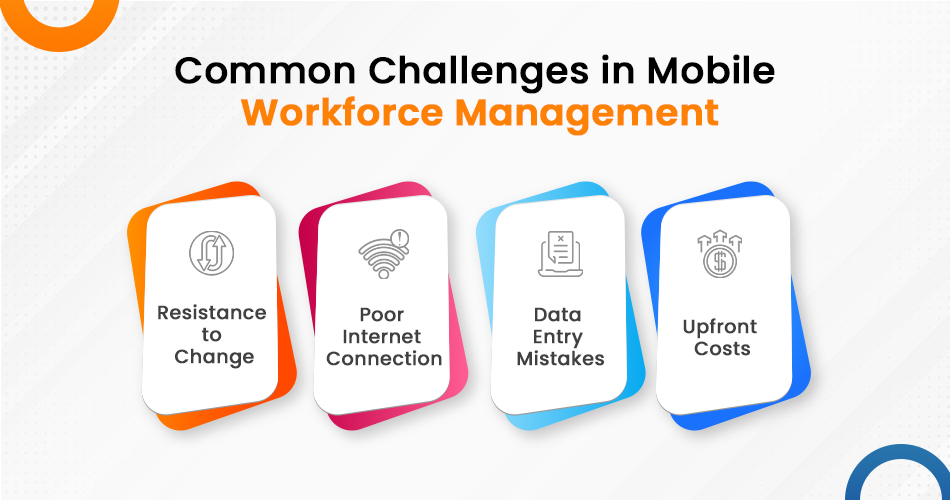
Common Challenges in Mobile Workforce Management

challenges in MWM

Even with FSM software, businesses still face challenges. Understanding these problems helps businesses prepare solutions.

1. Resistance to Change

Workers may feel unsure about using new technology. Proper training and clear benefits help make the switch easier.

2. Poor Internet Connection

Field workers in remote areas may struggle with weak signals. Choosing FSM software with offline access solves this problem.

3. Data Entry Mistakes

Incorrect data entry can cause scheduling errors and reporting issues. Training staff and using built-in validation tools help prevent mistakes.

4. Upfront Costs

FSM software requires investment. However, the long-term savings from better efficiency and lower costs make it worthwhile.

Future Trends in Field Service Management

FSM software continues to improve. Businesses that keep up with new developments gain an advantage.

1. Artificial Intelligence and Automation

AI-driven scheduling and automated workflows reduce mistakes and improve efficiency.

2. Predictive Maintenance

FSM software can predict when maintenance is needed, helping businesses fix equipment before it breaks down.

3. IoT (Internet of Things) Integration

Connected devices allow real-time tracking of equipment and improve service response times.

4. Augmented Reality (AR) Support

AR tools let technicians diagnose and fix issues remotely, reducing the need for on-site visits.

5. Environmentally Friendly Practices

Better route planning and digital workflows help businesses reduce waste and lower their carbon footprint.

Final Thoughts

Field Service Management software transforms mobile workforce management by improving organisation, increasing efficiency, and keeping customers happy.

Businesses that use mobile workforce management solutions work smarter. They eliminate outdated processes and replace them with modern tools that improve service quality and productivity.

For any business managing field teams, FSM software is a smart investment. The right solution makes workflows smoother, operations faster, and long-term success possible.

Why Mobile Apps Are a Game Changer for Field Service Technicians

Field service work has always been challenging. Technicians must juggle multiple tasks, travel between job sites, and ensure customers receive high-quality service. In the past, field technicians relied on paper forms, manual scheduling, and phone calls to stay updated. These methods were slow, inefficient, and prone to errors.

Technology has changed the game. The introduction of field service management apps has transformed how technicians work. Mobile apps now streamline scheduling, improve communication, and provide instant access to job details.

In this blog, we’ll explore why mobile apps are essential for field service technicians, how they solve common challenges, and why businesses must invest in them.

The Common Challenges in Field Service Work

Before mobile apps, field service work was full of inefficiencies. Technicians faced several obstacles that made their jobs harder and slowed down operations.

1. Delays Due to Manual Scheduling

Dispatchers assigned jobs using paper schedules, spreadsheets, or phone calls. This led to:

  • Miscommunication and scheduling conflicts
  • Technicians travelling to the wrong locations
  • Delays in responding to urgent service requests

A field service management app solves this by allowing real-time job scheduling and automatic notifications to technicians.

2. Limited Access to Job Information

Technicians often arrived at job sites without proper information. They had to call the office to check customer history, equipment details, or service records. This caused delays and frustration.

A mobile app gives technicians instant access to:

  • Customer history
  • Equipment manuals
  • Previous service records
  • Job instructions

This ensures they are fully prepared before reaching the job site.

3. Excessive Paperwork

Paper-based processes slowed down work and increased the risk of lost or incomplete information. Filling out forms by hand, getting customer signatures, and submitting reports were time-consuming.

With a mobile app, technicians can:

  • Complete digital forms
  • Capture customer signatures on-site
  • Submit job reports instantly

This saves time and ensures accurate documentation.

4. Poor Communication Between Teams

Technicians had to rely on phone calls, texts, or emails to communicate with dispatchers and colleagues. This led to:

  • Missed messages
  • Slow response times
  • Misunderstandings about job details

A field service management app allows seamless communication. Technicians can receive job updates, send messages, and even share photos in real-time.

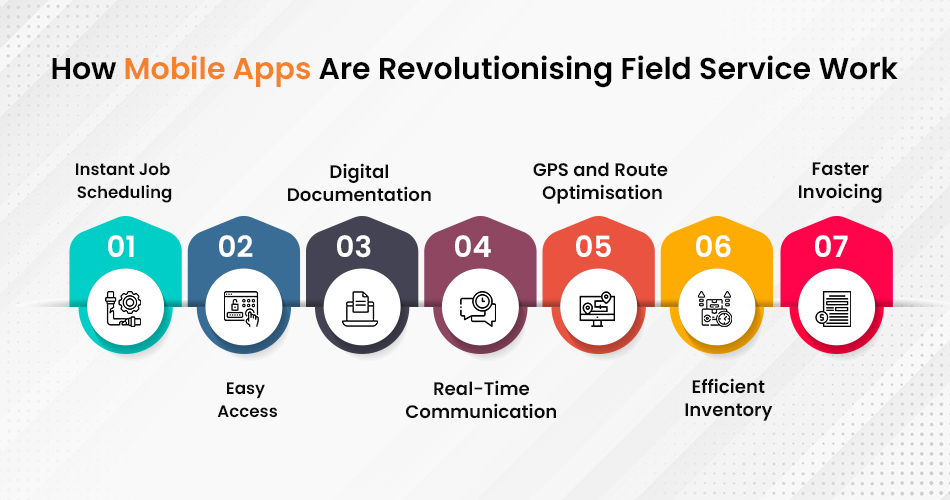
How Mobile Apps Are Revolutionising Field Service Work

infographic image Work

1. Instant Job Scheduling and Updates

A mobile app eliminates the need for phone calls and paper-based scheduling. Dispatchers can assign jobs with a few taps, and technicians receive instant notifications on their phones or tablets.

Key benefits:

  • Faster response times
  • Reduced scheduling conflicts
  • Real-time updates on job changes

Technicians always know where to go and what to do next.

2. Easy Access to Job and Customer Details

Arriving at a job site without full details can slow down work. With a mobile app, technicians can:

  • Check customer history before the visit
  • Access work orders and instructions
  • View past service records and notes

This improves efficiency and ensures better service quality.

3. Digital Documentation and Paperless Workflow

Technicians no longer need to fill out paper forms or store physical documents. Mobile apps enable:

  • Digital job reports
  • Electronic signatures from customers
  • Automated data syncing with office systems

This reduces paperwork and speeds up job completion.

4. Real-Time Communication With Teams and Customers

A mobile app improves communication by allowing instant messaging, job status updates, and alerts. Technicians can:

  • Contact dispatchers for support
  • Share photos and notes about issues
  • Update job progress in real time

This keeps everyone on the same page and reduces delays.

5. GPS and Route Optimisation for Faster Travel

Travelling between job sites can be time-consuming, especially in busy areas. A field service management app includes GPS tracking and route optimisation to:

  • Reduce travel time
  • Lower fuel costs
  • Improve punctuality

Technicians reach their destinations faster, allowing them to complete more jobs each day.

6. Efficient Inventory and Parts Management

Running out of essential parts in the middle of a job can be frustrating. A mobile app helps technicians track inventory levels and request new parts before they run out.

Key advantages:

  • Instant access to inventory data
  • Easy ordering of replacement parts
  • Fewer delays due to missing equipment

Technicians always have what they need to complete jobs on time.

7. Faster Invoicing and Payment Processing

Paper-based invoicing often causes delays in payment collection. With a mobile app, technicians can:

  • Generate invoices instantly
  • Accept payments on-site
  • Reduce errors in billing

This speeds up cash flow and improves customer satisfaction.

How Mobile Apps Improve Customer Satisfaction

A smooth field service experience leads to happier customers. Here’s how mobile apps help:

1. Faster Response Times

Customers don’t like waiting. With real-time job scheduling, technicians reach customers quicker and resolve issues faster.

2. More Accurate Service

With access to customer history and past work records, technicians can provide better, more informed service.

3. Transparent Communication

Customers appreciate updates on technician arrival times and job progress. Mobile apps allow businesses to keep customers informed every step of the way.

4. Digital Invoices and Payment Convenience

Customers can sign off on completed work digitally and pay instantly using mobile payment options. This makes transactions smooth and hassle-free.

Satisfied customers are more likely to recommend a business and become repeat clients.

The Business Benefits of Using a Field Service Management App

Field service businesses’ mobile app benefits for field technicians significantly from mobile technology. Some key advantages include:

  • Increased efficiency – Technicians complete jobs faster with real-time updates and digital documentation.
  • Lower operational costs – Less paperwork, optimised travel routes, and better inventory management reduce unnecessary expenses.
  • Higher revenue – Faster invoicing and payment collection improve cash flow.
  • Better employee productivity – Technicians spend less time on admin tasks and more time doing actual work.
  • Stronger customer relationships – Businesses that provide quick, reliable service gain loyal customers.

Investing in a field service management app is a smart move for any business looking to improve efficiency and service quality.

Key Takeaways

Mobile apps eliminate delays caused by manual scheduling

  • Technicians get instant access to job details and service history
  • Digital documentation reduces paperwork and errors
  • Real-time communication improves teamwork and response times
  • GPS tracking helps technicians reach job sites faster
  • Inventory tracking ensures technicians have the right parts
  • Instant invoicing speeds up payments
  • Better service leads to happier customers and repeat business

Final Thoughts

A field service management app is no longer an optional tool—it’s a necessity. Businesses that invest in mobile technology see major improvements in efficiency, communication, and customer satisfaction.

If your business still relies on manual processes, now is the time to switch to a mobile-first approach. Your technicians will work more efficiently, your customers will be happier, and your business will grow faster.

Are you ready to take your field service operations to the next level? Start using a mobile app today!

A Complete Guide to GenicTeams FSM

Managing fieldwork feels like handling many tasks at once. However, with the right tools, it becomes easy and convenient. GenicTeams FSM helps companies organise workers, manage schedules, and deliver top-quality service. Moreover, it’s like a magic box that makes everything simpler for field teams and office managers.

This blog guide explains how GenicTeams FSM works, its salient features, and why it’s useful for businesses. Whether fixing machines or providing routine check-ups, this field management software keeps your work on the track and stress-free. Above all, let’s discuss and uncover how this field service management app can transform your operations.

What Is Field Service Management (FSM)?

Field Service Management, or FSM, is the art of organising jobs done outside the office. For example, this could be fixing a machine, installing a device, or maintaining equipment. It ensures tasks happen on time and without mistakes.

A field service management system like GenicTeams helps workers and managers stay connected. Therefore, it lets managers plan jobs, assign tasks, and follow progress as it happens. Workers can easily update their status using a field service management app. As a result, everyone stays on the same page. In fact, FSM helps businesses save time, reduce confusion, and deliver better services to customers.

Key Features of GenicTeams FSM

GenicTeams FSM is packed with features that make fieldwork smooth and fun. In addition, these tools help businesses plan better, communicate faster, and stay organised. So, let’s explore its amazing features:

Smart Scheduling

Easily plan tasks and hand them out to the right team members. The system pairs jobs with workers based on what they’re great at and checks if they’re free. This way, nobody feels overloaded, and every task gets tackled properly. Indeed, it clears up confusion, lets managers adjust plans quickly, and helps everyone finish on time without costly mistakes.

Real-Time Tracking

Track where your team goes and see what they’re doing in real time. For example, managers can follow their progress and take quick action if something changes. This keeps everything running like a well-oiled machine and avoids slowdowns. Therefore, it also helps spot problems early, builds trust, and makes teams work together smoothly.

Mobile Access

Workers can peek at their tasks, share updates, and message their managers through the mobile app. They stay connected no matter where they are. Even without the internet, they can keep working and upload their changes later. Additionally, this handy field service management app keeps teams productive, makes updates super easy, and helps everyone stay on track.

Custom Workflows

Tweak job steps to match your needs perfectly. Whether it’s a small task or a big project, you can change workflows without any fuss. This makes it easy to handle tricky situations. Teams can organise simple jobs better, make big plans clear, and ensure everyone knows exactly what to do.

Inventory Management

Track tools, parts, and supplies like a pro. The field service management software reminds you when stock runs low, so you’ll always be ready for any job. This smart tracking stops delays, saves money, and prevents waste. With everything in place, your team can work without missing a beat.

Customer Information

Pull up all customer details in one spot. This helps your team give friendly, personalised service. Workers can check what customers like and their past requests. It saves time, clears up confusion, and makes customers super happy. Therefore, a happy and satisfied customer means they’ll come back for more!

Easy Reporting

Create detailed and error-free reports that show how well your team performs. Use these insights to make your team even better. These clear, colorful reports help you find what’s working and what’s not. You can use them to make better choices, fix problems, and celebrate big wins.

Seamless Integration

Link GenicTeams field management software with other tools to create one big, happy system. This smooth connection saves time, stops mistakes, and makes things easier to manage. Ultimately, your team can work faster and smarter with everything working together.

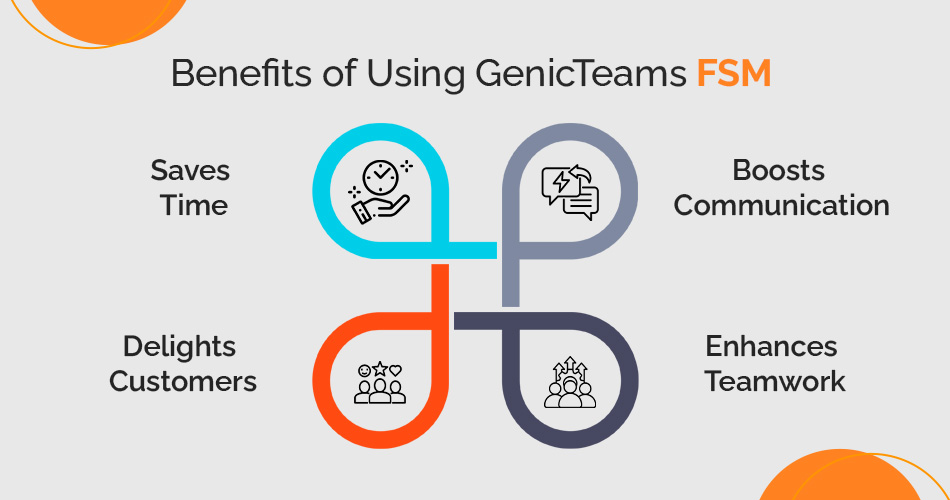
Benefits of Using GenicTeams FSM

genicteams-fsm-infographic

GenicTeams FSM brings many benefits that simplify work and increase efficiency. So, let’s explore why it’s a great choice for businesses:

Saves Time

The field service management app system eliminates unnecessary steps, freeing workers to tackle important tasks. Meanwhile, jobs zoom from start to finish without hiccups. It clears the clutter, so workers can dive into what really matters. They pour their energy into big goals instead of boring, repeated work. Soon enough, everything runs like a speedy race car on a smooth track.

Boosts Communication

Everyone stays in the loop and shares updates on the spot. This way, no one feels puzzled or left behind. Workers swap ideas like pros, keeping the team humming. They shout out important news, making sure everyone hears the plan loud and clear. As a result, they build a strong bond that helps them power through challenges together.

Delights Customers

With lightning-fast service and well-organised teams, customers get what they need in a flash. Plus, workers notice little details, making every visit feel extra special. They remember favorite items or solve problems before they pop up. In fact, these thoughtful touches make customers grin and keep them coming back for more.

Enhances Teamwork

Workers and managers link arms, figuring out how to help each other shine. This smooth teamwork sparks better results every time. They take turns leading and listening, making sure everyone’s voice counts. Regular check-ins keep the team rowing in the same direction. Slowly but surely, they grow into a team that trusts and works like a well-oiled machine.

These benefits show how GenicTeams FSM helps businesses stand out and keep their customers happy, and satisfied.

Who Can Benefit from GenicTeams FSM?

GenicTeams FSM fits perfectly into many industries that do fieldwork. It’s like a magic tool that changes to fit all kinds of needs. Thus, let’s see how it helps different businesses:

Maintenance Services

Building repair teams and cleaning crews tackle their tasks faster and smoother. Also, the system connects workers easily so no one misses a job. It helps managers track what’s getting done and cheer their teams on. Plus, it helps workers jump on requests quickly and stay on top of everything.

Healthcare Providers

Nurses, caregivers, and medical staff map out their home visits with ease. It also lets them figure out faster ways to visit more patients in less time. The system helps workers team up better, so everyone knows what’s happening. In addition, they update patient details on the go and always keep their plans on track.

Telecommunications

Internet and phone service companies use the system to line up installations and fix problems. The software makes it easy to shuffle tasks if surprises pop up. Workers solve issues faster and make sure customers don’t wait too long. This way, the jobs finish quicker and leave everyone happy.

Utility Providers

Electricity, water, and gas teams tackle their jobs more smoothly. They schedule checkups and repairs without missing a beat. The system zips updates to workers so they can rush to fix emergencies. Teams stay ahead of problems and make sure everything runs perfectly.

HVAC Services

Air conditioning and heating teams handle setups and repairs better. The system shows service histories to help workers fix things faster. It even tells customers when workers are on their way, so there are no surprises. Teams work quicker, keep people comfy, and make sure everyone smiles.

No matter what business you’re in, GenicTeams FSM makes fieldwork super easy and smooth. It fits everyone’s needs and helps get jobs done faster and better!

How to Get Started with GenicTeams

Starting with GenicTeams service management software is straightforward to use. First, visit our website and find the “Book Demo” button at the top. Next, click it to schedule a session with our experts.

During the demo, you’ll see how the system works and how it fits your business needs. Additionally, the team will guide you through setup, ensuring everything runs smoothly.

The End Note

Overall, GenicTeams service management software changes how businesses handle fieldwork by scheduling, tracking, reporting, and more into one simple system. Most importantly, this app helps your team work quicker, think sharper, and perform better. Whether you guide a small team or manage a big company, this software bends and adjusts to fit your needs perfectly. It also makes organizing tasks easier, wows your customers, and boosts your business without causing any stress. By choosing GenicTeams FSM, you’re not just improving your work—you’re powering up your entire process into a smooth, awesome machine. Start today and see how it makes everything better!

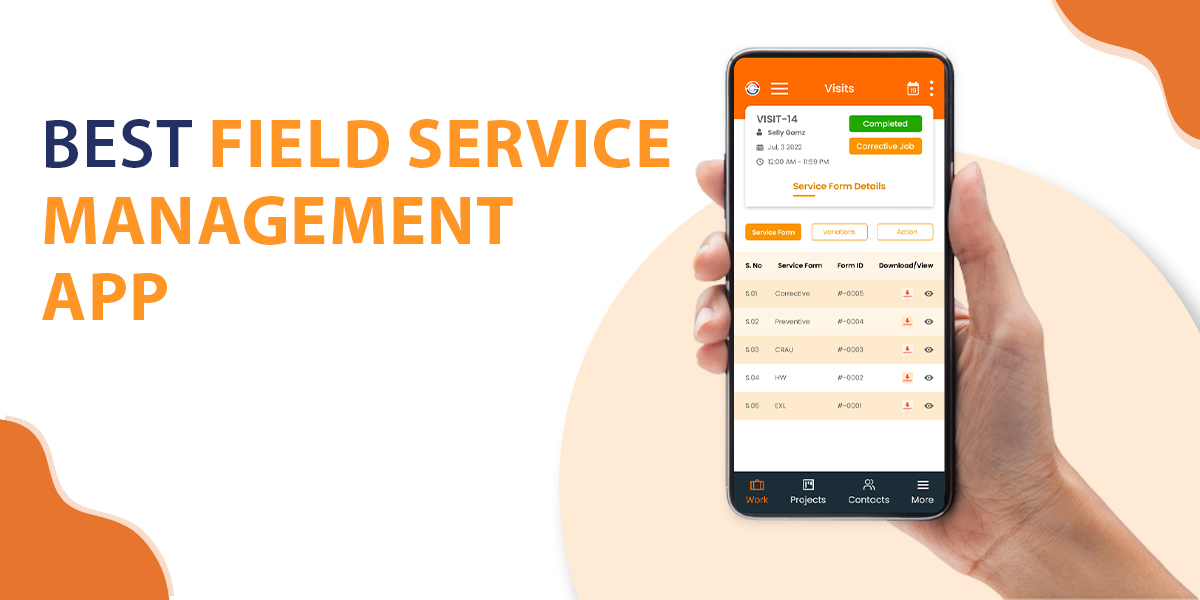
The Best Field Service Management App

When it comes to running a business that depends on field service, every second counts. Your team needs to be organised, efficient, and well-prepared for every job. The right Field Service Management (FSM) app in Singapore can make all the difference. This guide will help you understand why an Field Service Management App is essential and what features to look for to ensure you’re getting the best field service management app for your business.

What is a Field Service Management App?

A field service management app is a tool that allows companies to schedule, dispatch, and manage teams working in the field. Whether it’s fixing equipment, servicing installations, or conducting inspections, these apps streamline your service operations from a mobile device.

Here are 8 leading Field Service Management Apps, presented in no particular order—discover what makes them stand out in the market.

1. Genic Teams

genic teams

Genic Teams is a comprehensive field service management (FSM) software that caters to businesses of all sizes, enabling efficient scheduling, task management, and real-time communication with field staff. It is especially beneficial for industries like healthcare, engineering, and HVAC. Genic Teams supports seamless management of quotes, billing, inventory, and customer interactions through a user-friendly interface that allows businesses to streamline operations and enhance productivity.

The platform includes mobile access, enabling field teams to stay connected and update job statuses on the go. With features like GPS tracking, e-signature capture, and analytics, Genic Teams ensures transparency and operational control for businesses aiming to optimize field operations.

Key Features

  • Scheduling & Dispatching with GPS Tracking
  • Real-Time Task Updates & Communication
  • Quote & Inventory Management
  • Billing & Invoicing
  • Reporting & Analytics
  • Mobile Access & E-signature Capture
Price

  • Package A: $17,000 for 3 users
  • Package B: $22,000 for 5 users
  • Package C: $29,200 for 7 users
  • Package C: $29,200 for 7 users
  • Package D: $40,000 for 10 users (eligible for $31,300 with the Productivity Solutions Grant)

Website: https://www.genicteams.com/

FSM App: https://play.google.com/store/apps/details?id=fsm.genicteams.sg

2. ReachOut Suite

reachout

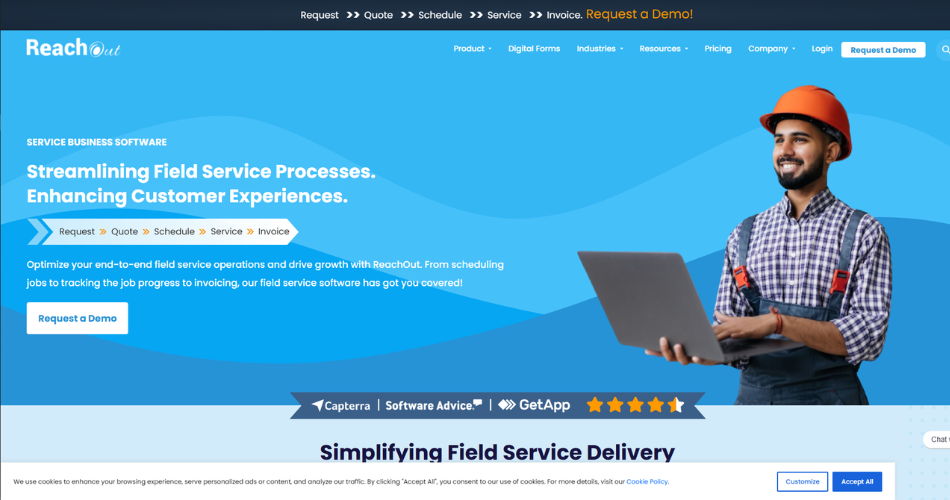
ReachOut Suite is a dynamic cloud-based field service management software crafted to simplify operations for service-oriented businesses. It equips managers with a web portal and provides field technicians with a mobile app, enabling them to handle jobs, schedule tasks, and view service history in real-time. This software drives digital transformation with powerful tools like job scheduling, technician dispatch, invoicing, and route optimization. It also offers customisable digital forms, cutting down paperwork and securing accurate data collection. ReachOut’s free plan covers essential features, and its scalable options empower businesses to boost operational efficiency and elevate customer satisfaction through seamless job and team management.

Key Features:

  • Job Scheduling & Dispatch Management
  • Work Order & Customer Management
  • Inventory Management & GPS Tracking
  • Route Optimization & Time Tracking
  • Mobile Access & Digital Forms
  • Invoicing & Payment Processing
  • Reporting & Analytics
Price:

  • Free Plan: $0 per user/month
  • Standard Plan: $9 per user/month
  • Premium Plan: $15 per user/month
  • Ultimate Plan: $25 per user/month

Websitehttps://www.reachoutsuite.com/

3. Zoho CRM

zohocrm

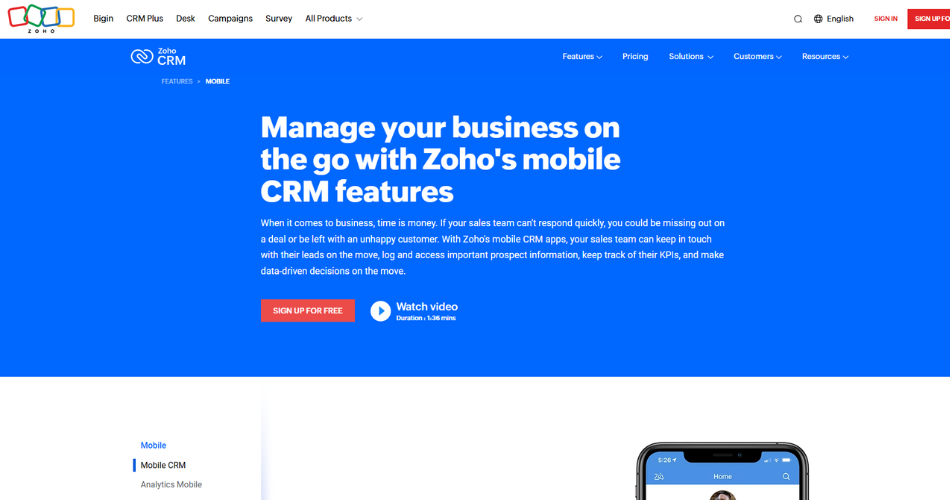
Zoho CRM provides a full view of sales pipelines and boosts the customer journey. It fits businesses of all sizes, covering sales, marketing, customer support, and inventory. With tools that automate tasks and capture leads, Zoho CRM organizes customer data and speeds up processes.

Its clear layout and adaptability allow users to craft custom reports, manage social media, and connect with other Zoho field service apps or third-party tools like Google Analytics and Mailchimp. Zoho’s omnichannel feature links email, phone, chat, and social platforms in one place, improving customer interaction.

Key Features:

  • Sales Force & Marketing Automation
  • Workflow Automation & Customizable Modules
  • Social Media & Email Integration
  • Inventory Management
  • Advanced Reporting & Dashboards
  • AI Assistant (Zia AI)
  • Mobile CRM & Territory Management
Price:

  • Standard: $11 per user/month, billed annually
  • Professional: $19 per user/month, billed annually
  • Enterprise: $33 per user/month, billed annually

Websitehttps://www.zoho.com/en-in/crm/

4. iCRM

icrm

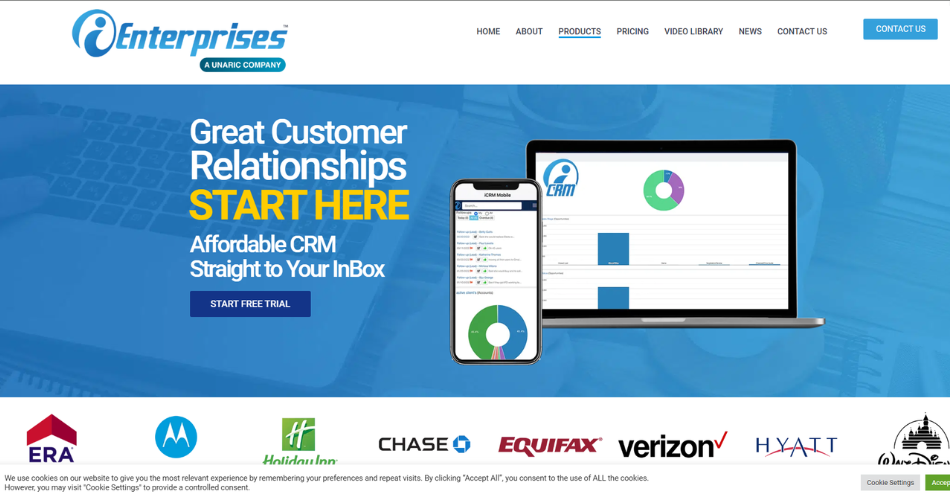
iCRM powers businesses of all sizes by meeting diverse needs in sales, marketing, and customer support. Its flexibility allows teams to shape it to fit unique workflows, making it useful across industries. With dynamic lead tracking, sales pipeline management, and rich reporting, iCRM uncovers valuable customer insights and sales trends.

This platform links smoothly with tools like email marketing software, accounting systems, and e-commerce platforms. Its design makes it adaptable and scalable. iCRM’s field service mobile app also ensures users can view crucial data anytime, boosting both efficiency and customer engagement.

Key Features:

  • Lead & Contact Management
  • Sales Automation & Pipeline Management
  • Marketing Automation & Social Media Integration
  • Customizable Dashboards & Reporting
  • Workflow Automation & API Access
  • Document Management & Role-Based Access
Price:

  • SEED Plan: $8 per single user
  • SAPLING Plan: $11 per single user
  • PLANT Plan: $17 per single user
  • TREE Plan: $19 per single user

Websitehttps://ienterprises.com/icrm/

5. Salesforce Field Service

salesforce (1)

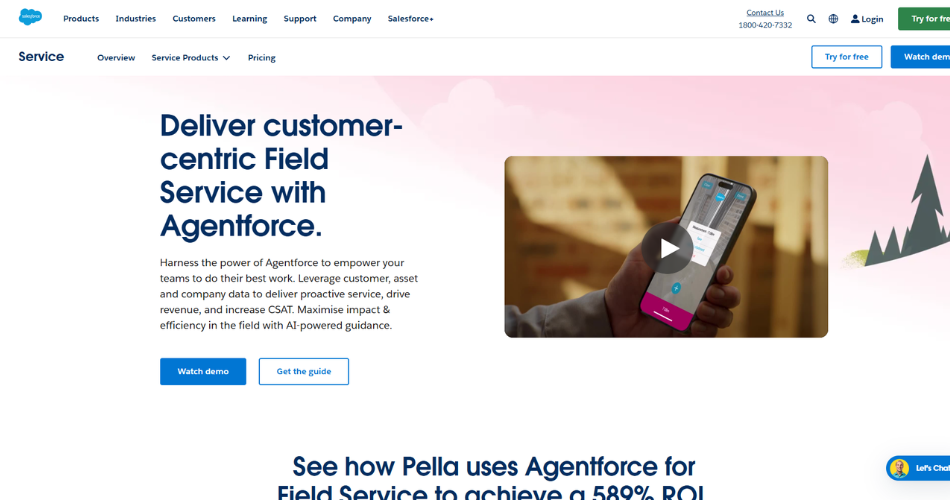
Salesforce Field Service empowers mobile workforces, sharpening service delivery with smart scheduling, live tracking, and resource control. This solution syncs smoothly with Salesforce’s CRM, ideal for businesses rooted in the Salesforce ecosystem. It automates work orders, contracts, and inventory, boosting both simple and complex field tasks.

With the field service scheduling app, field agents view schedules, log tasks, and update customer data, even offline, ensuring continuous service. Detailed analytics and reporting fuel data-driven choices and raise service quality.

Key Features:

  • Work Order & Asset Management
  • Scheduling & Dispatching with Real-Time Tracking
  • Mobile App with Offline Access
  • Service Analytics & Geolocation Services
  • Integration with Salesforce CRM
  • SLA Management & Customer Self-Service Portal
Price:

Pricing details are available upon request, as Salesforce Field Service typically offers customized pricing based on business needs.


Websitehttps://www.salesforce.com/in/service/field-service-management/

6. Zuper

zuper

Zuper is a comprehensive FSM app that simplifies workforce and service management for businesses by providing tools for scheduling, dispatching, invoicing, and more. It enhances efficiency through its cloud-based solution that enables seamless mobile access, ensuring that team members can work effectively from anywhere.

Zuper is tailored to streamline processes such as job scheduling, work order management, and customer management, allowing businesses to replace manual, error-prone systems with automated, efficient workflows. The platform is also highly customizable, allowing users to adapt features to their unique requirements.

Key Features:

  • Job Scheduling & Dispatch Management
  • Work Order & Customer Management
  • GPS Tracking & Route Optimization
  • Billing, Invoicing, and Payment Processing
  • Service History & Contract Management
  • Real-time Notifications & Analytics
Price:

Pricing details for Zuper are available upon request, as it offers tailored pricing based on business needs.


Websitehttps://www.zuper.co/

7. Microsoft FieldOne

microsoft

Microsoft FieldOne refines field service management with routing, scheduling, and resource tools. Linked with Microsoft Dynamics, FieldOne automates tasks, supporting work order tracking, inventory monitoring, and real-time updates. This platform suits businesses with multi-location needs or complex field tasks.

FieldOne also boosts customer experience with alerts, contract management, and a customer portal, while powerful reporting tools provide insights. Built to adapt, FieldOne scales to meet changing business needs, making it a valuable tool for smooth field service operations.

Key Features:

  • Work Order & Inventory Management
  • Scheduling & Route Optimization
  • Mobile Access with Real-Time Updates
  • CRM Integration with Microsoft Dynamics
  • Customer Portal & Alerts System
  • Signature Capture & Warranty Management
Price:

Pricing is available upon request, as Microsoft FieldOne offers custom pricing based on business requirements.


Websitehttps://www.microsoft.com/en-us/dynamics-365/products/field-service

8. Tookan

tookan

Tookan is a delivery and fleet management platform designed to streamline logistics and field operations for businesses that rely on mobile teams. With features such as real-time tracking, automated dispatch, route optimization, and proof of delivery, Tookan enables companies to manage their fleets and deliveries efficiently.

The platform supports the onboarding of both in-house and freelance drivers, making it versatile for businesses of various scales, from startups to larger enterprises. Additionally, Tookan’s customizable workflows and integrations with over 150 third-party applications enhance its functionality, making it suitable for sectors like food delivery, field services, and e-commerce.

Key Features:

  • Real-Time Tracking & Route Optimization
  • Automated Dispatch & Geofencing
  • Proof of Delivery & Customizable Workflows
  • Driver App & Fleet Management
  • API Integration & White Labeling
  • Barcode Scanning & Electronic Signature
Price:

  • Early Stage: $18 per month (150 tasks/month)
  • Startup: $29 per month (500 tasks/month)
  • Growth: $95 per month (2000 tasks/month)
  • Standard: $179 per month (5000 tasks/month)


Websitehttps://jungleworks.com/tookan/

Conclusion

Choosing the best field service app fuels your business’s success. The app you pick should fit your industry and team size.

Think about cost, features, and your specific needs. Apps like Genic Teams and ReachOut Suite balance value with advanced tools.

Zoho CRM, Salesforce Field Service, and Microsoft FieldOne offer strong integration and customization. They adapt to complex operations easily. Tookan and FieldSumo solve cost concerns while delivering powerful tools. These work well for businesses aiming to manage budgets wisely.

Define your priorities and match them to an app. With the right choice, your team performs better, serves customers faster, and reaches new goals.

Related Article:

Top FSM Software for Telecommunications Industry

img
img
*50% Grant

GenicTeams - Project Management Software

From Business Thrust Pte Ltd