Top 10 Best Field Service Management Softwares

Running a business can be tricky, especially when you need to keep track of workers and jobs in the field. But don’t worry, the right software can make everything easier! field service management system helps businesses organise tasks, send workers to jobs, and ensure everything gets done quickly. It also helps businesses follow where workers are, ensuring customers stay happy with fast service. Whether your company is big or small, picking the best field service management software will simplify work. Here’s a list of the most recommended field service management software to help you run your business better, faster, and smarter!

Most Recommended Field Service Management Software

1. Genic Teams

genic teams

Genic Teams leaps into the top spot because it makes managing fieldwork super easy! It lets you create tasks, keep an eye on workers, and fix problems right away. Genic Teams connect everyone, so jobs get done faster. Plus, it’s great for turning quotes into jobs and checking how your team is doing. Genic Teams fits all kinds of businesses, like hospitals, HVAC, or IT, and it even has a handy app that lets workers check jobs on their phones!

Why pick Genic Teams?

  • You can make and track tasks quickly
  • The mobile app helps workers stay on top of things
  • Scheduling and dispatching tools keep everything flowing
  • Genic Teams works for all types of businesses

For small businesses, Genic Teams is the best field service management software for small businesses, helping them grow without stress!

Website: https://www.genicteams.com/

Email: [email protected]

2. Microsoft Dynamics 365 Field Service
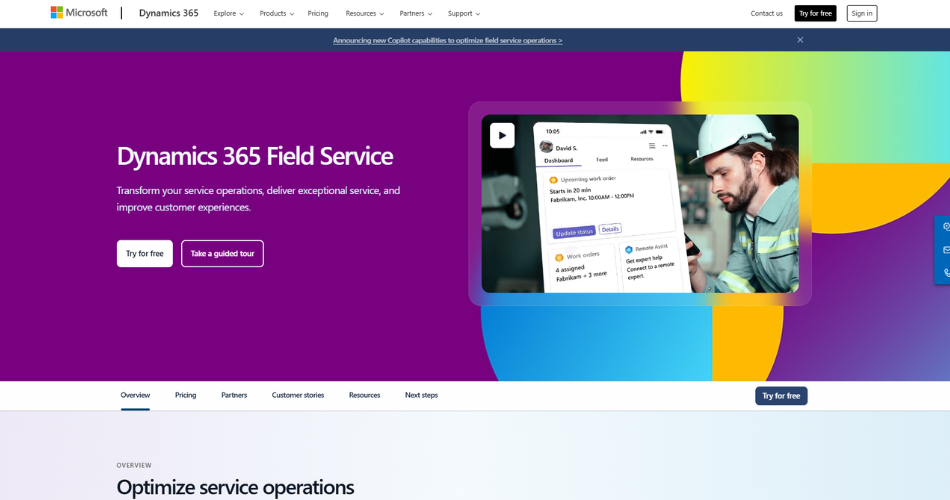
Microsoft Dynamics 365 Field Service

Microsoft Dynamics 365 Field Service jumps in with awesome tools that work perfectly with other Microsoft programs. It helps businesses keep track of customers, fix problems early, and give better service. This top field service management software uses smart AI to spot problems before they get big. Technicians can also use their phones to check details, so they can work faster.

Why choose Microsoft Dynamics 365?

  • AI helps spot problems before they get worse
  • Workers can use their phones to get important info
  • Works smoothly with other Microsoft tools

If your business already uses Microsoft, this software will make your work even smoother.

3. Praxedo Field Service Management
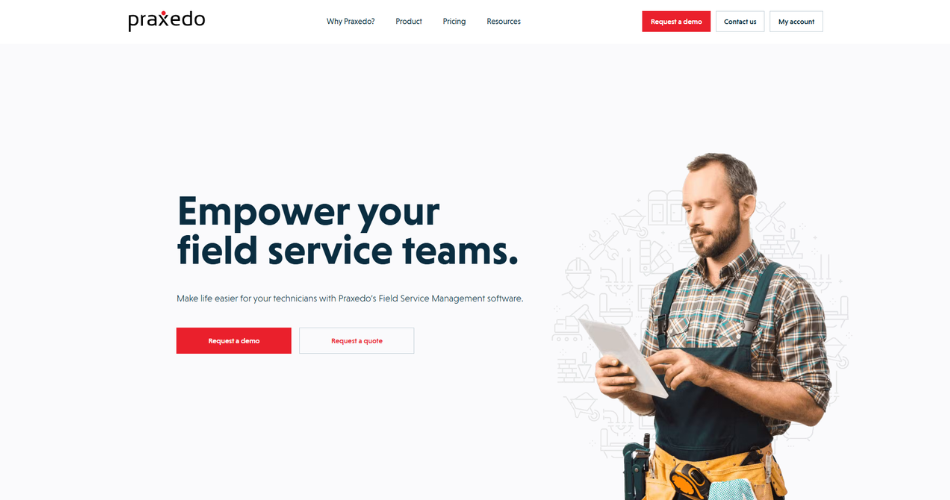
Praxedo Field Service Management

Praxedo zooms in with its cloud-based system that’s all about flexibility. It lets businesses adjust to different needs, making it super easy to set up workflows that fit any industry. Praxedo also helps you see what’s happening in real-time, keeping things running smoothly. The reports it creates help you figure out how well your service is doing and where you can do better.

Why choose Praxedo?

  • Customizable workflows fit any business
  • Real-time tracking keeps everything on time
  • Performance reports help you get better

However, Praxedo is a fantastic pick for businesses looking for flexible and insightful software.

4. Oracle Field Service
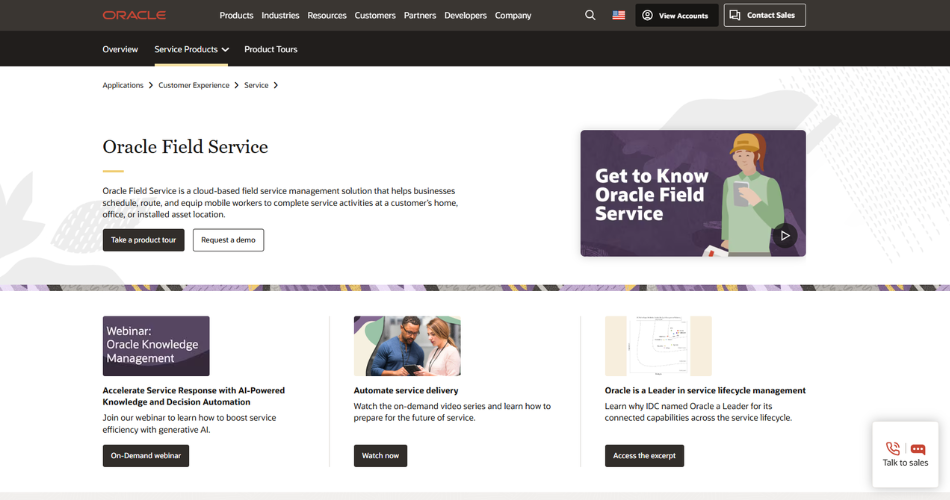
Oracle Field Service

Oracle Field Service speeds things up with super-smart algorithms that make routes and schedules better. It helps businesses get the most out of their workers by cutting down travel time. Oracle’s tools also make it simple to manage work orders and talk to customers. It fits right into Oracle’s cloud system, giving businesses everything they need in one place.

Why choose Oracle Field Service?

  • Smart routes cut down travel time
  • Easy to manage work orders and customer info
  • Works with Oracle Cloud for a full package

Consequently, Oracle is perfect for big businesses that need more control over lots of field jobs.

5. SAP Field Service Management
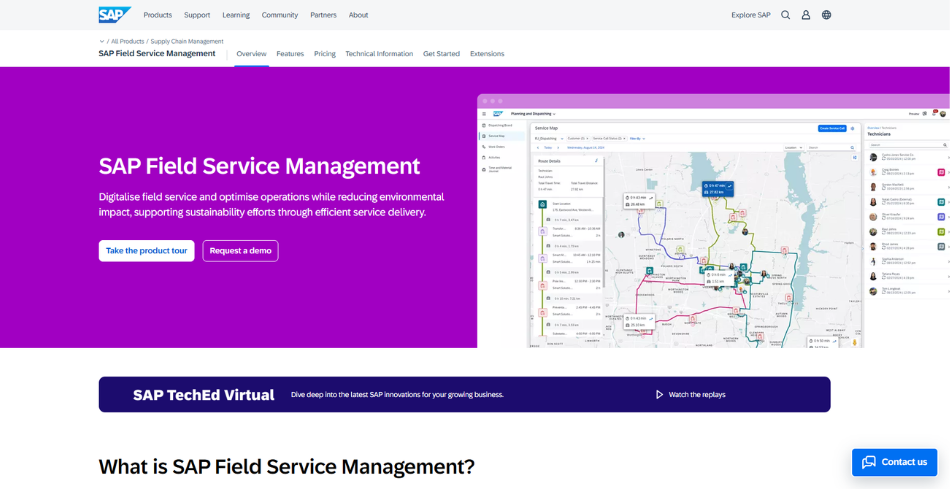
SAP Field Service Management

SAP Field Service Management bursts forward with real-time communication tools. It connects workers with the office, making sure jobs get done quickly and easily. SAP’s best service management software gives businesses strong tools to manage workers, send out jobs, and follow performance. Plus, its analytics show where businesses can improve and grow!

Why choose SAP Field Service Management?

  • Real-time communication keeps things smooth
  • Strong tools for managing field teams
  • Analytics show how to improve your work

Ultimately, SAP Field Service is great for companies wanting full control over their field operations.

6. IFS Cloud
IFS Cloud

IFS Cloud leaps ahead by offering a full toolkit to manage fieldwork, from scheduling to tracking performance in real-time. It grows along with your business, making it perfect for both small and big companies. IFS Cloud also gives deep insights into your operations, showing you exactly how to improve and get the best results.

Why choose IFS Cloud?

  • Manages all parts of field operations
  • Grows with your business
  • Real-time tracking keeps things on track

Moreover, IFS Cloud is one of the best field service management software for small business, giving companies the power to expand as they grow.

7. Geocall by OverIT
Geocall by OverIT

Geocall powers up with its amazing GIS (Geographic Information System) tools, making it perfect for companies that need to follow workers’ locations, like utilities or telecom businesses. They help businesses track their assets and keep everything running smoothly. Workers can use the mobile app to check tasks and update their progress, boosting overall efficiency.

Why choose Geocall?

  • GIS tools help companies that need location-based services
  • The mobile app lets workers update tasks quickly
  • Asset management makes operations flow better

Geocall is a fantastic option for businesses that need strong location-based management.

8. vx Suite – Verisae by Accruent
VX Suite

VX Suite by Verisae races ahead with its asset management and IoT (Internet of Things) integration. This best field management software lets businesses keep track of their assets in real-time, so they can fix problems before they happen. It’s ideal for industries like retail and utilities, where managing both assets and workers is crucial.

Why choose vx Suite – Verisae?

  • Real-time asset tracking through IoT integration
  • Smart scheduling and dispatching tools
  • Perfect for businesses needing to manage workers and assets

For companies that want top-notch asset management, vx Suite is the best pick.

9. ClickSchedule (Legacy) by Salesforce
ClickSchedule (Legacy) by Salesforce

ClickSchedule dashes in as a trusted tool for scheduling and dispatching field teams. It helps businesses organise their workers and reduce downtime. Even though it’s now a legacy product, ClickSchedule still works perfectly for many companies. It connects smoothly with Salesforce CRM, helping businesses handle both customers and fieldwork at the same time.

Why choose ClickSchedule?

  • Reliable scheduling tools keep things moving
  • Integrates easily with Salesforce CRM
  • Cuts down downtime and boosts efficiency

ClickSchedule is still a favourite for businesses that need simple and effective scheduling.

10. Salesforce Field Service
Salesforce Field Service

Salesforce Field Service rockets to the top with AI-powered scheduling, making sure businesses use their resources smartly. The mobile app lets workers check tasks, update jobs, and stay in touch with the office. It also links smoothly with Salesforce CRM, letting businesses handle customer service and fieldwork in one place.

Why choose Salesforce Field Service?

  • AI-powered scheduling makes jobs faster
  • Mobile app helps workers stay organised
  • Works with Salesforce CRM for smooth customer management

Salesforce Field Service is a smart choice for companies wanting to combine customer service and fieldwork.

The End Note

Choosing the best service management software helps your business run faster and smoother. Whether you manage a small or large team, each software option will make your job easier. Tools like Genic Teams, the best field service management software for small businesses, help companies grow without stress. On the other hand, larger companies may find Microsoft Dynamics 365 or Salesforce Field Service to be the perfect fit. With the best field management software, you can organise tasks, boost performance, and satisfy your customers!

Explore The Top 5 Benefits of Using FSM App For Your Marine Business

Efficient operations are crucial for success in the marine industry. Businesses face many challenges, from managing schedules to tracking inventory. A Field Service Management (FSM) app can help streamline these processes. This software offers various tools that enhance productivity and improve customer satisfaction. By automating tasks, businesses can focus on what matters most. With the right FSM app, marine companies can optimize their service delivery and stay competitive.

The following sections will explore the top five benefits of using an FSM app in the marine business. Embracing technology is essential for growth and efficiency in today’s market.

1. Enhanced Efficiency

Efficiency is crucial for any service business. An FSM app streamlines daily operations. It allows businesses to assign tasks easily. Workers receive updates in real-time. This reduces delays in communication. As a result, the team can focus on core tasks.

Additionally, FSM apps offer scheduling features, which enable managers to allocate resources effectively. This means that technicians can attend more service calls in a day. Furthermore, improved scheduling leads to better time management, allowing teams to complete jobs faster and move on to the next one.

Moreover, these apps automate many manual tasks. This includes invoicing and report generation. Automation cuts down the time spent on administrative work. Employees can use this time for customer engagement. An efficient team can lead to happier customers and repeat business.

2. Better Customer Experience

In the marine industry, customer satisfaction is vital. FSM apps help enhance customer experience significantly. With better scheduling, customers receive timely service. When customers know when to expect technicians, they appreciate the reliability.

Additionally, FSM apps provide a central platform for customer interactions. Service teams can access customer histories quickly. They can view past service calls and preferences. This knowledge allows technicians to provide personalized service. A personalized touch increases customer loyalty.

Moreover, customers also appreciate transparency. FSM apps often include features for customers to track service progress. This transparency builds trust. When customers feel valued, they are more likely to return. This leads to long-term relationships and increased revenue.

3. Improved Inventory Management

Effective inventory management is crucial for marine businesses. FSM apps simplify this process. They provide tools for tracking marine equipment and supplies. Managers can see what is in stock at any time. This visibility helps in planning and ordering.

With accurate inventory data, businesses can avoid stockouts. This means technicians have the necessary parts on hand. They can complete jobs on the first visit. This efficiency reduces costs and enhances service quality.

Moreover, FSM apps can automate reordering processes. When inventory reaches a certain threshold, the system can trigger an order. This automation prevents overstocking and ensures the right amount of inventory. Effective software for inventory management is vital in a competitive market.

4. Data-Driven Insights

In today’s business world, data is king. FSM apps collect valuable data on operations. This data can provide insights into performance. Managers can analyze metrics such as job completion times and technician efficiency.

These insights allow businesses to identify areas for improvement. For instance, if a technician consistently takes longer on certain tasks, it may indicate a need for additional training. Analyzing this data helps in decision-making.

Moreover, FSM apps often provide reporting features. Managers can generate reports on various aspects of the business. This includes financial performance, service history, and customer feedback. These reports are crucial for strategic planning. Data-driven decisions lead to better outcomes.

5. Cost Savings

Cost management is a priority in the marine industry. FSM apps can lead to significant cost savings. By enhancing efficiency and improving scheduling, companies can reduce labor costs. Fewer wasted hours mean more profitable operations.

Additionally, with better inventory management, businesses can avoid excess inventory. This reduces storage costs and minimizes waste. When companies keep costs low, they can improve their profit margins.

Furthermore, FSM apps can help in reducing travel costs. Efficient scheduling ensures that technicians are assigned to jobs in a way that minimizes travel time. This reduces fuel expenses and vehicle wear and tear. Cost savings contribute to overall business health.

Conclusion

Adopting an FSM app can bring multiple benefits to your marine business. Enhanced efficiency, better customer experience, improved inventory management, data-driven insights, and cost savings are all crucial advantages. In a competitive marine industry, these benefits can set a business apart.

Genic Teams offers a robust FSM app designed to meet the unique needs of marine businesses. With their service business software, you can streamline operations, enhance customer satisfaction, and drive growth. By partnering with Genic Teams, you ensure your marine business stays ahead in a rapidly evolving industry.

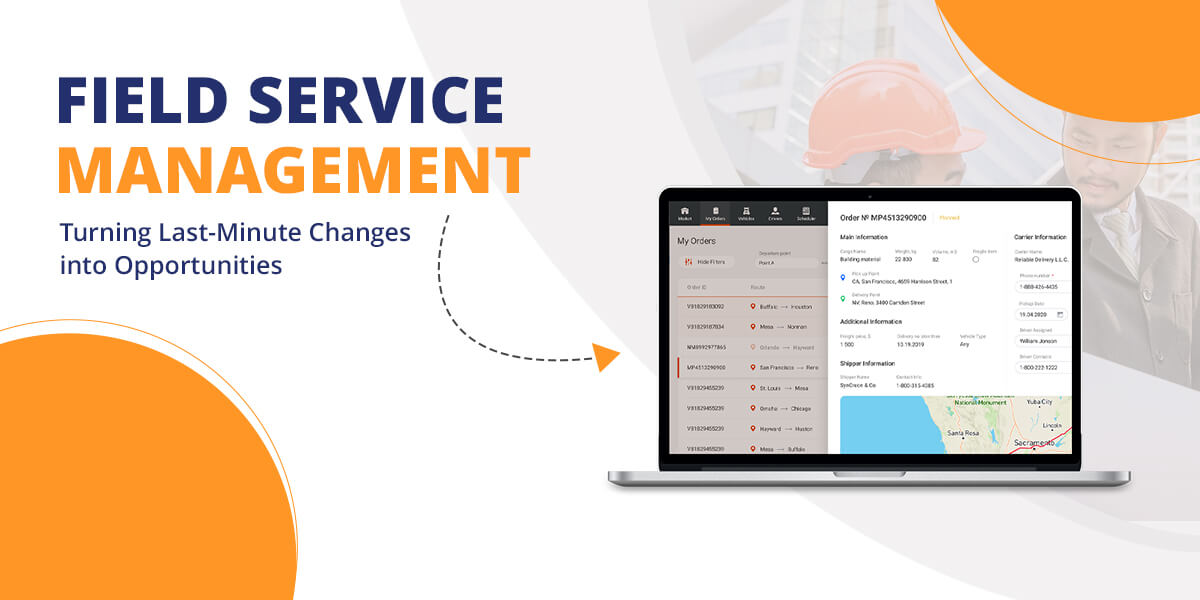
Field Service Management: Turning Last-Minute Changes into Opportunities

Field service management (FSM) requires swift, precise decisions. Managing unexpected changes can feel overwhelming, but with the right tools, these disruptions become chances to thrive. Dynamic scheduling empowers businesses to tackle sudden changes, transforming challenges into opportunities. It helps solve persistent field service management challenges, allowing companies to excel in fast-moving environments.

In this guide, we will examine how dynamic scheduling can help you convert unforeseen disruptions into success. We’ll also explore key field service challenges and show how to overcome them effectively.

Key Challenges in Field Service Management

Field service management involves many moving parts. It requires coordinating field technicians, managing equipment, and providing services across various locations. One of the most pressing issues is how unpredictable service requests can be. Emergencies pop up with no warning, throwing off the planned schedule. These challenges can slow operations, frustrate customers, and exhaust technicians.

Unexpected Job Requests

Emergency repairs or urgent tasks interrupt the pre-planned schedule, forcing teams to adjust on the fly. Handling these surprise requests remains a core struggle in field service management. Without a flexible system, meeting customer needs while staying efficient becomes tough.

Limited Resources and Skills

Field service teams often deal with limited resources. Technicians spread out across locations may not have the right skills for every job. Matching the best technician with the right skills to the task creates logistical headaches.

Travel and Traffic Delays

Traffic jams and long travel times frequently cause problems in field service management. Technicians spend much of their day on the road, which affects their ability to reach customers quickly. External factors like traffic slowdowns or unexpected roadblocks add more chaos.

Customer Expectations and Satisfaction

Today’s customers expect fast, efficient service. They want quick response times, accurate arrival windows, and swift problem-solving. Balancing these expectations with the logistics of field service management requires constant juggling. Failing to meet customer standards damages service ratings and can hurt business.

Inventory and Equipment Management

Making sure field technicians have the necessary tools and parts for each job remains another major challenge. When technicians show up without the right equipment, it causes delays and frustrates customers. Efficient inventory management is crucial but hard to pull off without real-time updates.

Managing Technician Availability

Technicians may fall sick, or other unforeseen events can affect their availability. Keeping up with schedules, days off, and working hours requires constant monitoring. Failure to do this results in either overworking technicians or leaving customers waiting too long.

Turning Challenges into Opportunities with Dynamic Scheduling

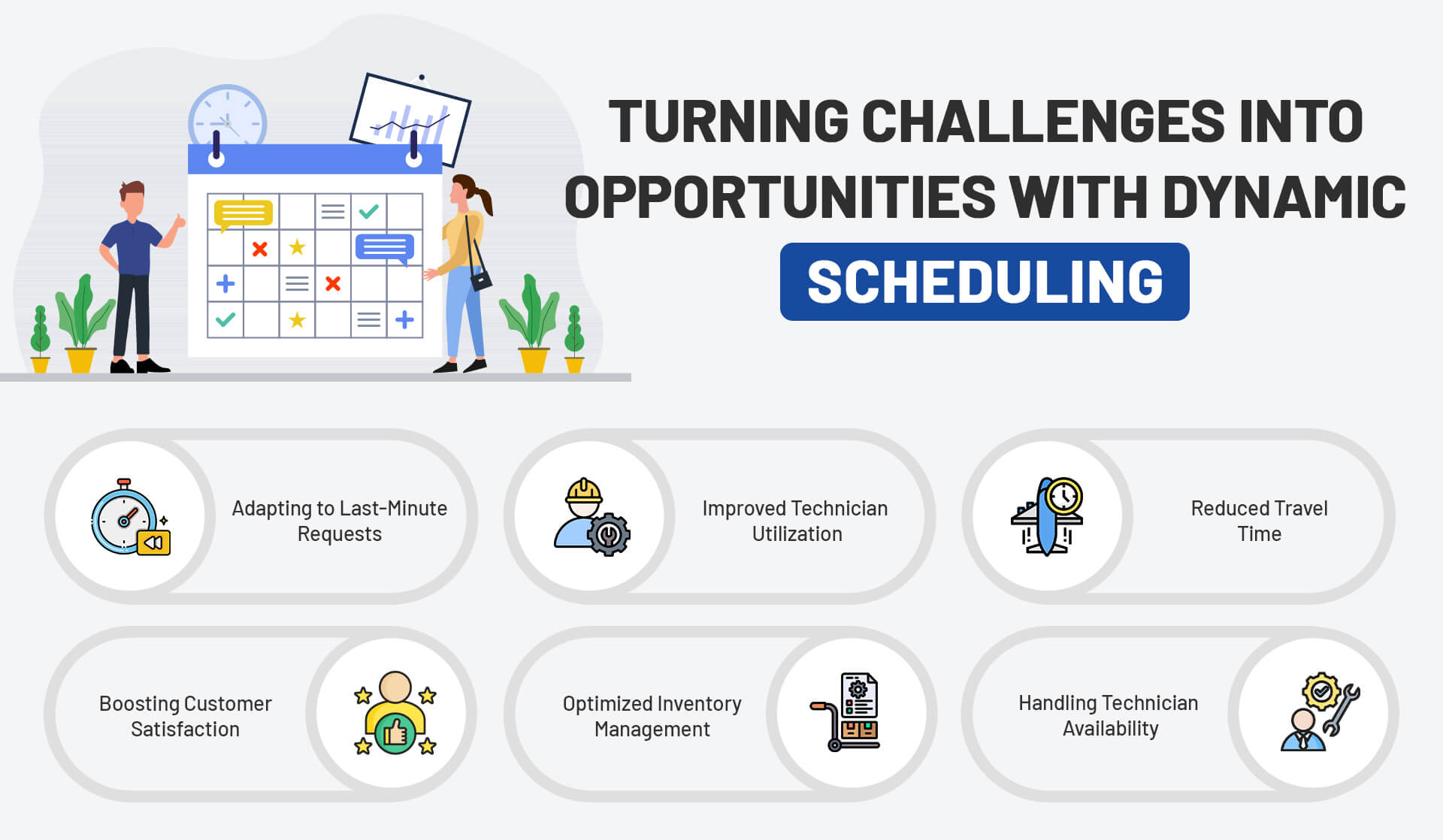
Infographic - field service mangement

Dynamic scheduling changes the game for field service management. It uses real-time data to optimize schedules continuously, allowing managers to respond swiftly to last-minute changes. This technology allows businesses not only to soften the impact of disruptions but to turn them into moments of improvement.

Adapting to Last-Minute Requests

Dynamic scheduling tools allow service teams to tackle emergency job requests with speed. Instead of manual adjustments, these systems automatically shift schedules based on priority, technician availability, and location. This flexibility trims downtime and ensures urgent requests are handled with ease.

Improved Technician Utilization

Dynamic scheduling tools efficiently match the best technician with the right task by considering skills, location, and availability. This method ensures that each technician gets tasks they are best suited for, boosting overall productivity. Moreover, it also cuts down on unnecessary travel, giving technicians more time to focus on their jobs.

Reduced Travel Time

By analyzing real-time traffic data, dynamic scheduling tools can map out the fastest routes for technicians. This minimizes time wasted in traffic and ensures technicians arrive on time. These systems can also quickly reroute technicians if unforeseen traffic slowdowns or roadblocks pop up.

Boosting Customer Satisfaction

Customers get real-time updates on technician arrival times. This clear communication manages expectations and boosts satisfaction. When customers know about potential delays or schedule changes, they are more understanding and cooperative.

Optimized Inventory Management

Dynamic scheduling tools connect with inventory management systems, ensuring technicians have the right tools and parts for each job. This reduces the chances of technicians having to return to the shop for equipment, saving time and resources.

Handling Technician Availability

Dynamic scheduling lets managers adjust for technician availability. If a technician calls in sick or runs late, the system quickly assigns the job to another available technician. This adaptability ensures service continues without major disruptions.

Embracing Technology for a More Efficient Field Service Operation

The modern field service industry leans heavily on technology. From mobile apps to IoT devices, businesses have many tools that can enhance their operations. Dynamic scheduling is one of those tools, transforming how companies tackle field service management challenges.

Real-Time Data Collection

Dynamic scheduling tools pull in data from sources like traffic updates, technician locations, and job statuses. As a result, this real-time information helps field service managers make smart decisions. When a new service request comes in, the system quickly reviews current schedules, finds the closest available technician, and assigns the task.

Mobile Tools for Field Technicians

Mobile apps play a major role in dynamic scheduling. Technicians get job updates, access customer details, and stay in contact with the back office in real-time. This fast communication boosts response times and reduces errors since technicians no longer rely on paper systems or manual entries.

Predictive Maintenance with IoT

The Internet of Things (IoT) has reshaped field service management. By leveraging connected devices, it monitors equipment performance in real time and predicts potential breakdowns before they happen. Additionally, dynamic scheduling systems pair with IoT sensors to plan preventive maintenance, lowering the chances of unexpected equipment failures and reducing downtime.

Automated Reporting and Insights

Dynamic scheduling systems create detailed reports on technician performance, customer satisfaction, and overall efficiency. These insights help field service managers identify weak spots and make data-driven decisions to improve operations.

Cloud-Based Solutions

Cloud-based dynamic scheduling tools offer flexibility and scalability. Furthermore, managers can access schedules and monitor operations from anywhere, making it easier to oversee large teams across multiple locations. Additionally, cloud-based solutions update automatically, ensuring businesses always have the latest features.

Related Article: Planning Well To Improve Efficiency

Overcoming Resistance to Change in Field Service Management

Despite the clear benefits, some businesses may resist switching to dynamic scheduling tools. Change is hard in any industry, but moving forward is key for companies that want to stay competitive. Here are some ways to ease the transition.

Start with a Pilot Program

Instead of switching the entire operation to dynamic scheduling at once, businesses can initially start with a small pilot program. This allows managers to test the system, gather feedback, and tweak processes before rolling it out. It also helps ease the concerns of technicians and staff who may hesitate to embrace new technology.

Offer Training and Support

Introducing new technology without training leads to frustration and pushback. Businesses should invest in training programs that show staff how to use dynamic scheduling tools effectively. Ongoing support also helps resolve technical issues or concerns as they arise.

Highlight the Benefits

Technicians may resist dynamic scheduling if they don’t see its advantages. By showing how the system reduces travel time, improves job assignments, and balances workloads, businesses can build enthusiasm for the new technology.

Involve Technicians in the Process

Field technicians are the ones who will use dynamic scheduling tools the most. Including them in the decision-making process and listening to their input helps create trust and ensures the system fits their needs.

The Future of Field Service Management

As technology evolves, so will field service management. Moreover, dynamic scheduling represents just one part of the bigger picture. In the future, we can expect even smarter systems that use artificial intelligence to predict service needs, automate more tasks, and elevate customer satisfaction.

The ability to turn last-minute changes into opportunities sets successful field service operations apart. Dynamic scheduling doesn’t just handle chaos—it creates a proactive, smart approach to field service challenges. By adopting this technology, businesses improve efficiency, boost customer satisfaction, and thrive in a competitive market.

Final Words

Dynamic scheduling reshapes how field service management deals with last-minute changes. It turns disruptions into opportunities, making operations smoother and customers happier. By embracing dynamic scheduling tools, businesses can transform their field service operations and move toward long-term success.

Related Article:Unlocking Customer Gains with Field Service Management Software

FSM: The Communication Cure for Field Service

Effective communication is vital for field service operations. Without it, issues can escalate, efficiency drops and customer satisfaction suffers. The solution often lies in adopting the right tools. One such tool is a field service management system.

This blog explores how communication can be improved in field service management. We also cover the role of a field service management app in enhancing communication.

Why Communication Matters in Field Service

Communication in field service involves coordinating between field technicians, managers, and customers. Poor communication can lead to missed appointments, incorrect information, and overall dissatisfaction. For instance, if a technician arrives at a job without the necessary information, it can delay the service and frustrate the customer.

On the other hand, effective communication helps in:

  • Streamlining operations
  • Reducing errors
  • Improving customer satisfaction
  • Enhancing team collaboration

Inefficient Communication and Information Sharing: The Root of Field Service Problems

Nowadays, clear and timely communication is essential. Unfortunately, many businesses struggle with inefficient communication systems, leading to problems affecting service delivery. This inefficiency stems from various factors, including outdated communication tools, lack of real-time information, and the absence of a centralized platform for data sharing.

1. Impact on Dispatchers

Dispatchers play a crucial role in managing field service operations. Their job is to assign tasks, schedule appointments, and ensure that technicians have all the necessary information. However, when communication is inefficient, dispatchers face significant challenges. They may struggle to relay accurate information to technicians, leading to scheduling conflicts and missed appointments. Moreover, dispatchers cannot make informed decisions without real-time updates, resulting in delays and reduced productivity.

2. Impact on Technicians

Technicians, the frontline workers in field service, are directly affected by communication gaps. When they receive incomplete or outdated information, they cannot perform their tasks efficiently. For instance, a technician might arrive at a job site only to discover that they lack the necessary tools or parts, leading to wasted time and resources. Additionally, without a reliable communication system, technicians may find it difficult to report issues or seek assistance, further compounding the problem.

3. Impact on Customers

Customers, the end recipients of field service, also suffer when communication is poor. Inefficient communication can lead to missed appointments, delayed services, and incorrect billing. Moreover, customers often feel frustrated when they cannot easily communicate with the service provider to get updates or report issues. This frustration can lead to negative reviews, reduced customer loyalty, and ultimately, a loss of business.

Challenges in Field Service Communication

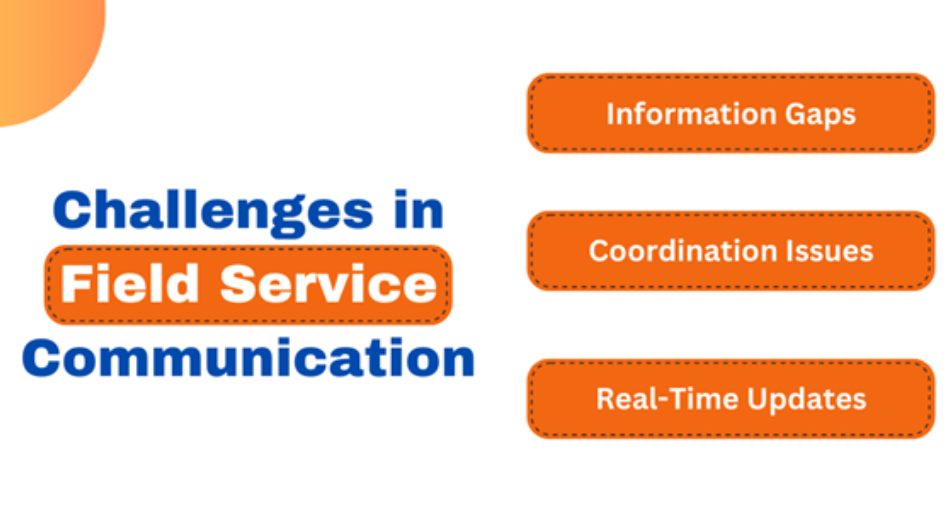
Challenges in field service communication


Several challenges can impact communication in field service:

1. Information Gaps

Information gaps occur when technicians lack the details needed to complete a job. This might happen due to outdated or incomplete data. Consequently, when technicians are not updated with the latest information, they may arrive unprepared. This situation can lead to delays and inefficiencies.

2. Coordination Issues

Coordinating between various teams and departments can be challenging. For example, if a technician needs additional support or resources, the request might not be communicated effectively. As a result, this can cause delays in service and a negative customer experience.

3. Real-Time Updates

Field technicians need real-time updates to handle tasks efficiently. Without immediate information on changes or new instructions, they may not perform their duties optimally. Therefore, timely updates are essential to avoid miscommunication and enhance service delivery.

How a Field Service Management System Enhances Communication

A field service management system addresses many of these communication challenges. Here’s how it helps:

1. Centralized Information

A field service management system provides a centralized platform where all relevant information is stored. Technicians can access updated job details, customer history, and equipment information from one place. This centralization reduces information gaps and helps technicians be better prepared.

2. Improved Coordination

With a field service management system, coordination between teams becomes streamlined. Managers can assign tasks, track progress, and communicate directly with field technicians. This enhancement improves response times and ensures that everyone remains on the same page.

3. Real-Time Communication

Field service management apps offer real-time communication features. Technicians can receive instant updates and send feedback immediately. As a result, any changes or issues are addressed quickly, minimizing delays and improving service quality.

4. Efficient Scheduling

A well-designed system allows for efficient scheduling of tasks. Managers can optimize routes and schedules based on real-time data. Consequently, technicians spend less time traveling and more time on productive tasks.

Benefits of Using a Field Service Management App

Field service management apps offer several advantages for communication:

1. Instant Notifications

Field service management apps send instant notifications for job updates, changes, or new assignments. Technicians receive real-time alerts, which helps them stay informed and act promptly.

2. Easy Access to Information

Technicians can access job details, customer records, and equipment information directly from their mobile devices. This easy access ensures they have all the necessary information before arriving at a job site.

3. Enhanced Collaboration

The app facilitates better collaboration between field technicians and office staff. Managers can track progress, provide support, and communicate with technicians directly through the app. This fosters a more cohesive work environment.

4. Efficient Documentation

Field service management apps enable technicians to document their work efficiently. They can upload photos, add notes, and complete forms digitally. This documentation is instantly available to managers and helps in maintaining accurate records.

5. Customer Interaction

The app can also enhance customer interaction. Technicians can update customers on their service status, estimated arrival times, and any changes to the schedule. This transparency improves customer satisfaction and trust.

Implementing a Field Service Management System

To maximize the benefits of a field service management system, consider the following steps:

1. Assess Your Needs

Evaluate your current communication processes and identify areas where improvements are needed. Determine which features will address your specific challenges and enhance communication.

2. Choose the Right System

Select a field service management system that aligns with your needs. Look for features such as real-time updates, mobile access, and integration capabilities. Ensure the system is user-friendly and scalable.

3. Train Your Team

Provide training for your team to ensure they can effectively use the new system. Proper training helps maximize the benefits and ensures a smooth transition.

4. Monitor and Adjust

Once implemented, monitor the system’s performance and gather feedback from users. Make necessary adjustments to improve its effectiveness and address any emerging issues.

Final Words

Effective communication is crucial in field service operations. A field service management system and app can significantly enhance communication by providing centralized information, improving coordination, and offering real-time updates. By implementing the right tools and following best practices, you can streamline your field service operations, reduce errors, and improve customer satisfaction.

Investing in a field service management system is not just about adopting new technology; it’s about enhancing communication and operational efficiency.

Related Article: Everything You Should Know About Field Service Management

Unlocking Customer Gains with Field Service Management Software

Companies that rely on field operations need efficient tools to manage their work. As a result, field service management software has become a game-changer for these businesses. It allows seamless coordination between the office and field teams. However, the true value lies in how it transforms customer experiences.

By focusing on customer satisfaction, field service management system software can unlock significant gains. Therefore, let’s explore the benefits and features that make it indispensable for businesses.

Field Service Management: An Introduction

Field service management (FSM) involves organizing and managing field operations, such as dispatching workers to client locations. Traditionally, this was done manually, often leading to errors and delays. However, FSM software automates these tasks, offering a more streamlined approach.

As businesses use FSMS to assign jobs, track progress, and optimize schedules, it also helps in communicating with field technicians, reducing response times, and ensuring task completion. Consequently, the result is a smoother operation that benefits both the business and its customers.

Why FSMS Matters to Customers

Customers today expect fast, reliable service. They want timely updates, quick resolutions, and transparency. Thus, FSMS helps businesses meet these expectations by improving response times and communication. When customers know their service requests are being handled efficiently, they’re more likely to stay loyal.

Additionally, FSMS enables companies to predict potential issues and offer proactive maintenance. As a result, this leads to fewer problems for customers, enhancing their overall experience. By reducing downtime and ensuring quick fixes, businesses can build long-term trust with their clients.

Key Benefits of Field Service Management Software

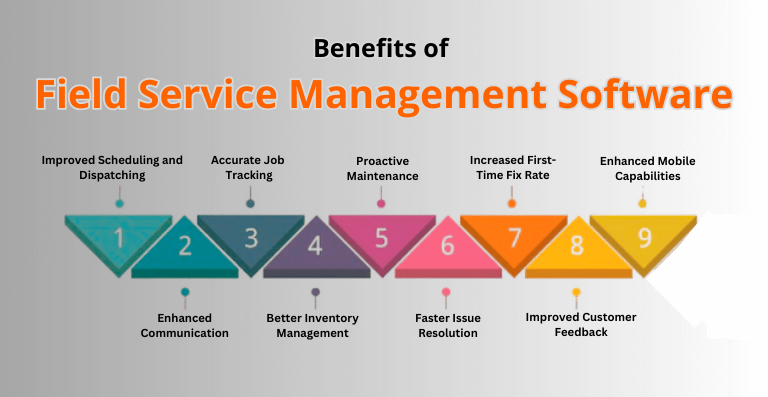
benefits of field service management software

Here are the critical benefits of field service management software that directly impact customer satisfaction:

Improved Scheduling and Dispatching

With FSMS, companies can assign tasks based on technician availability, location, and skill set. This leads to faster response times and ensures the right person is on the job. As a result, customers benefit from reduced wait times and quicker resolutions.

Enhanced Communication

FSMS allows real-time updates between technicians and the office. Thus, customers receive timely updates on job progress, which builds transparency and trust. It eliminates the uncertainty that often frustrates clients.

Accurate Job Tracking

FSMS enables businesses to track job progress from start to finish. Therefore, customers can receive detailed reports of what work has been completed, adding transparency. This, in turn, boosts confidence and satisfaction.

Better Inventory Management

Field service teams often need specific tools or parts to complete jobs. Therefore, FSMS helps track inventory, ensuring that technicians have what they need. Consequently, customers benefit from reduced downtime since technicians won’t need to leave for missing parts.

Proactive Maintenance

FSMS can predict when maintenance is required, preventing potential failures before they happen. This proactive approach keeps customers satisfied, as their equipment stays functional without unexpected disruptions.

Faster Issue Resolution

FSMS speeds up the process of diagnosing and resolving issues. Technicians can access customer history, equipment details, and prior problems, leading to quicker fixes. This reduces the frustration customers feel when they experience delays.

Increased First-Time Fix Rate

With accurate information and the right tools, technicians can resolve issues on the first visit. Therefore, customers don’t have to deal with multiple appointments or delays, increasing their satisfaction.

Improved Customer Feedback and Insights

FSMS allows businesses to collect feedback easily. Customers can rate the service and provide insights into what can be improved. As a result, this feedback helps companies continually enhance their offerings, improving customer experiences in the long run.

Enhanced Mobile Capabilities

Technicians can access FSMS via mobile devices, ensuring they have all the information needed on-site. As a result, customers experience fewer delays, as the technician is fully equipped to handle the job efficiently.

Field Service Management Software Features That Drive Customer Gains

Here are the key features that help businesses unlock customer gains using FSMS:

Real-Time Tracking and Monitoring

FSMS allows businesses to track their field workers in real-time. This feature ensures that customers receive updates on when technicians will arrive. Therefore, the transparency builds trust and reduces customer anxiety.

Job Scheduling and Optimization

FSMS uses advanced algorithms to assign jobs efficiently. It considers factors like technician availability, location, and the complexity of tasks. This leads to faster job completions, improving the customer’s experience.

Mobile Access for Technicians

FSMS equips technicians with mobile access to job details, customer history, and parts inventory. This reduces the chances of delays, as the technician has everything needed for the task.

Customer Portal

Some FSMS solutions offer customer portals where clients can track their service requests, schedule appointments, and communicate directly with the service team. This feature improves customer engagement and satisfaction.

Inventory Management Integration

FSMS integrates with inventory systems, ensuring that the right parts are available for each job. This reduces delays caused by missing parts, which directly benefits the customer.

Automated Notifications

Customers receive automated alerts about their service requests, including estimated arrival times, job completion updates, and follow-up reminders. This level of communication improves the customer experience significantly.

Analytics and Reporting

FSMS offers detailed reports on technician performance, job completion times, and customer satisfaction. As a result, these insights help businesses identify areas for improvement, ultimately leading to better service for customers.

Integration with CRM Systems

FSMS can integrate with customer relationship management (CRM) systems, providing businesses with a complete view of their customer interactions. This integration allows for more personalized service, which enhances customer satisfaction.

How FSMS Transforms Customer Experience

The benefits of FSMS extend beyond operational efficiency. In fact, it transforms how businesses interact with their customers, offering a more seamless experience. When businesses use FSMS effectively, they can expect:

Faster Service Delivery

Customers appreciate prompt service. Therefore, with better scheduling, communication, and tracking, businesses can deliver faster service, meeting customer expectations.

Increased Transparency

Customers value transparency. Thus, FSMS allows businesses to share real-time updates with clients, improving communication and trust.

Reduced Downtime

Proactive maintenance and better inventory management reduce equipment downtime. Customers experience fewer disruptions, increasing satisfaction.

Improved Personalization

By integrating FSMS with CRM systems, businesses can offer more personalized service. Therefore, customers appreciate when companies understand their needs and preferences.

Higher Customer Retention

Consistent, reliable service keeps customers loyal. FSMS helps businesses meet customer expectations, improving retention rates.

Why Investing in FSMS Is a Smart Move

For businesses looking to improve customer satisfaction, FSMS is a smart investment. It streamlines operations, reduces errors, and provides real-time insights. But more importantly, it helps businesses deliver exceptional service, which keeps customers coming back.

In today’s competitive market, customer experience is a key differentiator. FSMS gives businesses the tools they need to stand out. Therefore, by improving response times, reducing downtime, and increasing transparency, companies can unlock customer gains and build lasting relationships.

Wrapping it Up

Field service management system software is essential for companies that want to improve their customer experience. Therefore, by streamlining operations, enhancing communication, and offering proactive maintenance, FSMS unlocks significant customer gains. Its features, such as real-time tracking, mobile access, and automated notifications, directly benefit customers.

As businesses look for ways to stand out in a competitive market, FSMS offers a solution that not only improves internal efficiency but also enhances customer satisfaction. Therefore, investing in the right FSMS is a step toward unlocking long-term customer loyalty and business success.

Related Article:

FSM: The Communication Cure for Field Service

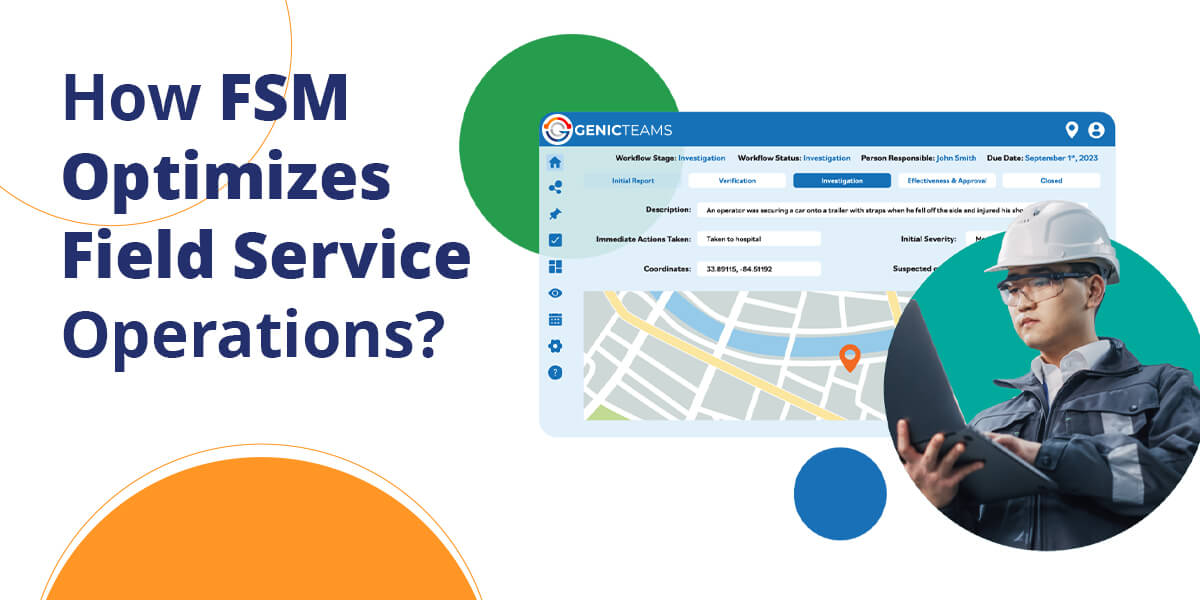
Overcoming the Distance Challenge: How FSM Optimizes Field Service Operations

Field service teams often face the challenge of managing operations across vast geographical areas. Whether it’s equipment repairs, inspections, or routine maintenance, the efficiency of field service operations can significantly impact a company’s success.

Let’s explore how geographical constraints affect operations and how field service management system technology can offer effective solutions.

What is Field Service Operations?

Field service operations cover a wide range of industries. These operations involve sending technicians, engineers, or other specialists to customer sites for maintenance, repair, or installation work. Companies in utilities, telecommunication, healthcare, and manufacturing are examples of the types of organizations that rely heavily on their field service teams.

However, managing these teams is challenging due to various factors. These include coordinating schedules, tracking performance, managing inventory, and ensuring the quality of work. To streamline operations and overcome these hurdles, companies are increasingly turning to FSM systems.

With an FSM system, companies can make sure that workers have all the information and tools they need, no matter where they are. This way, customers are taken care of faster and better.

Geographical Constraints and Travel Time Optimization

Managing field service teams over large distances presents several hurdles. Technicians traveling long distances to service locations face increased travel time and operational costs. Expenses like fuel, vehicle maintenance, and potential delays add up quickly. Unpredictable factors such as traffic, weather, and road conditions can further irritate these issues, leading to extended travel times.

Extended travel not only reduces the number of jobs a technician can complete in a day but also impacts customer satisfaction. Clients expect timely service, and delays due to travel can lead to frustration and negative reviews. Moreover, the strain of long hours on the road can cause technician fatigue, reducing their performance and overall productivity.

Geographical constraints also contribute to uneven workload distribution. Technicians in high-demand areas may be overwhelmed, while those in less busy regions might have idle time. This imbalance can result in inconsistent service quality and decreased employee satisfaction.

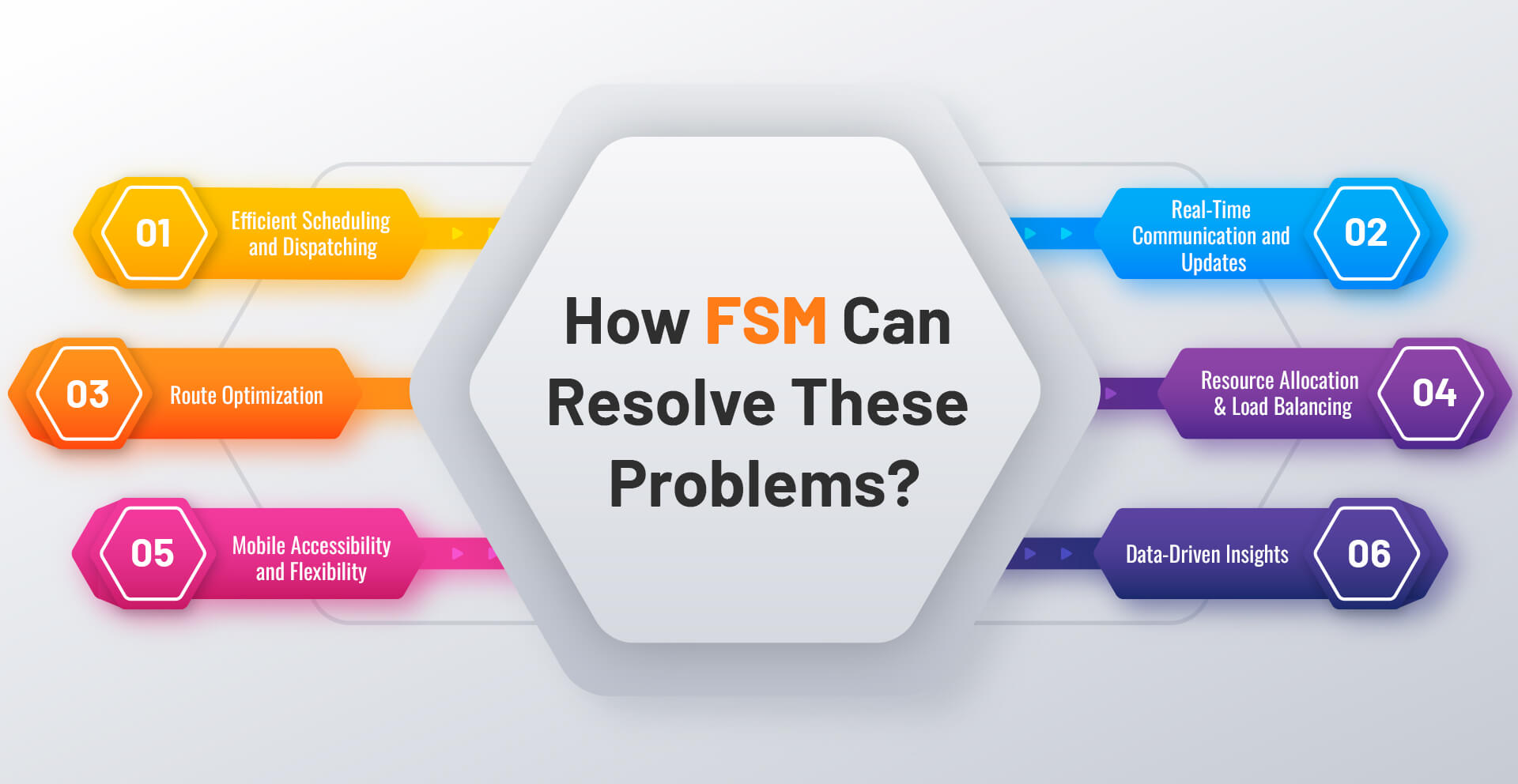
How FSM Can Resolve These Problems

how fsm can resolve these problems

Field service management (FSM) systems and software have revolutionized field service operations by addressing these geographical challenges. Here’s how FSM technology can optimize travel time and improve field service efficiency:

1.   Efficient Scheduling and Dispatching

FSM systems use real-time data and intelligent algorithms to automate scheduling and dispatching. Rather than relying on manual job assignments, FSM software can assign tasks to the nearest available technician. This reduces travel time and allows technicians to reach their destinations more quickly, completing more jobs each day.

FSM systems also consider traffic patterns, road closures, and other variables that may affect travel. This dynamic scheduling ensures that technicians are not only assigned the closest jobs but also the most efficient routes, boosting overall productivity and meeting customer expectations for timely service.

2.   Real-Time Communication and Updates

Field service management apps enable real-time communication between the back office and field technicians. This persistent link enables real-time notifications on job status, scheduling changes, and unexpected complications. For example, if a technician meets heavy traffic or a roadblock, they can notify the dispatch team, who can change schedules or reroute accordingly. This flexibility lowers downtime and keeps the team working.

Real-time updates also enable companies to provide customers with accurate ETAs, enhancing the customer experience. Knowing exactly when a technician will arrive builds trust and reduces the frustration associated with long wait times.

3.   Route Optimization

FSM software excels in route optimization. By analyzing factors such as distance, traffic, and technician availability, FSM tools suggest the most efficient routes for each technician. This not only saves time but also reduces fuel consumption and vehicle wear, lowering operational costs.

Additionally, FSM systems can group nearby jobs, allowing technicians to handle multiple tasks in the same area without unnecessary travel. This approach maximizes efficiency, allowing technicians to focus more on their work and less on driving.

4.   Resource Allocation and Load Balancing

FSM systems optimize resource allocation, ensuring even distribution of work among technicians. By analyzing job locations, technician availability, and skillset, FSM tools prevent any single technician from being overloaded. This balanced approach leads to consistent service quality and effective utilization of all team members.

FSM systems can also predict peak times and allocate additional resources accordingly. During busy periods or in high-demand areas, companies can deploy extra technicians to meet demand and ensure prompt job completion. This proactive approach helps maintain high service standards and avoid delays.

5.   Mobile Accessibility and Flexibility

FSM apps provide technicians with mobile access to job details, customer information, and route directions. This accessibility allows technicians to make informed decisions in the field and adapt quickly to changing circumstances. If a technician finishes a job early, they can immediately check the app for their next assignment, minimizing downtime and maintaining a steady workflow.

Mobile accessibility also improves communication with customers. Technicians can update clients on arrival times, report job completion, and even collect digital signatures on-site, enhancing transparency and streamlining the service process.

6.   Data-Driven Insights

FSM systems provide significant data-driven insights to help businesses optimize their field service operations. Companies can optimize their operations by examining data on travel times, work durations, technician performance, and client feedback.

For example, if data reveals that certain routes consistently cause delays, companies can investigate alternative paths or adjust schedules accordingly. Similarly, if a technician consistently completes jobs faster than others, their methods can be studied and shared with the team to improve overall efficiency.

Final Words

Geographical constraints and travel time optimization are significant challenges for field service operations. However, with the right tools and strategies, these challenges can be effectively managed. Field service management system offer solutions that optimize scheduling, enhance communication, and leverage data-driven insights to improve overall efficiency.

Companies that use FSM technology may lessen the impact of geographical limits, save travel time, and ensure that their field service staff work at optimum performance. This increases technician productivity while also improving customer happiness and lowering operating costs.

At Genic Teams, we specialize in providing advanced FSM solutions that help businesses overcome distance challenges and optimize their field service operations. By partnering with Genic Teams, your company can stay ahead of the competition and deliver exceptional service to customers, no matter where they are located.

Explore What Engineering Scheduling Software Can Do for Work Management

Engineering scheduling software revolutionizes work management. It enhances productivity and ensures efficiency. These tools streamline processes, enabling teams to work smarter, not harder. They provide a structured approach to managing tasks, deadlines, and resources.

Now, we will explore how engineering management software improves work management. We will also delve into its features and benefits.

Key Features of Engineering Scheduling Software

Engineering scheduling software offers several essential features. These features facilitate better planning and execution. Here are some key aspects:

  • Task Management: Organize and prioritize tasks effectively. Assign tasks to team members with ease. Monitor progress in real time.
  • Resource Allocation: Allocate resources optimally. Ensure the right resources are available when needed. Avoid over-allocation and underutilization.
  • Time Tracking: Track time spent on tasks. Identify areas for improvement. Enhance time management skills.
  • Collaboration Tools: Improve team collaboration. Share updates and feedback seamlessly. Foster a collaborative work environment.
  • Reporting and Analytics: Generate detailed reports. Analyze performance and identify trends. Make data-driven decisions.

Benefits of Using Engineering Scheduling Software

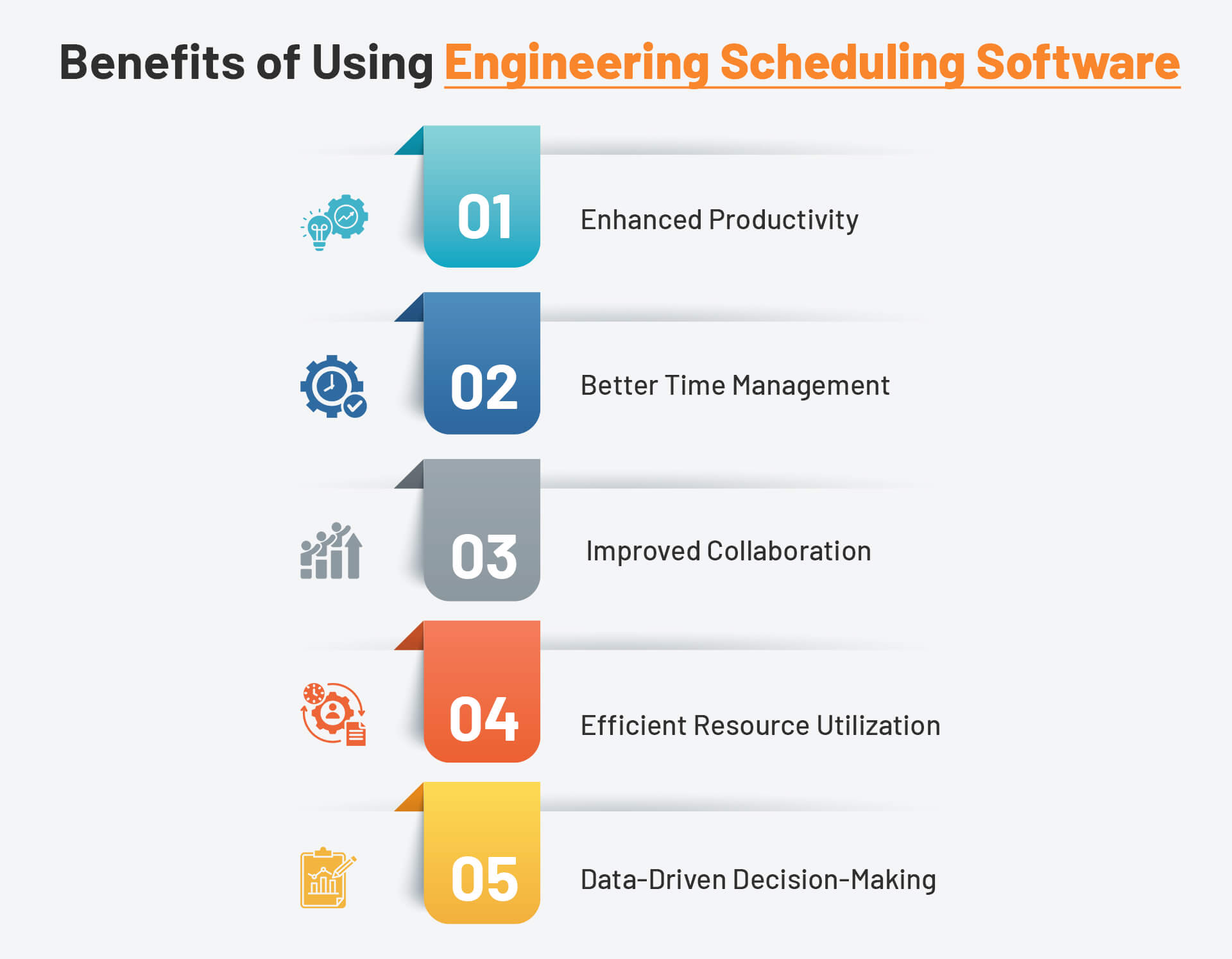
Benefits Engineering Management

Implementing engineering scheduling software yields numerous benefits. These advantages impact both individual and team performance. Let’s explore some of the main benefits:

Enhanced Productivity

Engineering scheduling software boosts productivity. It automates repetitive tasks and reduces manual effort. As a result, team members can focus on more critical tasks. Furthermore, these tools help in setting clear priorities. This ensures that everyone knows what to work on next.

Better Time Management

Effective time management is crucial for any project. Engineering scheduling software provides tools to track time accurately. It helps in understanding how much time is spent on each task. Consequently, it becomes easier to identify inefficiencies and improve time allocation.

Improved Collaboration

Collaboration is key to successful project management. These software tools offer various features to enhance collaboration. For instance, team members can share updates, files, and feedback in real-time. This leads to better communication and fewer misunderstandings.

Efficient Resource Utilization

Optimal resource allocation is vital for project success. Engineering scheduling software helps in managing resources efficiently. It ensures that the right resources are available at the right time. This reduces downtime and increases productivity.

Data-Driven Decision-Making

Data is a powerful tool for making informed decisions. Engineering scheduling software provides detailed reports and analytics. These insights help in understanding project performance. Moreover, they assist in identifying areas for improvement and making strategic decisions.

How Engineering Scheduling Software Improves Work Management

Now, let’s delve deeper into how engineering management software enhances work management. We will explore its impact on different aspects of project management.

Streamlined Task Management

Task management is a core function of any project. Engineering scheduling software simplifies this process. It allows project managers to create and assign tasks effortlessly. Additionally, it provides a clear overview of all tasks. This helps identify bottlenecks and address them promptly.

Effective Deadline Management

Meeting deadlines is crucial for project success. These tools help in setting realistic deadlines. They also provide reminders to ensure that tasks are completed on time. This reduces the risk of delays and ensures timely project completion.

Real-Time Progress Monitoring

Monitoring progress in real time is essential for project management. Engineering scheduling software offers real-time tracking features. This enables project managers to monitor progress continuously. Consequently, they can identify issues early and take corrective actions.

Enhanced Communication

Clear communication is vital for any project. These tools facilitate seamless communication among team members. They provide platforms for sharing updates, feedback, and files. This ensures that everyone stays on the same page and reduces misunderstandings.

Centralized Information Management

Managing information efficiently is crucial for project success. Engineering scheduling software centralizes all project-related information. This makes it easily accessible to all team members. As a result, it becomes easier to manage and share information.

Choosing the Right Engineering Scheduling Software

Selecting the right software engineering management tools is crucial for reaping its benefits. Here are some factors to consider when choosing engineering scheduling software:

  • Ease of Use: The software should be user-friendly. It should not require extensive training.
  • Scalability: Choose a tool that can scale with your needs. It should accommodate growing team sizes and project complexities.
  • Integration: The software should integrate seamlessly with other tools you use. This ensures smooth workflows and data consistency.
  • Customization: Look for software that allows customization. This helps in tailoring the tool to your specific needs.
  • Support and Training: Ensure that the software provider offers adequate support and training. This helps in addressing any issues and making the most of the tool.

Implementing Engineering Scheduling Software

Implementing engineering scheduling software requires careful planning. Here are some best practices to ensure successful implementation:

  • Identify Your Needs: Understand your specific requirements. This helps you choose the right software and features.
  • Train Your Team: Provide adequate training to your team. This ensures that they can use the software effectively.
  • Set Clear Goals: Define clear goals and objectives. This helps in measuring the success of the implementation.
  • Monitor and Adjust: Continuously monitor the performance of the software. Make adjustments as needed to improve efficiency.

Addressing Common Challenges

Implementing engineering scheduling software can present some challenges. Addressing these challenges effectively is crucial for a successful implementation.

Resistance to Change

Team members might resist using new software. To overcome this, involve them in the selection process. Provide comprehensive training and highlight the benefits.

Data Migration

Migrating data from existing systems can be complex. Ensure that you have a clear plan for data migration. Test the process thoroughly before going live.

Integration Issues

Integrating the new software with existing tools can be challenging. Choose software with strong integration capabilities. Work closely with the vendor to address any issues.

Future Trends in Engineering Scheduling Software

The landscape of engineering scheduling software is continuously evolving. Staying updated with future trends can help in making informed decisions. Here are some trends to watch:

Artificial Intelligence (AI)

AI is transforming how scheduling software operates. AI-powered tools can predict delays and suggest optimal schedules. They can also automate repetitive tasks, further enhancing productivity.

Mobile Accessibility

With remote work becoming more common, mobile accessibility is crucial. Future scheduling software will likely offer robust mobile features. This ensures that teams can manage projects from anywhere.

Enhanced Collaboration Features

Collaboration features will continue to improve. Future tools will offer more advanced communication and collaboration capabilities. This will further enhance team coordination and project success.

Final Words

Engineering scheduling software is a powerful tool for work management. It enhances productivity, improves collaboration, and ensures efficient resource utilization. By choosing the right software and implementing it effectively, teams can achieve their project goals more efficiently. Whether you are managing a small team or a large project, engineering scheduling software can provide the structure and tools needed for success.

Integrating software engineering management tools into your workflow can transform how your team operates. This leads to better outcomes and a more organized approach to project management. Investing in the right software and following best practices will help you maximize these benefits.

Related Article:

Field Service Trends and Predictions

Benefits of Field Service Management Software

For businesses with field operations, Field Service Management (FSM) software is essential. It makes tasks simpler, works more efficiently, and improves the quality of service. Therefore, understanding its importance can help businesses make informed decisions about integrating field service management software into their operations.

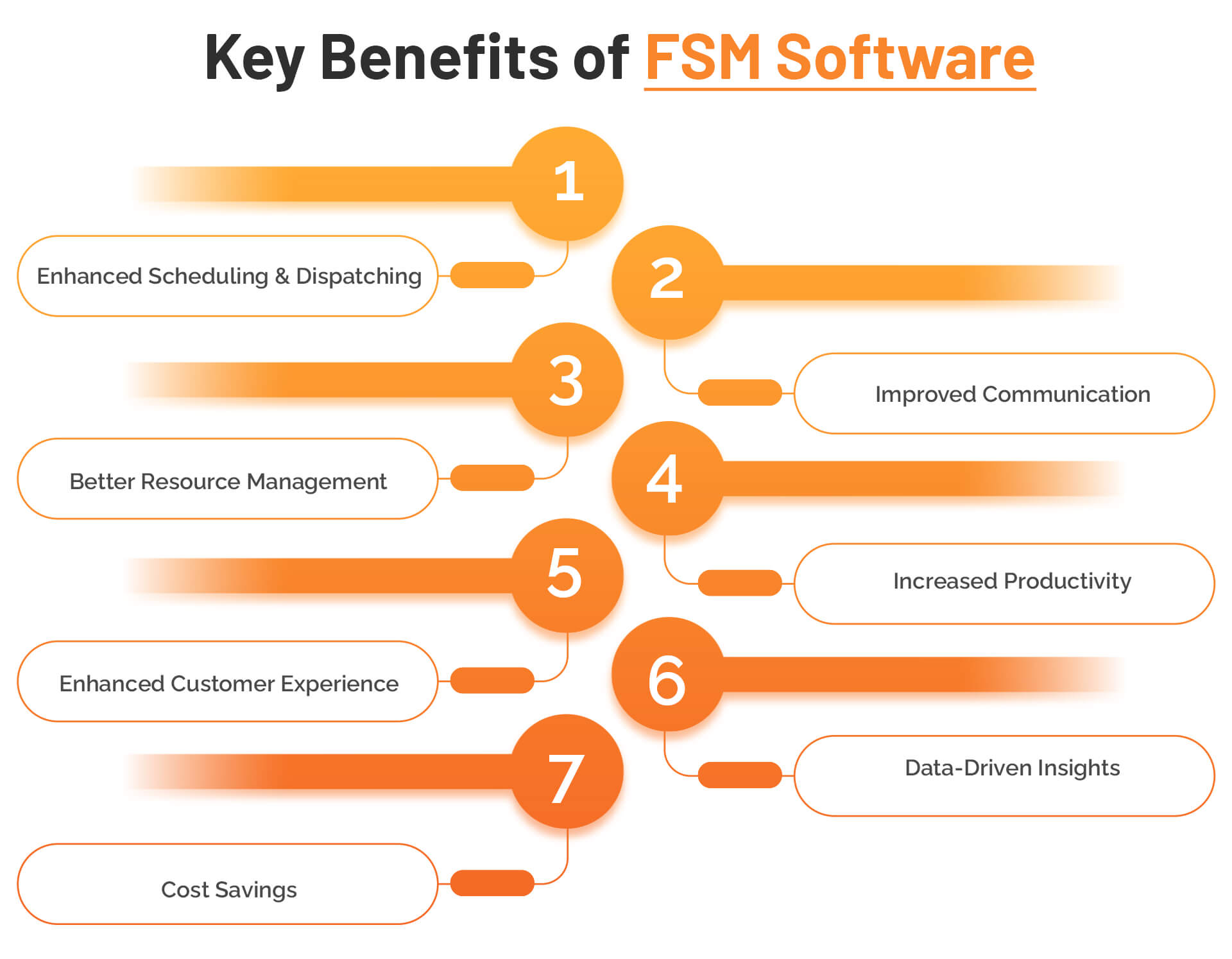
To highlight its significance in modern business practices, we will explore seven key benefits of using FSM software in this blog.

What is Field Service Management?

Field Service Management (FSM) involves managing a company’s resources employed at client sites. This includes tasks such as scheduling, dispatching, tracking, and reporting. FSM software automates these tasks, leading to better management and operational efficiency. Hence, it serves as a crucial tool for businesses that rely on field operations.

Software that integrates field service management into a single platform simplifies the management of field services for companies. For instance, it can handle job assignments, monitor field technicians’ activities, and ensure that all necessary resources are available. As a result, businesses can operate more smoothly and effectively, providing better service to their customers.

Key Benefits of FSM Software


key-benefits-of-fsm


Using FSM software offers numerous advantages. Here, we will cover seven significant benefits to illustrate their importance in detail. These benefits demonstrate how FSM software can transform field operations.

1. Enhanced Scheduling and Dispatching

First and foremost, FSM software significantly improves scheduling and dispatching. It automates the process that ensures the right technician with the required skills is assigned to each job. This leads to:

  • Reduced delays: Automated scheduling minimizes human errors and ensures timely job assignments. Consequently, technicians can arrive at job sites promptly, reducing downtime and enhancing productivity.
  • Increased customer satisfaction: Timely service delivery leads to happier customers. When technicians arrive on time and complete their tasks efficiently, customers are more likely to have a positive experience.
  • Optimized resource allocation: FSM software helps allocate resources more effectively, ensuring that the right tools and equipment are available for each job. This optimization reduces wasted time and resources, contributing to overall efficiency.

Moreover, the ability to view schedules in real time allows managers to make quick adjustments as needed. For example, if a technician becomes unavailable, the software can reassign tasks seamlessly, preventing any service disruptions.

2. Improved Communication

Effective communication is vital for field operations. FSM software facilitates seamless communication between the office and field technicians. As a result, teams can:

  • Receive real-time updates: Field technicians can access real-time information about their tasks, including updates on job status, changes in schedule, and any additional instructions. This ensures that they have the most current information at all times.
  • Communicate job status instantly: Technicians can report their progress and any issues they encounter directly through the software. This instant communication helps in quickly addressing any problems and keeping projects on track.
  • Resolve issues promptly: Faster communication leads to quicker problem-solving. When technicians can easily communicate with the office, they can receive the support they need to resolve issues on the spot, reducing delays and improving service quality.

Additionally, FSM software often includes features like messaging and notifications, which further enhance communication. For instance, technicians can receive alerts about urgent tasks, ensuring they prioritize their work accordingly.

3. Better Resource Management

Efficiently managing resources is crucial for operational success. FSM software helps monitor and manage resources effectively by:

  • Tracking inventory levels: The software can keep track of inventory, ensuring that necessary parts and tools are always available. This tracking prevents stock outs and reduces the need for emergency orders.
  • Allocating equipment: FSM software ensures that the right equipment is assigned to each job. This careful allocation prevents situations where technicians lack the tools they need, improving job efficiency.
  • Scheduling maintenance: Regular maintenance of equipment is essential to avoid breakdowns. FSM software can schedule and track maintenance tasks, ensuring that all equipment remains in good working condition.

Furthermore, FSM software provides visibility into resource usage, helping managers identify areas where improvements can be made. For example, if certain tools are underutilized, they can be reassigned to increase their usage and reduce costs.

4. Increased Productivity

FSM software enhances productivity by automating routine tasks. This allows field technicians to focus on their core duties, leading to:

  • Reduced paperwork: Automation eliminates the need for manual data entry and paperwork. Technicians can spend more time on actual service tasks rather than administrative work.
  • Streamlined workflows: FSM software standardizes processes, ensuring that tasks are completed consistently and efficiently. This streamlining reduces the time spent on each job and increases overall productivity.
  • Faster job completion: With optimized scheduling, improved communication, and better resource management, technicians can complete their tasks more quickly. This speed leads to higher productivity and the ability to handle more jobs in a given timeframe.

Moreover, FSM software often includes features like mobile access, enabling technicians to access information and update their status from anywhere. This flexibility further enhances productivity by allowing technicians to work more efficiently.

5. Enhanced Customer Experience

A positive customer experience is crucial for business growth. FSM software ensures timely service delivery and accurate updates, leading to:

  • Higher customer satisfaction: When customers receive prompt and efficient service, they are more likely to be satisfied. FSM software helps ensure that technicians arrive on time and complete their tasks effectively.
  • Improved customer retention: Satisfied customers are more likely to remain loyal to the company. By providing a consistently high level of service, businesses can retain their customers and build long-term relationships.
  • Positive reviews and referrals: Happy customers are more likely to leave positive reviews and recommend the company to others. These reviews and referrals can attract new customers and contribute to business growth.

Additionally, FSM software allows for better tracking of customer interactions and feedback. This tracking helps businesses understand their customers’ needs and preferences, enabling them to tailor their services accordingly.

6. Data-Driven Insights

Data is a valuable asset for any business. FSM software collects and analyzes data, providing insights that help in:

  • Making informed decisions: Access to real-time data allows managers to make better decisions. For example, they can identify which technicians are most efficient and allocate tasks accordingly.
  • Identifying trends and patterns: Analyzing data helps businesses identify trends and patterns in their operations. For instance, they can determine which types of jobs take the most time and find ways to streamline those processes.
  • Enhancing strategic planning: Data-driven insights support long-term planning. Businesses can use the data to forecast demand, plan resource allocation, and develop strategies for growth.

Furthermore, FSM software can generate reports and dashboards, providing a clear view of key performance indicators (KPIs). These reports help managers monitor progress and make adjustments as needed to achieve their goals.

7. Cost Savings

Lastly, FSM software leads to significant cost savings. By optimizing operations and reducing inefficiencies, businesses can:

  • Lower operational costs: Improved scheduling, resource management, and communication reduce wasted time and resources. These improvements result in lower operational costs.
  • Reduce fuel expenses: Efficient scheduling and routing minimize travel time and fuel consumption. This reduction leads to lower fuel expenses and a smaller environmental footprint.
  • Minimize overtime pay: Better scheduling and increased productivity reduce the need for overtime. As a result, businesses can save on labor costs while maintaining high service levels.

Additionally, FSM software can help identify areas where costs can be further reduced. For example, by analyzing data on resource usage, businesses can find ways to cut unnecessary expenses and improve their bottom line.

Final Words

Field Service Management software offers many benefits that can transform your business operations. From enhanced scheduling and dispatching to cost savings, FSM software proves to be a valuable investment. Implementing FSM software will lead to better management, increased productivity, and higher customer satisfaction. Therefore, consider integrating FSM software into your operations to reap these benefits and stay ahead in the competitive market.

By adopting FSM software, businesses can streamline their field operations, improve service quality, and achieve significant cost savings. As a result, they can enhance their overall performance and gain a competitive edge. Embrace the power of FSM software to elevate your business and meet the evolving demands of your customers.

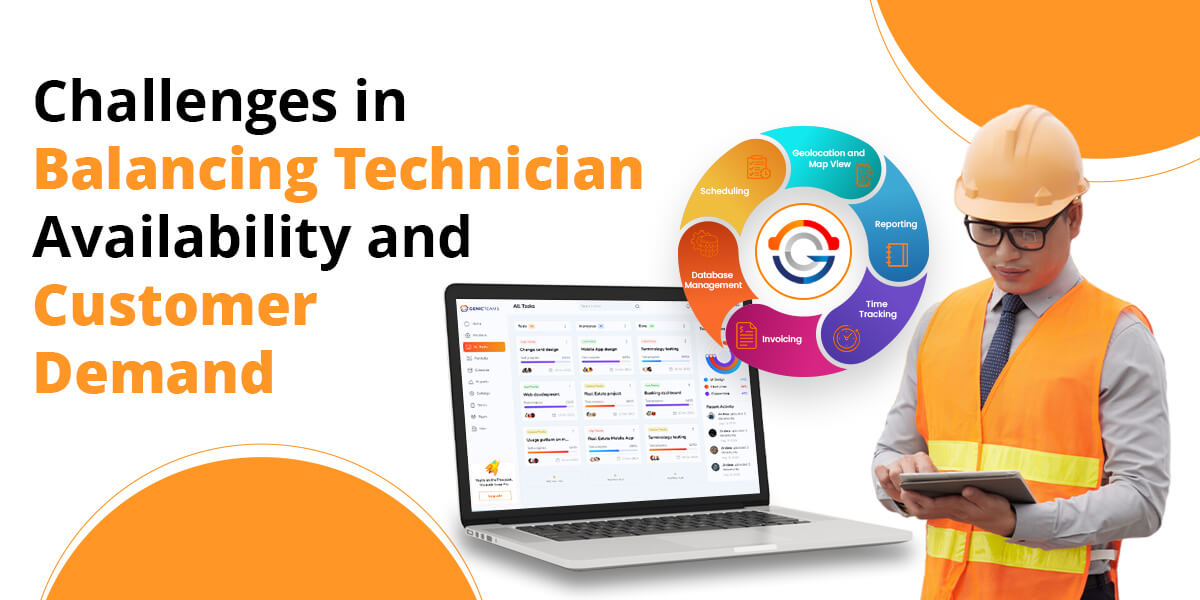
Challenges in Balancing Technician Availability and Customer Demand

Balancing technician availability with customer demand is a significant challenge for many service-based businesses. The main goal is to ensure that customers receive timely service while making the best use of available technicians. However, various factors can disrupt this balance, leading to inefficiencies and dissatisfied customers.

Before we delve into the problems and the right solutions, let’s look into the substantial benefits and advantages of implementing FSM software in your operations.

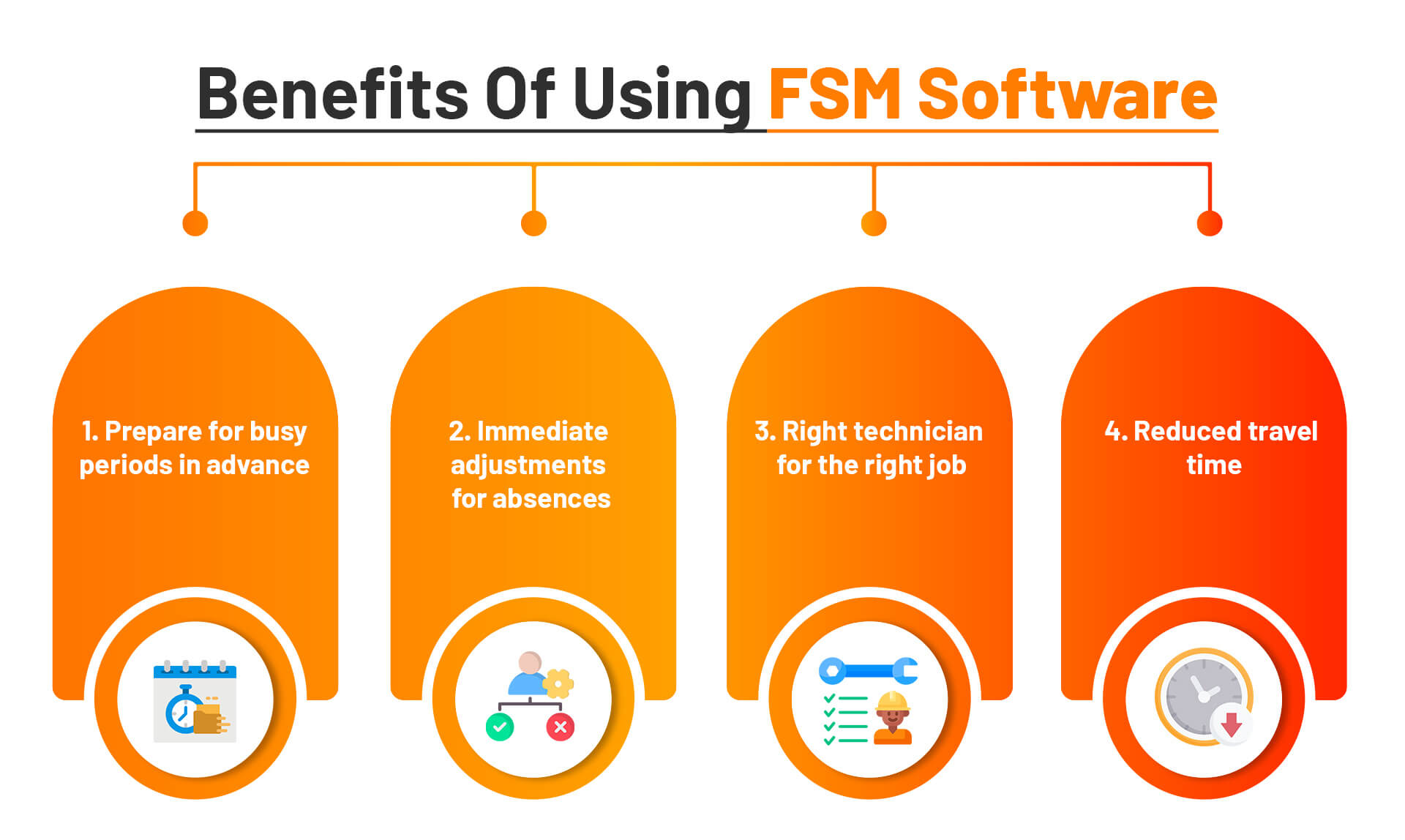
Benefits Of Using FSM Software

benefits of fsm

Problems That Businesses Face Without FSM

A. Fluctuating Customer Demand

Customer service requests can vary greatly from day to day. For instance:

  1. Weekdays vs. Weekends: Many businesses experience higher demand during weekdays when customers are more likely to request services. Weekends may see a drop in requests, but certain services (like emergency repairs) might still be in high demand.
  2. Weather Conditions: Extreme weather can lead to a sudden increase in demand for specific services. For example, a heatwave might spike air conditioning repair requests, while a storm could cause a surge in plumbing or roofing services.
  3. Local Events: Events like local festivals, marathons, or construction work can also impact service requests. These events might increase demand for certain services while reducing it for others.
  4. Seasonal Peaks: Seasonal variations play a significant role in fluctuating customer demand. Many industries have predictable busy seasons:
  • HVAC Services: Demand for heating services peaks in winter, while cooling services are in high demand during summer.
  • Retail and E-commerce: The holiday season often sees a spike in demand for delivery and installation services as people purchase gifts and new appliances.
  • Landscaping and Gardening: Spring and summer typically bring higher demand for landscaping, gardening, and outdoor maintenance services.

How FSM Solves Fluctuating Customer Demand:

Field Service Management (FSM) software offers an effective solution to manage these fluctuations by optimizing scheduling, improving resource allocation, and enhancing overall efficiency. Here’s how FSM software can address the issues of daily variability, seasonal peaks, and their impact on the workforce.

Optimized Scheduling:

  • Dynamic Scheduling: FSM software can dynamically adjust schedules based on real-time demand.
  • Predictive Analytics: The software can analyze historical data to predict demand patterns.

Real-Time Adjustments:

  • Weather Integration: FSM software can integrate with weather forecasting tools to predict and prepare for demand spikes caused by extreme weather conditions.
  • Event Management: By tracking local events, the software can adjust schedules to account for increased or decreased demand.


B. Variable Technician Availability

Balancing technician availability with customer demand becomes even more challenging when the availability of technicians is unpredictable. Several factors can cause technician schedule variability, leading to workforce management complications. Here’s a closer look at these factors and their impacts.

  • Technicians may have unpredictable schedules due to personal reasons, vacations, or sick leave.
  • Part-time or contract technicians may only sometimes be available when needed.

How FSM Solves Variable Technician Availability:

  • Real-Time Tracking and Adjustments:
    1. Availability Tracking: The software tracks the availability of all technicians, including part-time and contract workers, ensuring that the schedule is always up-to-date.
  • Proactive Workforce Management:
    1. Automated Alerts: The software can send automated alerts to managers when a technician’s availability changes, allowing for immediate adjustments.
    2. On-Call Technicians: Maintain a pool of on-call technicians who can be quickly deployed to cover for absences or increased demand.
  • Efficient Resource Allocation:
    1. Skill Matching: FSM software matches technicians’ skills with job requirements. If a skilled technician is unavailable, the software identifies other qualified technicians to take over the task.
  • Flexible Workforce Planning:
    1. Part-Time and Contract Technician Management: The software manages the schedules of part-time and contract technicians, ensuring their availability is maximized during peak times.

C. Skill Matching

Different Service Calls Require Different Skill Sets:

  • Complex Repairs: These require advanced knowledge and specialized skills.
  • Routine Maintenance: These may need only basic skills.

Challenges in Ensuring the Right Technician for the Right Job:

  • Variability in Technician Availability: Technicians may only sometimes be available when needed.
  • Variability in Customer Requests: Service calls can differ greatly in their requirements.

Consequences of Misalignment:

  • Inefficient Service: Misaligning skills can lead to inefficiencies and longer job completion times.
  • Decreased Customer Satisfaction: Customers are likely dissatisfied if jobs are not completed correctly or promptly.

How FSM Software Solves Skill Matching Problems

  • Skill Profiles: FSM software maintains detailed skill profiles for each technician, including certifications, experience levels, and areas of expertise.
  • Certification Management: Track certifications and training for each technician to ensure they are qualified for specific tasks.
  • Automated Matching: The software automatically matches technicians to jobs based on their skills and the requirements of the service call.
  • Availability Integration: FSM software considers technician availability when assigning jobs, ensuring that only available and qualified technicians are scheduled.
  • Priority Management: The software can prioritize urgent or complex jobs and assign the most skilled technicians to handle them promptly.
  • Quality Assurance: By matching the right technician to the right job, FSM software ensures high-quality service, leading to increased customer satisfaction.

D. Geographical Constraints

Travel Requirements

  • Different Locations: Technicians often need to travel to various customer locations to complete service calls. This can be especially challenging in areas with heavy traffic or long distances between jobs.
  • Time-Consuming: Traveling between locations can consume a significant portion of a technician’s workday, reducing the time available for actual service tasks.

Impact of Inefficient Routing

  • Increased Travel Time: Without optimized routing, technicians might spend more time on the road. This not only delays service delivery but also reduces the number of service calls they can complete in a day.
  • Fewer Completed Service Calls: Inefficient travel routes mean fewer customers are served each day, leading to lower overall productivity and potentially longer wait times for customers.

How FSM Software Solves Geographical Constraints

  1. Optimized Routing:
  • Route Optimization Algorithms: FSM software uses advanced algorithms to optimize travel routes for technicians, minimizing travel time and maximizing the number of service calls completed each day.
  • Real-Time Traffic Data: Integrates real-time traffic data to adjust routes dynamically, avoiding traffic jams and other delays.
  1. Efficient Scheduling:
  • Clustered Appointments: The software schedules service calls in clusters based on geographic proximity, reducing travel distances between jobs.
  • Time Slot Optimization: Assigns time slots based on technician availability and location to ensure minimal travel time.
  1. GPS Integration:
  • Real-Time Navigation: Provides technicians with real-time navigation tools, ensuring they follow the most efficient routes.
  • Location Tracking: Tracks technician locations in real-time, allowing for dynamic re-routing if necessary.
  1. Enhanced Communication:
  • Customer Notifications: Notifies customers of estimated arrival times and updates them on any delays, improving transparency and customer satisfaction.
  • Technician Updates: Keeps technicians informed of any changes in their schedules or routes, allowing for quick adjustments.

E. Last-Minute Changes

Emergency Service Requests

  1. Disruption of Planned Schedule:
  • When a technician is redirected to an emergency call, their pre-planned schedule is disrupted.
  • This can lead to delays in attending other scheduled appointments, causing delays throughout the day.
  1. Unexpected Urgency:
  • Customers may face urgent issues that require immediate attention, such as a broken heater in winter or a plumbing leak.
  • These emergencies demand prompt responses, often requiring technicians to drop their current tasks and address the urgent call.

Cancellations

  1. Last-Minute Cancellations:
  • Customers may cancel or reschedule appointments at the last minute, leaving a gap in the technician’s schedule.
  • This unplanned free time can lead to inefficiencies if not quickly filled with another task.
  1. Resource Wastage:
  • A technician who has prepared for a specific job may waste their time if a cancellation occurs without a backup plan.
  • This can also result in lost revenue for the business if the slot remains unfilled.

Challenges in Adjusting Schedules

  1. Reallocation of Technicians:
  • Reassigning technicians to new tasks or adjusting their routes on short notice is challenging.
  • This requires real-time visibility into the availability and location of all technicians.
  1. Impact on Other Appointments:
  • Adjusting one technician’s schedule can affect others, leading to a domino effect of changes.
  • Ensuring that all customers still receive timely service becomes a complex juggling act.

How FSM Software Solves Last-Minute Changes

  1. Real-Time Schedule Adjustments:
  • Dynamic Scheduling: FSM software dynamically adjusts schedules in real-time, allowing for quick reallocation of tasks when emergencies arise or cancellations occur.
  • Automated Reassignments: The software can automatically reassign jobs to available technicians based on their skills, location, and current workload.
  1. Emergency Management:
  • Priority Handling: FSM software prioritizes emergency service requests and ensures the nearest and most qualified technician is dispatched immediately.
  • Backup Plans: By maintaining a pool of on-call technicians, the software ensures that emergencies are handled without significantly disrupting other scheduled appointments.
  1. Handling Cancellations:
  • Instant Reallocation: When cancellations occur, FSM software quickly identifies other pending tasks or nearby jobs that can fill the gap, ensuring efficient use of technician time.
  • Proactive Rescheduling: The software notifies other customers of available earlier slots, potentially moving up appointments and minimizing idle time.
  1. Efficient Resource Utilization:
  • Real-Time Visibility: FSM software provides real-time visibility into technician locations and availability, making reassigning tasks and optimizing routes easier.
  • Skill Matching: The software ensures that reassigned tasks match the technician’s skills and qualifications, maintaining service quality.

We have thoroughly examined the significant challenges that arise from not utilizing Field Service Management (FSM) software and providing comprehensive solutions to address these issues.

Related Article:

Keep Customers Happy With Timely Service

What Is Mobile Workforce Management?

Mobile Workforce Management (MWM) consists of different methods and systems that help and support the management of mobile workers in their jobs. While each workforce is different, the goal of mobile workforce management remains the same: to optimize the efficiency, effectiveness, and morale of mobile personnel.

An efficient mobile workforce management solution incorporates digitized processes and advanced technologies for scheduling, monitoring, tracking, and analyzing the performance of mobile personnel who are either providing services or attending to customers.

Benefits Of Mobile Workforce Management

Increased Productivity

When you provide your mobile workers with the resources they need at the precise moment, they’re able to spend their time focusing on what matters: customers. Mobile workforce management software automates scheduling, dispatching, and communication through integrated systems. This means no downtime, fewer inefficiencies, and thus, better performance.

Improved Visibility

Organizing capacity, recognizing where your mobile employees are, and solving issues are very hard to manage if you don’t know clearly what your daily operations look like. The goal of workforce management is to bring transparency to blurry details by providing real-time notifications, location tracking, and smooth integration into other systems.

Enhanced Customer Experience

Customer service is an essential component for all businesses with a mobile workforce. Delays, oversubscription, and lack of communication may impair your ability to offer a good customer experience. Good mobile workforce management provides your deskless employees with client information, real-time communication tools, and route optimization so that they can ensure first-oriented, well-prepared customer service every time.

Mobile Workforce Management Definition

Mobile workforce management software allows you to manage your mobile workforce and is connected to all the tools that will help you schedule employees on the go, track mobile workers, and draw vital data. The perfect software must offer you an opportunity to run the operations of your workers and equip them with the skills they need to increase their performance.

MWM systems are developed to facilitate leaders to efficiently manage their field staff, especially when the staff are out there for customers. Mobile workforce management for utilities is another area where companies can streamline their field services.

What Tools are Included in Workforce Management Software?

There are several significant tools included in the best workforce management software for companies that help them manage their workforce effectively:

  • Schedule and fully automate the mobile worker’s tasks.
  • Assign mobile employees to new jobs.
  • Interact with deskless employees in real-time.
  • Perform capacity planning for high-flow or low-flow demand periods.
  • Track employees on their way to various jobs assigned to them.
  • Track job start, stop, and travel time.
  • Track the average length of service engagements.
  • Track worker’s performance against services promised.
  • Connect with a CRM or any other system of record.

Challenges Influencing Mobile Workforce Management

The following are the main challenges influencing mobile workforce management (MWM) today and in the future:

  • Data-Based Decision Making

The omnipresence of big data fuels the business to grow but leveraging the data insights is the real challenge! Data-driven decisions are pivotal to workforce management. With figures such as road travel time and customer feedback, managers now can optimize operations. However, getting this potential is not an easy task.

Mobile workforce management software stands as a revolutionary tool for companies whose employees are scattered all over the world. Thanks to these tools the decision-making is done based on data and the business can take advantage of the big data in mobile space.

  • High Customer Expectations

Meeting or exceeding customer expectations becomes a must-do for businesses. The great experiences bring about a 140% rise in the amount spent. Meeting these requirements is highly important for those employees who are on the move. How do you match your service to customer timings? Is your tool up to the challenge? Doing so is essential for your brand promise during customer interaction.

However, mobile workforce management software is the solution to all the problems. Real-time communication, convenient scheduling, job dispatching, and a centralized client database are some of them. A business’s position in today’s tough competitive environment is greatly affected by the customer satisfaction level, which can be achieved with a relevant tool.

  • Complexity of a Blended Workforce

In the evolving landscape of modern businesses, when the old once-standard nine-to-five model has turned into a mix of full-time, part-time, as well as contract workers. This change, although positive, comes with an assortment of difficulties such as scheduling conflicts, communication gaps, and data discrepancies.

In this regard, a powerful mobile workforce management system will be effective. For that, it should be able to provide services to all employee types, planning, and enhancing communications, and unifying customer data. Such a centralized solution brings both mobile and fixed-location employees to par on quality of service, thereby making customer satisfaction the ultimate priority.

Addressing Key Challenges Faced by FSM Organizations

The field service management industry is predicted to experience an annual growth rate of 11%. Currently, the FSM market, valued at $3 billion this year, may reach $5 billion within five years. In this rapid digital transformation, here are some important stats every FSO should know:

  • Satisfying Customer Expectations – 56%
  • Minimized Profit Margins – 48%
  • Finding Professional Technicians and Drivers – 47%
  • Inefficiency in Scheduling and Dispatching – 38%
  • Competitive Pressure – 34%
  • Enhancing Service Complexity – 33%

Choose Genic Teams Software to Manage Your Mobile Workforce

With the growing number of mobile workers, companies should equip their workers with the necessary tools to enable them to excel in their work. A modern mobile workforce management solution focused on mobile workers can collect and analyze vital metrics, simplify communication, and automate planning, providing mobile staff with the tools to satisfy customers’ needs.

Genic Team’s mobile workforce management system provides deep insights and analytics, real-time communications and scheduling, and a mobile-friendly approach to help your mobile workers increase productivity and work independently.

This is how mobile workforce management means optimizing mobile personnel’s work while ensuring customer satisfaction and operational efficiency through cutting-edge software tools.

Related Article: Benefits of Using Mobile Workforce Management Systems

img
img
*50% Grant

GenicTeams - Project Management Software

From Business Thrust Pte Ltd